Marketing Automation Software is All About Augmenting Marketing Initiatives and Boosting Campaign Performance By Shweta Joshi, Market Analyst and Technical Content Writer at SelectHub

Do you feel like there isn’t an end to the tedious struggle of manually managing your marketing campaigns? Have no fear; marketing automation platforms are your light at the end of this stress-filled tunnel.
In this guide, we’ll talk about the features and benefits of these solutions, how they can help your business expand and how to pick an ideal system with a list of guiding questions.
Executive Summary
- Marketing automation platforms automate marketing processes and activities, analyze campaign performance and guide marketing strategies.
- Key features include lead management, campaign management, social media management, email marketing automation and more.
- Artificial intelligence (AI) and machine learning (ML), robotic process automation (RPA) and hyper-personalization are some leading industry trends.
- Software comparison strategies should include a real-life needs assessment, setting specific targets and evaluating your adaptability.
- Some important cost and pricing factors include pricing models, integrations and data migration costs.
- Assess internal software and business requirements and ask vendors important questions before committing to a purchase.
Deployment Methods
Most companies favor cloud-based deployment for their marketing automation platforms. Cloud-based services offer the following benefits:
- Easy scalability
- Data-security and reliability
- Accessibility, flexibility and remote operations
- Fast deployment and lower cost of infrastructure
- Instant access to the latest features, updates and improvements
Primary Benefits
Research shows 46% of marketers are more likely to use automation in 2023 to drive their organization’s growth and innovation. Marketing automation benefits organizations in the following ways:
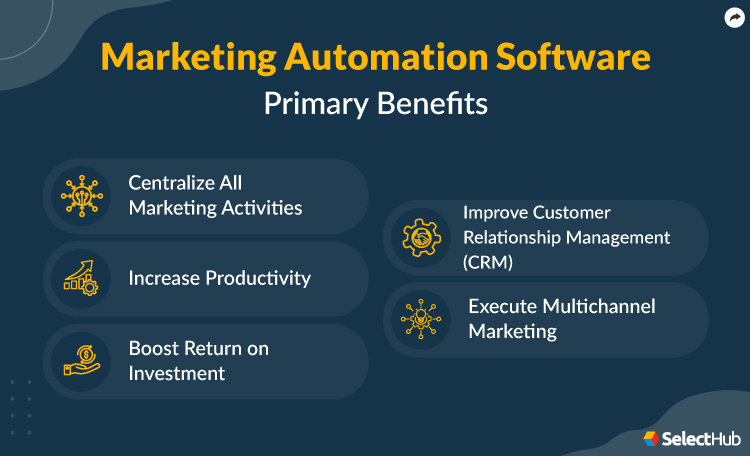
Centralize All Marketing Activities
Marketing automation software offers an integrated approach to all marketing activities, such as customer segmentation, lead generation, social media content, email marketing and analytics, into a single interface.
These tools eliminate manual errors, improve marketing campaign effectiveness and allow marketers to build, manage and track campaigns on a centralized system.
Increase Productivity
Marketing automation solutions allow marketers to focus on more strategic work by automating manual and repetitive tasks. This increase in productivity not only reduces costs but also accelerates business growth.
Boost Return on Investment
With capabilities to automate repetitive tasks, deliver personalized content and enhance visibility into marketing activities, marketing automation enables businesses to reduce marketing spend and increase customer lifetime value and ROI.
Improve Customer Relationship Management (CRM)
Marketing automation systems facilitate stronger relationships with customers by analyzing interactions. They deliver personalized content and offers to increase conversion and retention rates through behavior, buying pattern and preference studies.
It’s easy to confuse marketing automation solutions with CRM software, but the two perform different functions.
Check out this article for more information about the differences between CRM and marketing automation platforms.
Execute Multichannel Marketing
Marketing automation software consolidates several marketing channels like email, SMS, social media and websites to connect with customers through multiple touchpoints. This approach delivers a consistent brand experience, amplifies reach, builds engagement and improves the overall customer experience.
Automated Marketing Solutions Report Expert recommendations and analysis on the top marketing tools
Get free access now
Types
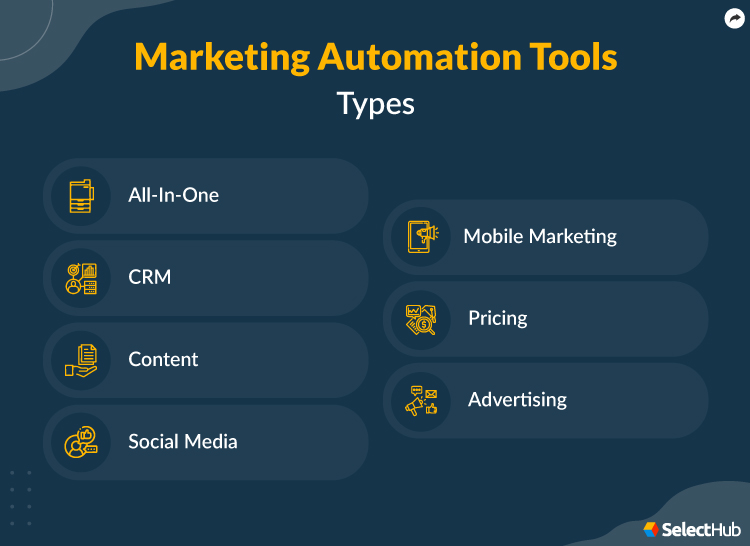
All-in-One
All-in-one marketing automation solutions integrate various marketing activities and workflows, eliminating time spent on repetitive tasks and allowing more focus on strategy and creativity.
These tools handle everything from email marketing to content marketing, social media management, paid advertising, mobile marketing and data analytics from a single comprehensive platform. They offer a holistic view of marketing initiatives and seamless integration between various marketing channels and campaigns.
CRM
Customer relationship management (CRM) streamlines the management and analysis of customer interactions and data. Software automates tasks like contact management, lead tracking, lead nurturing, customer support and sales forecasting.
CRM automation facilitates better customer relationships, improves customer satisfaction, and guides sales and marketing strategies with detailed data and actionable insights.
Content
Content marketing automation tools automate creating, publishing, distributing and promoting content. They assist in content curation, SEO optimization, scheduling and distribution, and performance evaluation.
Automation assures consistent delivery of quality content and provides valuable data insights into performance. With automated content delivery and detailed analytics, marketers can optimize their content marketing strategy and execution.
Social Media
Schedule social media posts, maintain a central repository of social media creatives, interact with audiences, create channel-specific ads and track real-time engagement with dedicated marketing automation platforms.
Get detailed insights into engagement rates, customer behavior and preferences, and campaign performance to build more effective social media strategies.
Mobile Marketing
Mobile marketing automation facilitates app messaging, in-app adverts, push notifications, usage data and mobile device engagement.
Businesses can refine their mobile marketing strategies and deliver tailored content to mobile users based on in-app behavior data.
Pricing
Pricing automation utilizes AI and ML models to set dynamic prices for products or services based on market dynamics, demand, supply rates and competition. These tools offer insight into consumer behavior, eliminate manual pricing analysis and enhance revenue management.
Advertising
Advertising automation streamlines campaign management by automating ad creation, targeting, scheduling and performance tracking through data-driven insights and advanced algorithms.
These automations boost advertising efficiency, increase advertising impact and strengthen ROI, leading to higher conversion rates and increased revenue.
Automated Marketing Solutions Report Expert recommendations and analysis on the top marketing tools
Get free access now
Implementation Goals
| Goal 1
Enhance Customer Segmentation
|
Deliver personalized and relevant content to targeted customer bases by dividing them into smaller groups based on demographics, behavior, preferences and engagement.
Segmentation improves customer engagement and conversion rates, enabling stronger customer relationships.
|
| Goal 2
Manage Multichannel Campaigns
|
Offer consistent customer experiences with seamless creation, execution and monitoring of campaigns across channels like email, social media, content, mobile and websites.
Maintaining regular interaction through various touchpoints offers a holistic view of the customer journey and enables comprehensive performance tracking and optimization.
|
| Goal 3
Improve Lead Scoring and Qualification
|
Assign values and scores to different actions for lead scoring, qualifying, and quality evaluation capabilities.
Prioritize high-quality leads, align sales and marketing activities, and increase conversion rates.
|
| Goal 4
Nurture Leads
|
Engage prospects throughout the buyer’s journey with interactive and contextual content to improve conversion rates.
With accurate customer segmentation, businesses can create targeted lead nurturing flows and personalized communication strategies for effective lead management.
|
| Goal 5
Increase ROI
|
Automate and centralize marketing processes, ensure consistent campaign deliveries, increase customer engagement, and leverage advanced analytics and reporting to improve conversions and ROI.
|
Automated Marketing Solutions Report Expert recommendations and analysis on the top marketing tools
Get free access now
Basic Features & Functionality
Here are some of the most common marketing automation software features:
| Lead Management |
Users can capture, filter, segment, track and nurture leads. Assign lead scores based on customizable qualifiers set up by sales and marketing reps.
Set up automated workflows to engage with high-quality leads promptly, prioritize effective and innovative sales initiatives, and increase lead conversion.
|
| Campaign Management |
Plan, execute and track marketing campaigns across channels.
Access to tools for campaign creation, scheduling, A/B Testing and performance tracking to enable data-driven decisions and continually optimize campaigns.
|
| Social Media Management |
Schedule, publish and track engagement for social media posts across channels from a single platform. With features like content curation, automated replies and social listening, engage with audiences promptly and enhance brand visibility.
|
| Email Marketing Automation |
Create, automate, and track email marketing and drip campaigns to engage audiences with pre-built templates and customer segmentation. Eliminate duplicate data, manage asset access permissions and automate repetitive tasks.
Send bulk emails and manage regular interactions with prospects and customers with targeted messaging for better engagement and conversion rates.
|
| Landing Page Creation |
Create and optimize visually appealing and conversion-focused landing pages for various campaigns with features like pre-built templates, drag-and-drop interfaces and A/B testing.
This feature enhances user experiences and increases lead generation.
|
| Workflow Automation |
Create and optimize visually appealing and conversion-focused landing pages for various campaigns with features like pre-built templates, drag-and-drop interfaces and A/B testing.Automation handles repetitive marketing tasks and processes such as lead nurturing, email drip campaigns, social media management and more, based on pre-defined triggers.
This feature eliminates manual errors, improves productivity and ensures timely and consistent engagement with leads and customers across all channels.
|
| Integrations |
Marketing automation platforms integrate with other solutions to enhance functionalities and facilitate seamless and personalized customer experiences. Some common integrations include:
|
| Reporting and Analytics |
Get access to detailed analytics and reporting capabilities to gauge campaign performance, understand customer behavior and make data-driven decisions to improve ROI.
Check key metrics like click-throughs, open and conversion rates, and revenue and marketing attribution.
|
Marketing Automation Software Report Expert recommendations and analysis on the top marketing tools
Get free access now
Advanced Features & Functionality
Apart from the basic features, some marketing automation systems also offer advanced functionalities to suit the needs of scaling businesses.
| A/B Testing and Optimization |
Automated A/B testing lets marketers test different variations of campaigns, landing pages, ad copies, social media content and email components.
With features like performance tracking, split testing and detailed analytics, businesses can facilitate personalization at scale, optimize marketing initiatives and improve conversion rates.
|
| Behavioural Tracking and Segmentation |
Track and analyze customer behavior across various touchpoints by mapping customer journeys and tracking website activities or events.
|
| Advanced Lead Scoring and Nurturing |
With sophisticated lead scoring and nurturing capabilities like lead behavior tracking, predictive lead scoring and automated lead nurturing tactics, businesses can prioritize high-quality leads and boost conversion rates.
|
| Dynamic Content Personalization |
With dynamic content personalization, businesses can deliver highly customized content to individual prospects and customers based on their preferences, buying patterns, behavior and demographics.
|
| Multichannel Marketing Automation |
With features like multichannel integration, customized messaging and cross-channel campaign coordination, businesses can align marketing initiatives across channels like SMS, email, social media and mobile marketing.
|
Our free requirements template can help you decide on must-have features to include in your selection process.
Automated Marketing Solutions Report Expert recommendations and analysis on the top marketing tools
Get free access now
Current and Upcoming Trends
Allocating marketing budgets amidst geopolitical and financial uncertainty requires a keen eye for resources and channels. However, investment in MarTech continues to rise. Between 2021 and 2023, the global marketing automation industry revenue grew by approximately 22% to $5.86 billion and is expected to exceed 13.7 billion by 2030.
Here’s a quick overview of some top trends. For a more thorough exploration, read our article on understanding the marketing automation landscape.
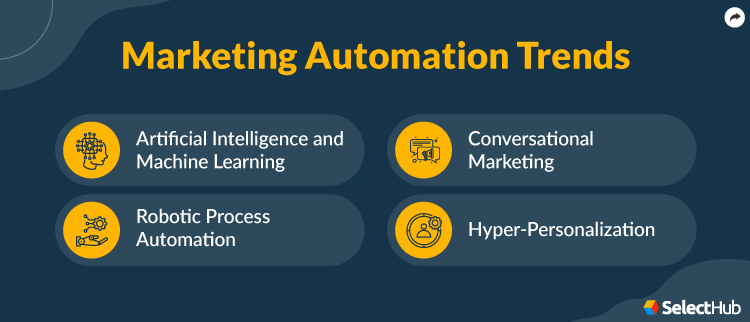
Artificial Intelligence (AI) and Machine Learning (ML)
While adopting AI and ML isn’t entirely new to the marketing industry, the explosive growth and usage of generative language models such as ChatGPT, Bard, ChatSonic, Jasper AI and more can be validated by data. Research shows that the global market revenue of AI in marketing is projected to escalate from $27.4 billion in 2023 to 107.4 billion in 2028.
Integrating automation, AI and ML technologies isn’t just a fad but a strategic need for surviving and thriving in a competitive economy. These technologies collect, segment and analyze real-time data, study behaviors and patterns to improve content workflows, enhance SEO implementations, and facilitate refined and hyper-focused campaigns.
On the customer front, they offer personalized shopping recommendations, dynamic pricing, virtual experiences for physical products and round-the-clock support with AI-enhanced chatbots, augmenting customer experiences.
However, the rapid evolution of AI- and ML-based tools for marketing raises questions about governance, legal and ethical challenges. Businesses should strike the right balance between the capabilities of these technologies and the challenges they impose to enable a scalable, efficient and ever-evolving business landscape.
Robotic Process Automation
In addition to AI and ML, RPA is also gaining prominence in the marketing automation industry. In fact, industries like manufacturing, technology, healthcare, retail and CPG also leverage it to optimize operational efficiency.
Research shows that the global robotic process automation market size was valued at $2,942.7 million in 2023 and is expected to expand at a CAGR of 39.9% from 2023 to 2030.
RPA adoption can automate up to 80% of repetitive tasks, improve productivity and accuracy, lower operational costs and deliver strategic value to organizations. Combined with similar cognitive technologies, RPA is bound to become an integral part of marketing automation.
Conversational Marketing
Conversational marketing offers an interactive and intuitive approach to the customer experience through live chat tools and chatbots. With two-way dialogue, instant responses, custom recommendations and real-time interactions, it encourages customers throughout their buying journey.
Marketing automation manages background operations with real-time data collection and analysis, whereas a conversational marketing interface uses this data to deliver a responsive and dynamic customer experience. Together, these technologies improve visibility and brand loyalty to drive revenue growth.
Enabled by marketing automation, the global conversational marketing software market size was evaluated at $18.40 billion in 2022 and is projected to reach $108.55 billion by 2030. This data illustrates the importance of incorporating marketing automation platforms to enable conversational marketing.
Hyper-Personalization
These marketing trends point towards hyper-personalization for maximizing conversion rates and ROI. By leveraging artificial intelligence and real-time data, hyper-personalization offers more contextual and bespoke experiences than a traditional personalization model.
The global hyper-personalization market is expected to be valued at $ 7.65 billion by 2025, growing at a CAGR of 25.8% from 2019 to 2025. This growth is fuelled by marketing automation and machine learning models. They analyze granular customer data and gather insights into customer purchase history, interests and buying patterns.
Combining these technologies enables hyper-personalization, where businesses create and serve sophisticated and customized content, communications and offers to increase engagement, secure a sense of trust and create brand loyalty.
Marketing Automation Software Report Expert recommendations and analysis on the top marketing tools
Get free access now
Software Comparison Strategy
Evaluating your business requirements and budget is the first step toward choosing the best marketing automation software. Some other important factors to consider are:
-
Company Size and Scalability: Evaluate your size and scalability goals. Large-scale businesses and global enterprises need a more sophisticated and scalable solution than smaller operations to accommodate growing demands.
-
Usability: User-friendly and easily navigable marketing automation systems are crucial for lowering learning curves and increasing user adoption.
-
Data Privacy and Security: Marketing and sales operations depend on personal and sensitive user data. Ensure that your solution stores data securely in a centralized location, has tiered access controls and complies with industry regulations.
-
Integrations and Customization: Your system should seamlessly integrate and facilitate data exchange for efficient operations. It should also be able to set up tailored workflows and automation to meet unique business requirements.
-
Customer and Technical Support: Helpful and proactive support is essential for data migration, setup, onboarding, issue resolution, training and more.
While the above factors cover a basic checklist, you can follow these steps for a more strategic approach when choosing marketing automation software:
Perform a Real-Life Needs Analysis
Analyzing your business requirements is the foremost step in selecting marketing automation tools. Follow these steps to conduct a real-life needs analysis:
-
Define Business Goals and Objectives: Take inputs from all stakeholders, like marketing, sales departments and senior executives, to define specific objectives. Quantify each objective into time-bound goals.
-
Identify Pain Points: Determine current marketing strategy and execution struggles. Scout for solutions that address these specific challenges to simplify software selection.
-
Specify Functional Requirements: Compile a detailed list of features an ideal solution needs to meet business goals. Create pre-determined triggers to launch workflows to achieve those goals.
-
Adhere to Industry-Specific Requirements: Ensure you follow required regulatory and compliance requirements to serve customers better and avoid legal troubles.
-
Consider Scalability and Flexibility: Ideal software should align with scaling needs and easily handle increasing volumes of customer data, workflows and processes. It should also adapt to unique workflows to target various buyer groups.
-
Assess Customizations and Integrations: Marketing automation platforms should seamlessly integrate existing business systems for efficient operations and data exchange.
Set Specific Targets
Defining measurable targets helps evaluate how each shortlisted option fares against its goals and objectives. Consider the following factors to set specific targets for marketing automation tools:
-
Identify Target Audience and Communication Channels: Define the target audience, create audience and buyer personas, and identify their preferred marketing channels.
-
Define Quantifiable Goals: From increasing the accuracy of customer segmentation to improving campaign performance and increasing conversion rates, define measurable goals for all marketing channels and initiatives.
-
Set Up Key Performance Indicators (KPIs): Identify relevant KPIs and metrics for each marketing channel and campaign to track marketing operation performance. These KPIs and metrics will create a benchmark for reporting and analytics functionalities and performance tracking.
-
Assess Reporting and Analytics Capabilities: With pre-defined channels, goals and metrics, look for systems that have features like visual insights, configurable dashboards, real-time data and tailored reporting to gather all the necessary information to optimize marketing initiatives.
Evaluate Your Adaptability
Adopting new technology is tough. Consider the following factors for successful adoption and a low learning curve for users:
-
Implementation Timeline: Consider time- and cost-consuming factors like software setup, data migration and integration with existing systems. Discuss and track projected timelines with the vendor to ensure a smooth transition to the new platform without disrupting current marketing operations.
-
Onboarding, Training and Support: Adequate training and support materials like documentation, live chats, video tutorials, webinars and more help users maximize the platform's benefits.
-
Technical Expertise: Apart from initial onboarding, training and access to support resources, your team may require additional guidance depending on the software’s complexity. Enquire whether the vendor offers additional training and support for free, at an extra cost or if you need to hire an external resource.
Marketing Automation Software Report Expert recommendations and analysis on the top marketing tools
Get free access now
Cost & Pricing Considerations
Several factors impact the pricing and total cost of ownership while selecting marketing automation software:
-
Pricing Structure: Vendors offer different pricing models, such as monthly subscriptions or tiered pricing based on user numbers.
-
Scalability and Flexibility: Adding up the costs for scalability goals and objectives is essential, as they significantly add to the price tag.
-
Discounts, Promotions and Referrals: Many providers offer timely discounts and promotions, while others have referral or loyalty programs that can reduce the cost.
-
Contracts and Long-Term Commitments: Review the contracts for shortlisted options and platforms in detail. While long-term contracts and subscriptions can offer better discounts, don’t compromise on essential features or robust support.
-
Implementation and Training: While some vendors offer implementation, user onboarding and training for free, others may charge extra.
-
Customer and Technical Support: Some vendors offer free support, while others have tiered packages of various customer and technical support levels. Though the support package pricing may not seem much at first, it adds to the total cost of ownership in the long run.
-
Additional Factors: Any third-party integrations, customizations and advanced features require additional time and pricing.
Price Guide for Marketing Automation Software See prices for the top marketing automation tools... Plus get important questions to ask.
Get Prices Now
Questions To Ask Yourself
Use these questions as a starting point for internal conversations:
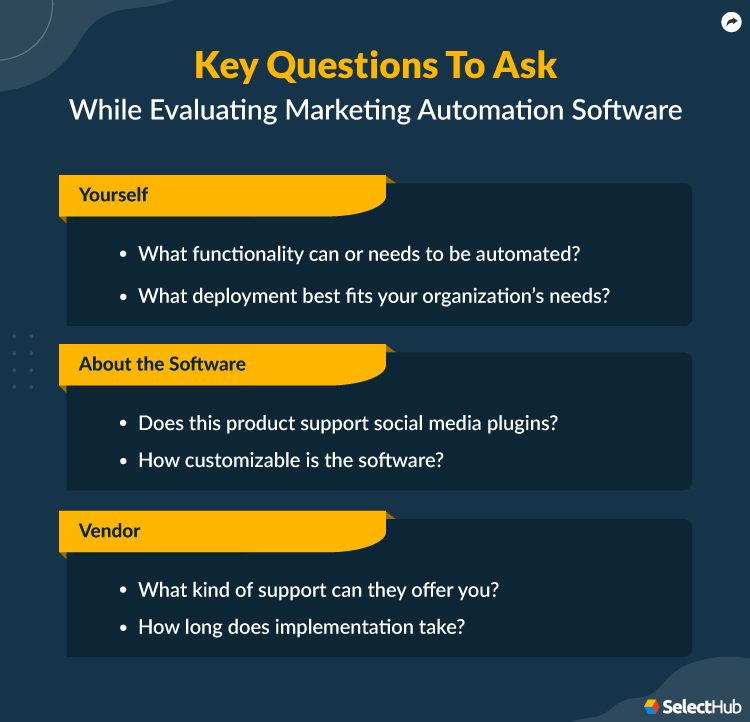
- What functionality can or needs to be automated?
- Who will be responsible for monitoring efforts post-automation, and what metrics will you use to determine whether or not your efforts succeeded?
- How much value will automation add, and how? For example, will it save time, improve decisions or drive higher revenue?
- What are some short and long-term goals you hope to achieve with a marketing automation tool?
- What are your current KPIs, and how can you use them within your marketing automation software to show each department’s value?
- What deployment best fits your organization’s needs?
- What kind of reporting capabilities do you need? Do they need to be customizable?
- How many contacts do you need to store within the database?
- Do you anticipate growth in your organization? Can this tool scale with you?
Questions To Ask Vendors
Use these questions as a starting point for conversations with vendors:
About the Software
- Does this product support social media plugins?
- Does it integrate seamlessly with other apps? Can it achieve seamless integration with CRM systems?
- How customizable is the software?
- Does this product offer mobile capabilities? How does the mobile interface differ from the desktop version, and how user-friendly is the mobile UI?
- Is it easy to add additional users?
- Can additional features be added after implementation? Does this cost extra?
About the Vendor
- What kind of support can they offer you?
- How long does implementation take?
- Is employee training with the software included in the price? For how long?
- How often are new features or updates applied to this product?
- Do they offer paid or free integrations?
Next Steps
Marketing automation helps prioritize growth by automating repetitive marketing tasks and taking your marketing initiatives to the next level. There are different types of marketing automation platforms out there, and some even offer a free trial.
Check out our free comparison report for in-depth feature scores and side-by-side comparisons of the leading products in the market. Or, use our free requirements template to match your essential features with your budget and find the best solution.