Manage your client relationships like a trusted financial advisor, so you can build deeper connections and guide them toward their goals with ease.
Last Updated: Mar 26th, 2026
Our Review Process:
Our content and analyst teams reviewed 24 financial services CRM software.
We use a rigorous research process and test products where possible to provide unbiased,
data-backed recommendations so you can select software faster and with confidence.
30+
Analysts
9,095
Overall Products
Researching Since
2015
What is Financial Services CRM Software?
Financial services CRM software is a digital hub for client information and relationship management. It solves the problem of disconnected data and manual communication. Key functionalities include client segmentation and compliance tracking, with emerging trends centered on AI for personalized portfolio recommendations. Financial advisors and wealth managers benefit most. Its primary limitation is the complexity of integration with legacy systems, but its ultimate value is in its ability to transform a portfolio of clients into a well-organized ecosystem, ensuring every client feels heard and valued.
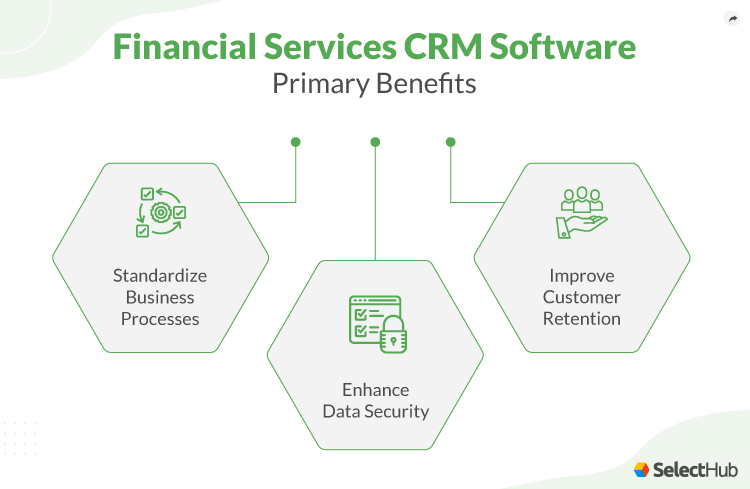
What Are The Key Benefits of Financial Services CRM Software?
Our financial services CRM software analysts evaluate solutions using a comprehensive,
multi-source approach designed to give you an objective view of what's available in the market.
Here’s how it works:
Our Research Process:
Our analyst team gathers data from multiple angles to ensure complete coverage,
including SelectHub Analyst Briefings, direct vendor interviews, user reviews,
product documentation, case studies, and technical specifications.
This multi-source approach helps eliminate bias and gives you the full picture.
Our Scoring Methodology:
The proprietary scoring engine in our selection platform analyzes the data to compute the Analyst Score.
We evaluate how much functionality you get out of the box vs.
what requires additional modules or third-party integrations — because we know implementation complexity
and hidden costs matter to your decision.
The result: Data-driven scores for the best products in financial services CRM software that reflects real-world
usability and comprehensive feature coverage, helping you make confident software decisions faster.
For our financial services CRM software analysis, we scored the following feature groups:
Account and Contact Management
Client Onboarding and KYC Management
Communication Channels
Customer Experience and Multi-Channel Engagement
Dashboards and Reports
Document Management
Financial Product and Portfolio Management
Lead Management
Mobile Capabilities
Opportunity Management
Platform Capabilities
Sales Performance Management
Team Collaboration
We also scored these technical capabilities:
Integrations and Extensibility
Platform Security
We use the scale below to rate each feature and integration capability in our platform:
Level of Support
Score
Description
Fully Supported Out of the Box
100
This feature comes built-in with industry-leading capabilities and works right after installation.
No extra modules, integrations, or custom development needed.
Moderately Supported Out of the Box
85
This feature is included out of the box and ready to use, though with more limited capabilities.
No extra modules, integrations, or custom development needed.
Supported with Workarounds
70
This feature isn’t offered directly, but you can achieve similar results using other built-in features
or workarounds at no extra cost.
Supported with Additional Modules
60
This feature is only available through additional vendor modules or products,which come at an extra cost.
Supported with Partner Integrations
50
You’ll need to use a third-party integration, plugin, or app from the vendor’s marketplace at an extra cost.
Supported with Custom Development
25
This feature isn’t built in or available through add-ons or integrations,
but it can be custom-developed using the software’s supported APIs and frameworks. Costs may vary.
Not Supported
0
This feature isn’t supported.
Best Financial Services CRM Software Overall
Our Research Analysts evaluated 24 solutions and
determined the following solutions are the best financial services CRM software overall:
Analyst Verified
Verified with the vendor through an RFI process and independently reviewed by our analyst team to ensure
accuracy.
Sort by
Overall
Score
i
Our Overall analyst rating for Financial Services CRM Software products is based on scores in
our selection platform for 86
functional requirements, 34
technical requirements and 8
analyst verification questions. Each functional and technical requirement is scored on
a scale of 0 (not supported) to 100 (fully supported out of the box).
The analyst verification questions are scored as Yes (100) or No (0).
Overall, Account and Contact Management, Client Onboarding and KYC Management, Customer Experience and Multi-Channel Engagement, Financial Product and Portfolio Management, Integrations and Extensibility, Lead Management, Opportunity Management, Team Collaboration
Account and Contact Management, Customer Experience and Multi-Channel Engagement, Document Management, Lead Management, Mobile Capabilities, Platform Capabilities, Sales Performance Management
Account and Contact Management, Client Onboarding and KYC Management, Communication Channels, Customer Experience and Multi-Channel Engagement, Financial Product and Portfolio Management, Lead Management, Opportunity Management
Account and Contact ManagementClient Onboarding and KYC ManagementCustomer Experience and Multi-Channel EngagementFinancial Product and Portfolio ManagementIntegrations and ExtensibilityLead ManagementOpportunity ManagementTeam Collaboration
Based on user reviews collected from popular reviews sites.
Analyst Score
i
Our Overall analyst rating for Financial Services CRM Software products is based on scores in
our selection platform for 86
functional requirements, 34
technical requirements and 8
analyst verification questions. Each functional and technical requirement is scored on
a scale of 0 (not supported) to 100 (fully supported out of the box).
The analyst verification questions are scored as Yes (100) or No (0).
From what I’ve seen, Salesforce Financial Services Cloud is great for firms that need structure, visibility and industry-specific depth from day one. It isn’t your typical CRM where you start with a blank slate — it comes pre-loaded with the kind of financial objects and relationship models that banks, advisors and insurance teams actually work with.
While testing it, what stood out most to me was how naturally it organizes financial relationships. Instead of the usual “account and contact” setup, I could work with households, related entities, financial accounts, policies and goals right out of the box. That alone made my workspace feel much closer to a real advisory or banking environment, without needing to build custom objects or structures first.
Another highlight was the workspace experience. The wealth management console gave me household records and related contacts in a unified view, so I wasn’t clicking endlessly between different screens to get a full client picture.
Additionally, Action Plans and built-in task automation features were easy to access from the same workspace. That setup means core advisor processes, like onboarding and client reviews, are far less manual and fragmented than you’d get with a typical CRM.
That said, I ran into some challenges during my testing. Salesforce is powerful, but it isn’t instantly simple. The interface is clean, but it took me time to learn where everything lives — especially the industry objects and relationship mappings. It also became obvious that getting the most value out of Salesforce would require thoughtful configuration. Nothing felt “plug-and-play,” and I can see smaller teams needing guidance or admin support to fully set it up.
Bottom line: If you need a CRM that supports real financial operations without making you build everything yourself, Salesforce Financial Services Cloud is a strong option. But if you want something lightweight, intuitive or low-maintenance, HubSpot Sales or monday CRM are worth considering — both are easier to set up and use, with no full-time admin required.
Industry-Specific Data Model: Users mentioned that Salesforce’s built-in financial objects like households, accounts, loans and policies help align with real financial workflows, reducing the need for heavy customization.
Highly Customizable and Flexible: Many reviewers said the platform is extremely adaptable, noting that fields, page layouts, workflows and automation can all be tailored to match complex financial processes.
Strong Workflow Automation: Users reported that Salesforce helps simplify onboarding, case management and service processes, making it easier to maintain consistent client experiences across advisors and branches.
Deep Ecosystem Integrations: Reviewers appreciated how well the platform connects with the broader Salesforce ecosystem, allowing teams to unify sales, service, marketing and analytics in one platform.
Built-In Compliance Support: Users praised the platform’s embedded compliance features, which support KYC, data-sharing controls and audit tracking without needing to build everything from scratch.
High Cost and Licensing Complexity: Many users said the platform is expensive, with additional costs for licenses, add-ons and implementation services, making total ownership higher than expected.
Steep Learning Curve: Reviewers mentioned that while powerful, Salesforce requires significant training to fully understand, especially when setting up workflows, custom objects or integrations.
Heavy Customization: Some users reported that despite Salesforce being built for the financial industry, it requires considerable customization to support unique financial processes or data models.
Complex for Smaller Firms: Users from smaller organizations noted that Salesforce can feel overly complex or like “too much system,” so they don’t make the most of advanced features.
Performance and Navigation Challenges: Some reviewers mentioned occasional slowness, too many clicks to complete tasks or difficulty switching between complex record types during busy workflows.
Industry-Leading Capabilities: With an overall analyst rating of 89, Salesforce Financial Services Cloud offers a robust, full-featured financial services CRM. It’s highly adaptable to diverse business needs and displays strong user satisfaction across different industries and company sizes.
All-in-One Client View: Salesforce Financial Services Cloud scored a perfect 100 for account and contact management in our analysis. You can track each client and household in one place and view their relationships, financial goals and recent activity instantly. That way, you can personalize outreach and keep every interaction organized.
Quick Onboarding: With a score of 100 in our analysis, Salesforce excels at client onboarding and KYC management. The platform guides you through required steps and documents, while built-in KYC tools verify identities, track compliance and cut down manual work so you can onboard clients faster and with fewer errors.
Holistic Portfolio View: Salesforce also scored 100 for financial product and portfolio management. You can track holdings, performance and recommendations with clear context, making it easier to guide clients, spot opportunities and keep their portfolios aligned with their goals.
Focused Outreach: Salesforce Financial Services Cloud helps you manage leads with a relationship-centered approach. By linking prospects to households and financial goals, and tracking past interactions, you can make more informed, personalized engagement that increases conversion efficiency.
Agentforce AI Automation: Autonomous AI agents can handle routine client tasks — balance inquiries, fee reversals, disputes, insurance quoting — while following your internal compliance rules, helping cut service costs and reducing staff workload.
Unified Data Model: You can track multi-generational families, legal entities, life events and influence networks through the system’s native household, group and person account models. With built-in objects for accounts, loans, mortgages, insurance policies and financial goals, teams gain a complete financial and relational view.
Advisor & Banker 360 Workspace: Give your teams a consolidated console that displays accounts, interactions, alerts and tasks pulled from Salesforce and core systems. It helps them prioritize clients and reduce handling time across wealth, banking and insurance lines.
Built-in KYC & Compliance Structures: You can capture KYC data, track field-level changes, enforce data-sharing rules, and combine with Salesforce Shield for audit trails, encryption and event monitoring. The platform supports regulatory requirements across all business lines.
Prebuilt Industry Workflows: You get templates for onboarding, lending, service, mortgage and insurance processes. The templates automatically create documents, collect data and set task order so teams follow consistent, compliant steps.
Based on user reviews collected from popular reviews sites.
Analyst Score
i
Our Overall analyst rating for Financial Services CRM Software products is based on scores in
our selection platform for 86
functional requirements, 34
technical requirements and 8
analyst verification questions. Each functional and technical requirement is scored on
a scale of 0 (not supported) to 100 (fully supported out of the box).
The analyst verification questions are scored as Yes (100) or No (0).
After testing Creatio, I've discovered it's much more than just another CRM platform. It's an advanced Business Process Management (BPM) system with CRM capabilities baked in. I especially appreciated the modern, next-generation UI.
From a customization standpoint, I found the no-code tools surprisingly intuitive. I was able to learn how to customize the solution myself without constantly needing technical support, which was a huge plus. That said, for more complex applications, you'll still want an IT team on standby.
Namu Travel Group, Central America's leading online travel agency with 24 years in business, has been using Creatio's no-code platform since 2015 to improve how they work. After the travel industry recovered from the pandemic, Namu Travel needed to move quickly to meet growing customer demand. They switched most of their processes from code-based to no-code, which helped teams work better together and respond faster to customers.
The platform lets them automatically sort leads, send reminders, process sales opportunities and generate reports without needing developers. Namu Travel's marketing team uses the system to manage leads across different channels and personalize messages, which has helped them stay ahead of competitors and serve over 25,000 travelers yearly.
The system's flexibility is visible in how it handles business processes. I was impressed with the campaign features — even complex marketing campaigns were surprisingly manageable. The bi-weekly updates from the vendor kept things running smoothly, quickly addressing the few minor bugs I encountered along the way.
However, I did face some challenges worth noting. Load times were occasionally frustrating, with some pages taking longer than expected. I also ran into some reliability issues with the scheduled emails feature, which sometimes failed to send as planned. These might not be deal-breakers for many, but they're worth keeping in mind.
The platform's depth is a striking aspect. While everyday users might pick up the basic interface quickly, I found myself occasionally overwhelmed by the sheer number of features and customization options available. The tools are incredibly useful but potentially daunting if you're new to it.
Creatio's commitment to user feedback is commendable. Their continuous platform improvements based on user suggestions show how they're serious about evolving with their customers' needs. The extensive third-party integration options were impressive, though I noticed most of them required additional providers to set up.
In general, Creatio is a strong yet flexible platform that might be overkill for simple CRM needs but really shines when you need comprehensive business process management with CRM capabilities. While there's definitely a learning curve, the payoff in terms of functionality and customization options makes it worth considering for organizations ready to invest the time.
Intuitive Design: The clean, intuitive interface makes daily tasks simple and helps users quickly find what they need.
Responsive Customer Support: The support team provides comprehensive assistance through multiple channels whenever you need help.
Low-Code Platform: Creatio Studio enables you to create custom workflows and apps without extensive programming knowledge.
What Users Like
Easy Customization: “Evaluating Creatio as a whole, it stands out as more than just a CRM. Its pros are its best-in-class business process management capabilities and its extensive configuration options. Creatio offers detailed settings for design, actions, customization and user experience.” - Pranshu Basak, Creatio Developer
Performance Issues: Pages and functions can take longer to load compared to simpler CRM systems, which might slow down your work pace.
What Users Dislike
Not Beginner-Friendly: The extensive feature set can overwhelm new users who might need extra time to learn and understand all available tools. “One con is the steep learning curve, especially for developers, due to its depth of functionality and customization features. Also, it has very little to no UI options.” - Pranshu Basak, Creatio Developer
Comprehensive Lead Management: With a score of 100 from our analysts, the platform lets you generate leads in multiple ways. You can manually enter details, import from Excel or let the system automatically create leads when contacts reach a high conversion score. The machine learning model automatically identifies promising leads when they reach a score of 80 or higher.
Best-in-Class Dashboards & Reports: Scoring a 100 from SelectHub’s analysts, Creatio lets you build custom reports that show exactly what your business needs to see, from sales metrics to customer insights. Your team can set up personalized homepages for different departments like sales, marketing and service, making sure everyone has quick access to their most important data.
Embedded AI Agents: Creatio includes built-in AI agents across its Marketing, Sales and Service products, designed to automate tasks and support decision-making within each function.
Email-to-Lead Conversion: Convert incoming emails into actionable leads without manual data entry. The system automatically creates new leads or updates existing ones when emails are forwarded to the parser, while also adding new contacts from unknown senders and filling in their details.
Opportunity Management: You can track deals from initial interest to final closure, with automated opportunity creation from converted leads. The system fills in important details like contact information and product lists while also allowing the manual creation of opportunities when needed.
Product Management: Keep track of all your products and services in one central location, complete with photos, codes and pricing details. Creatio calculates total contract values when products are added to opportunities, making it easier to forecast potential revenue.
Sales Documentation: You can manage all your sales paperwork, from quotes to contracts and invoices, in one place and generate invoice numbers. The platform lets you track every document related to your sales deals, making it simple to keep everything organized.
Workflow Management: You can create multiple automated workflows using simple drag-and-drop tools without needing technical expertise. The CRM lets you set up specific rules that automatically respond to events or data changes, keeping your business processes running smoothly.
Self-Service Portal: Customers Give your customers control through a comprehensive self-service portal. They can search the knowledge base for answers, submit and monitor support cases, and maintain direct communication with your support team through the portal's feed feature.
Based on user reviews collected from popular reviews sites.
Analyst Score
i
Our Overall analyst rating for Financial Services CRM Software products is based on scores in
our selection platform for 86
functional requirements, 34
technical requirements and 8
analyst verification questions. Each functional and technical requirement is scored on
a scale of 0 (not supported) to 100 (fully supported out of the box).
The analyst verification questions are scored as Yes (100) or No (0).
Is DealCloud the silver lining for your business's cloudy sales performance? DealCloud has garnered praise for its user-friendly interface, robust features, and competitive pricing, earning recognition as a top CRM software. Users particularly appreciate its comprehensive CRM system for managing leads, sales pipelines, and deal closures, along with its powerful reporting engine that helps track sales performance and pinpoint areas for improvement. The ability to integrate with other business applications like Salesforce, Microsoft Dynamics, and Google Analytics further enhances its appeal.
However, some users have noted that DealCloud's customization options can be complex and may require technical expertise. Additionally, while DealCloud offers a wide range of features, some users have expressed a desire for more advanced marketing automation capabilities. Despite these drawbacks, DealCloud's strengths lie in its ability to streamline sales processes, improve collaboration, and provide valuable insights into relationship management. Its automated data capture, relationship intelligence features, and AI-driven outreach tools significantly enhance efficiency and productivity.
DealCloud appears to be best suited for financial and professional services firms seeking to optimize their relationship management and business development efforts. Its industry-specific features, such as relationship scoring and deal tracking, cater to the unique needs of these sectors. The platform's ability to centralize firm interactions, automate workflows, and provide actionable insights empowers professionals to focus on building relationships and driving growth. While DealCloud may have a steeper learning curve compared to some competitors, its comprehensive features and industry-specific focus make it a valuable tool for firms looking to elevate their sales and relationship management strategies.
Relationship Management: DealCloud excels at managing relationships, allowing users to easily track interactions with clients and prospects, log meeting notes, and set follow-up reminders. This helps streamline communication and build stronger relationships.
Pipeline Tracking: The platform provides a clear visual representation of the sales pipeline, enabling users to monitor deal progress, identify potential bottlenecks, and make informed decisions to optimize their sales process.
Reporting and Analytics: DealCloud offers robust reporting and analytics features that provide valuable insights into sales performance, deal flow, and team productivity. Users can generate custom reports, track key metrics, and identify areas for improvement.
Steep Learning Curve: DealCloud's extensive features and functionalities can be overwhelming for new users, requiring significant time investment to master the platform effectively.
Customization Challenges: While DealCloud offers customization options, tailoring the platform to specific workflows and preferences can be complex and may necessitate assistance from technical experts or consultants.
Mobile App Limitations: The mobile app's functionality is limited compared to the web version, potentially hindering productivity for users who rely on mobile access.
Reporting Complexity: Generating reports in DealCloud can involve intricate steps and may require familiarity with the platform's data structure and reporting tools.
Streamline Workflows: Organize transactions and maintain compliance by monitoring every stage of deal processes and using a configurable and customizable workflow engine integrated with deal flow tracking and execution.
Make Smart Decisions: Dealmakers can make informed business decisions and view transaction details in a unified platform leveraging proprietary and third-party data. Gain relationship intelligence through email marketing analytics from a single database.
Collaborate Across Teams: Ensure quick deal closures by keeping team members on the same page with fast and recent deal updates.
Manage and Migrate Data: Handle data efficiently through combined metadata and references, duplicate record elimination and access to actionable insights. Quickly add, filter, delete, swap, reorder, view and hide records. Track and restore deleted data and see who deleted it, affected lists, data source and deleted entities.
Reduce the Risk of Data Loss: Ensure data accuracy by importing valuable information into a CRM to configure rules and permissions. Prevent data loss and define who can import and export data, and at what frequency.
Relationship Tiering: Build a tiering strategy to meet unique business needs and organizational structure by understanding entity value.
Centralized Communication History: Store all communications and data in one place, to make it easily accessible.
Relationship Ownership: Ensure proper coverage of deals, people and opportunities through an intelligent tagging layer. Enforce accountability and own relationships through flexible tagging capabilities.
Complex Reporting: Run complex reports from websites or through add-ins. Tearsheet technology helps reduce administrative burden and lets professionals pre-format and schedule reports.
Relationship Intelligence: CRM technology combined with proprietary data helps improve relationships, allowing investors to focus on deal closure.
Based on user reviews collected from popular reviews sites.
Analyst Score
i
Our Overall analyst rating for Financial Services CRM Software products is based on scores in
our selection platform for 86
functional requirements, 34
technical requirements and 8
analyst verification questions. Each functional and technical requirement is scored on
a scale of 0 (not supported) to 100 (fully supported out of the box).
The analyst verification questions are scored as Yes (100) or No (0).
Through our thorough analysis and tests, we've found Pipeliner CRM to be a reliable and user-friendly solution that stands out in several key areas.
According to our research, 92% of users recommend this product, highlighting its popularity and user satisfaction. In comparison, Zoho has a user sentiment score of 85%; Salesforce and HubSpot each have 88%, while Oracle stands at 81%. This data underscores the high level of user approval for Pipeliner CRM, positioning it ahead of its competitors in terms of user recommendations.
Its visual approach to pipeline management makes it easy to track and manage sales opportunities at a glance. We were particularly impressed by how intuitive the interface is — you can get up and running quickly without extensive training.
The Automatizer tool helps you automate repetitive tasks. For instance, you can automate email or notification sending when a deal hits a certain stage. It can update fields or statuses and sync data with other systems by itself.
The Buying Center feature is amazing! It shows the connections between contacts, accounts and opportunities in interactive graphs, making it easy to identify key decision-makers and their relationships. The Org Chart is another interesting feature that can automatically build an organizational chart for each account, showing the hierarchy and decision-making structure.
I’m particularly impressed with the dashboards and reporting capabilities. The interactive dashboards offer real-time data visualization, providing valuable insights into sales performance. Custom reports allow you to analyze specific metrics and trends, helping you make informed decisions.
What’s really handy is how Pipeliner lets you request new reports right from your screen. It quickly gathered all the data on opportunities and created a report for me. I could easily tweak these reports using the power panel to fit what I need. You can group reports by owner, add graphs, pick specific columns and remove any info you don’t want.
Pipeliner's customization capabilities let you tailor fields, create custom modules or design specific workflows, adapting to your business needs effortlessly. The mobile apps for iOS and Android are also noteworthy, offering full functionality on the go.
Pipeliner excels in promoting team collaboration, with features like the “Feeds” that keep everyone on the same page.
Tenaska Marketing Ventures (TMV), a leading natural gas marketer in the U.S., chose Pipeliner to solve their communication hurdles across teams and regions. Before implementing Pipeliner, TMV struggled with tracking customer interactions as they expanded, often resulting in duplicate customer visits and relying on spreadsheets for updates.
They selected Pipeliner because it was easy to use without hiring additional staff to manage it, and they valued personal relationships with Pipeliner's responsive team. After fully implementing the system in 2022, TMV saw tremendous adoption across the company, with employees using it not just for tracking data but as a genuine communication tool that created transparency.
It's worth noting that some users have reported challenges with integrations. While Pipeliner likely offers integration options, they may not be as extensive as some other CRMs in the market, like Zoho, Salesforce or Hubspot. Additionally, a few users felt the pricing was on the higher side for the features offered.
All around, Pipeliner CRM is well-suited for organizations that value a clear, visual representation of their sales pipeline and need a system that can grow and adapt to their business. While it offers many advantages, potential users should consider their specific integration needs and budget constraints when evaluating the software.
Visual Pipeline Management: Users appreciated Pipeliner's visual pipeline feature, which provides a clear overview of all critical data points.
Ease of Use: The platform is user-friendly and requires minimal training to get started.
Customizable Features: Pipeliner offers extensive customization options, allowing users to mold the software to their exact needs and easily adjust as their business evolves.
What Users Like
Ease of Use: “Unlike other CRMs that bury data under layers of menus, Pipeliner presents everything in an easy-to-navigate, drag-and-drop format. This made onboarding much smoother for our sales team, as they could quickly grasp the system without extra training.” - Pieter Wellens, CTO of Apicbase
Limited Integrations: Users mentioned challenges with integrating Pipeliner with other business apps.
Pricing: Some users expressed concerns about the pricing, saying they expected more features for the price point.
What Users Dislike
While Pipeliner integrates well with mainstream apps, we needed some custom API work to get it fully aligned with our tech stack.” - Pieter Wellens, CTO of Apicbase
Enhance Team Collaboration: With a score of 100, Pipeliner CRM earned the rank as the best CRM for team collaboration, based on our analysis. It promotes seamless communication between marketing, sales and operations. The “Feeds” feature acts as a shared workspace, providing a complete history of communications for teams.
Store and Find Documents Easily: Pipeliner leads its competitors in document management, earning a perfect 100 for this functionality. The CRM gives you a central place to keep all your documents, attachments and sales materials, with role-based access. You can quickly find what you need using the global search feature, track document versions and keep records of different quote variations.
Improve Your Sales Performance: You can create and run targeted email campaigns with Pipeliner's email sequence tool that lets you schedule messages, use templates and set up follow-up actions. Develop micro-marketing campaigns and improve future efforts by tracking open rates and link clicks while using the forecast feature to plan and review revenue across users, units, products and categories.
Boost Client Communication: Pipeliner CRM scored 100 in our analysis for its text messaging capabilities. You can reach contacts individually or in bulk and create custom "Feeds Profiles" to display only text messages.
Optimize Partner Management: Pipeliner received another perfect 100 for its partner scorecard tool in our analysis. You can assess partner performance, identify improvement areas and measure contributions using customizable scorecards.
Sales Pipeline / Kanban View: Pipeliner organizes opportunities in a Kanban board, offering visibility across all stages in a single view. This helps your team quickly assess the status of all opportunities.
Native iOS and Android Apps: The mobile apps offer features like a Notification Center, Document Scanner and Business Card Scanner. You can view accounts and contacts on maps, create new records using their current location, and perform various actions on the go.
Product Management: Enter your company's products or services with pricing information so your team can easily select items, quantities and prices for sales opportunities with custom details. You can maintain a complete product catalog with all details, including categories and pricing, and even apply surcharges by setting percentage increases to your price lists.
Lead Tracking and Prioritization: Pipeliner CRM excels in tracking sales leads using pipelines, helping you identify which clients to prioritize. This feature provides a clear visual representation of the sales process.
Automation: The platform helps ensure timely follow-ups and simplify repetitive tasks. This helps your sales teams maintain consistent communication without the risk of overlooking important touchpoints.
Account and Contact ManagementClient Onboarding and KYC ManagementCommunication ChannelsCustomer Experience and Multi-Channel EngagementFinancial Product and Portfolio ManagementLead ManagementOpportunity Management
Based on user reviews collected from popular reviews sites.
Analyst Score
i
Our Overall analyst rating for Financial Services CRM Software products is based on scores in
our selection platform for 86
functional requirements, 34
technical requirements and 8
analyst verification questions. Each functional and technical requirement is scored on
a scale of 0 (not supported) to 100 (fully supported out of the box).
The analyst verification questions are scored as Yes (100) or No (0).
CRMNext helps companies in the finance, automobile, retail and media domains manage customer interactions more effectively through a unified dashboard, a consolidated customer view and user-friendly features. Users also say the ability to integrate with legacy systems and customize the product are notable benefits. Some major drawbacks include limited training and product resources, along with some bugs that affect productivity. It also lacks the performance and speed some users are looking for. In summary, businesses looking to automate their marketing and customer relation efforts may find this to be a good choice.
Robust Communication: All reviews on this topic state the platform supports client communications and effectively helps operational transitions.
User-Friendly: The system is easy to navigate, offers a 360-degree view and can be used without technical coding knowledge, as 75% of users specifying this aspect indicate.
Customization and Integration: The application is highly customizable and offers legacy system integrations, suggest 83% of reviews on customization and integration.
Unified Dashboard: A consolidated view with various modules like lead management, service management and activity management are linked with each other for easy operation, according to 80% of users mentioning this.
Inadequate Resources: All users who reviewed resources suggest that frequent training sessions and better content delivery could help understand the platform’s functionality better.
Performance Lacks Agility: The software rigidity hampers productivity and it functions slow at higher workloads in the experience of 80% of users.
Cumbersome Features: It would benefit from more easily operative features, according to 80% of users reviewing functionality.
Data Predictions: Create forecasts based on various aspects such as current pipeline, previous trends, previous forecasts and revenue, competition, economic conditions, team performance, industry trends and more.
Enhanced Collaboration: Highlight critical updates, manage work and share files, links, surveys and insights.
Streamlined Service: Customers can give opinions, share ideas and write feedback via a portal. Automatic routing rules capture customer requests from the website and direct them to the right team.
Coaching: Access enhanced training to stay updated with industry developments and receive coaching tips for teams.
User-Friendly Integration: A codeless, bi-directional suite combines existing campaign tools, models and marketing lists along with social, mobile and behavioral insights. Integrates with third-party apps for e-signature, identity verification and information services.
Contact Management: Collates information from internal systems, third-party applications and manually captured data for viewing. Provides access to customer intel, targeted offers and behavioral insights along with profile details and editing.
Account Management: Houses account details like status, balance, alerts, attachments, related transactions, activities and service requests. Also:
Automates and streamlines the account opening process
Integrates all systems such as back-office, document management, e-signature and more.
Eliminates screen hopping, duplicate entries, irrelevant fields, possibility of errors, rework and potential compliance problems.
Based on user reviews collected from popular reviews sites.
Analyst Score
i
Our Overall analyst rating for Financial Services CRM Software products is based on scores in
our selection platform for 86
functional requirements, 34
technical requirements and 8
analyst verification questions. Each functional and technical requirement is scored on
a scale of 0 (not supported) to 100 (fully supported out of the box).
The analyst verification questions are scored as Yes (100) or No (0).
After exploring Wealthbox, it’s safe for me to say that it’s a solid choice for wealth management experts, though it has its strengths and limitations.
I appreciate how Wealthbox simplifies the daily operations of a financial advisory practice. The interface is refreshingly intuitive, with helpful guides throughout that make onboarding a breeze. What stands out is its ability to centralize client information — I could track every client detail, log notes and manage follow-ups all in one place.
The email management system is another standout feature. I could send targeted bulk emails to specific client groups or broadcast messages to my entire client base.
The mobile app is well-built, having nearly all CRM functions available on my phone (except for dashboards). The workflow system, while visually basic, is functionally strong. I've found the pre-built workflow templates useful for common processes.
There are some limitations I’ve noticed that could use attention. While the workflow system works well functionally, I find myself wishing for a more visually appealing interface — perhaps something with a notecard-style layout or customizable visual workflows.
Also, while Wealthbox offers numerous integrations with other tools, some of them aren't as deep or comprehensive as they could be. Some users experienced problems with email integration, having to relink their accounts every now and then.
Despite the complaints, I believe Wealthbox hits the sweet spot between functionality and ease of use. It's clearly designed with financial advisors in mind, and it nails the fundamentals of client relationship management while maintaining a gentle learning curve. While there's room for visual and integration improvements, the core functionality and user-friendly approach make it a valuable tool.
Intuitive User Experience: The platform has an easy-to-navigate interface that makes daily tasks straightforward and efficient.
Extensive Integrations: Wealthbox connects with various financial and business tools, helping users maintain a coordinated tech stack.
Competitive Pricing: Users state that the CRM offers excellent value for money, providing solid features without a hefty investment.
Minimal Training: Teams can grasp the platform quickly, reducing training time, thanks to its logical layout.
Unreliable Email Integration: The email connection frequently experiences disruptions, requiring users to repeatedly reconnect their accounts, causing frustration during daily operations.
Limited Reporting Capabilities: The reporting functionality falls short in advanced conditional logic (if/then scenarios) and detailed analytics options that many firms need. Also, custom report creation is not so user-friendly.
Visualize Client Networks: Understanding how your clients connect with each other becomes crystal clear with Wealthbox's visual relationship mapping using Asset-Map. Advisors can spot hidden opportunities for referrals and cross-selling by seeing important links between clients and their contacts.
Assist Clients Through a Secure Online Portal: Wealthbox's client portal provides clients the freedom to access their financial information whenever they need it. This self-service feature not only allows clients to view their data but also offers a secure channel for communicating with their advisors.
Streamline Client Data: The platform excels at organizing every detail about your clients in one central hub. You can effortlessly track contact information, giving you a 360-degree view of each client's journey.
Live Activity Streams: Following client activities and team updates is extremely easy with the dynamic activity feed. It helps you stay informed about important developments as they happen.
Full-Featured Mobile App: Whether you need to look up contact information, run through your schedule or check team updates, you'll have full CRM functionality in your pocket with the Wealthbox app.
Calendar Integration: You can sync your calendar with Wealthbox and create customized views for both individual and team scheduling. This makes it easy to manage appointments and coordinate with team members.
Document Management: Wealthbox lets you store, manage and share files easily with customizable categories and permission settings. Plus, you can connect with popular storage solutions like Dropbox, Google Drive and Box.
Task Management: You can create, assign and track tasks directly linked to client records or financial planning opportunities. This connection ensures you have all the context you need when working on client-related tasks.
Based on user reviews collected from popular reviews sites.
Analyst Score
i
Our Overall analyst rating for Financial Services CRM Software products is based on scores in
our selection platform for 86
functional requirements, 34
technical requirements and 8
analyst verification questions. Each functional and technical requirement is scored on
a scale of 0 (not supported) to 100 (fully supported out of the box).
The analyst verification questions are scored as Yes (100) or No (0).
After testing monday sales CRM, I've compiled a balanced assessment of what works brilliantly and where the platform falls short.
The interface is very intuitive and I found it easy to start using right away. Customizing workflows is also simple — even non-technical users can easily adapt them to meet their business requirements. The dashboard views are incredibly detailed and provide amazing reporting capabilities.
Here’s a good example of the results of using the platform correctly — Velv, a software development company in Portugal, struggled with scattered tools and manual processes. Their sales data was at risk if employees left, and teams wasted time sharing information through multiple emails. After adopting monday CRM, Velv connected all their teams on one platform that was easy to use and fit their specific needs.
This transition reduced internal emails by 80%, improved sales tracking by 60% and helped them respond to clients much faster. The company now uses monday.com for sales, post-sales, employee evaluations and even hiring — making it a central part of how they operate and serve customers better.
Now let’s talk about the drawbacks. A notable issue is with notifications — even tiny daily updates create alerts, completely flooding the inbox until you can't tell what's actually important anymore. Adding signatures, HTML and managing multiple conversation threads with clients in emails isn't smooth yet. Performance can be inconsistent too, with slow loading times and occasional bugs.
I've noticed an odd difference in monday from other CRMs — they don't split first/last names. Users have reported that customer history isn't always easy to track without digging through multiple entries, making it hard to find previous information. They also complain about the proposal generation feature, which lacks flexibility and customization options.
The learning curve is pretty steep, especially for more advanced features. Getting everyone to adopt the workflow and remember to check there for information can be challenging. Users say that new team members struggle to enter data across many fields. I didn’t have such trouble since I set it up, but I can see where they’re coming from.
Cost is a big concern among monday’s users. Many good features are only available on upgrade plans, and adding additional features can get expensive. To access their 200+ pre-configured integrations, you need the pricier plans. Your only option is to contact their sales team to negotiate a custom plan.
The good thing is that the customer support is very good, and the product keeps improving. If something's missing now, they’ll likely add or improve it soon. For teams willing to invest the time in proper setup and training, monday sales CRM is a solid choice.
Easy-To-Use: Users mentioned the solution is user-friendly and easy to deploy and set up.
Customization: Creating customizable workflows and automation that are adaptable as the business grows is a plus.
Dashboard and Reports: Reviewers appreciate the real-time updates to customizable dashboards and simple reporting.
What Users Like
Usability: “monday Sales CRM is built for speed and flexibility. It’s easy to set up, the interface is intuitive, and for Shopify store owners who need a visual, customizable workflow, it does a solid job.” - Stephen Do, affiliate marketing expert and Founder of UpPromote
Lags: Users mentioned that the system would occasionally lag and load slowly.
Learning Curve: To fully utilize the system, reviewers mentioned a need for time and program knowledge.
Integrations: According to reviewers, the APIs need finetuning and don’t integrate with some products.
What Users Dislike
Third-Party Integrations: “The Shopify integration isn’t native — you have to use third-party apps or Zapier to connect everything. That means extra steps, extra costs, and the potential for things breaking if integration isn’t maintained properly.” - Stephen Do, affiliate marketing expert and Founder of UpPromote
Advanced Security: monday is ranked best for platform security, scoring a perfect 100 in our analysis for all security-related features. It complies with major regulations like GDPR, CCPA, HIPAA and SOC TYPE 2. The platform's activity log feature lets you track all board actions, including status changes and group movements, providing complete visibility of your data.
Intuitive Interface: Create new boards, manage workflows and add contacts with a compact and uncluttered interface with color-coding for deals, deadlines and stages. Extra marks for the dark theme.
No-Code Custom Automation: Use a logic-based automation builder to create a custom automation for the next steps, notifications, tags and lead assignments. For example, I created an automation to change the status of a deal to stick one day before the expected close date arrives. Scroll through automation templates and modify them to fit your business needs.
Real-Time Data Insights: Connect boards to your sales dashboard and enable live data for real-time insights into your company’s performance. I was also able to search for custom widgets built by monday.com or build our own. Export individual widgets and the entire dashboard as a PDF.
Easy Quote and Invoice Creation: Click on the Quote and Invoice tab on the Deals board to access a quote template that you can modify for invoices. I could add product items along with discounts and tax in the adjustments section.
Activity Management: Store customer-related activities like phone calls, meetings, notes and other interactions. Monitor staff’s upcoming or pending tasks for easy planning. Meet deadlines by setting dependencies on projects. Follow up at the right time by keeping track of post-sales activities.
Email: Manage email communications within the system by syncing with Gmail and Outlook. You can set up automated alerts to receive notifications, personalize interactions by accessing customizable templates and automatically fill fields according to customer information.
Automation: Reduce manual dependency by configuring no-code automation workflows from scratch or by modifying templates. monday allows you to set up automated reminders for upcoming deadlines, automatically route leads to the right sales rep and instantly receive notifications after task completion.
Integrations: Access integrations with third-party solutions, including Dropbox, Slack, Microsoft Teams, Zoom, LinkedIn, Zapier, Mailchimp, SurveyMonkey and GitHub.
Dashboards: Create custom dashboards to visualize data like sales reps’ performance, team goals, pipelines, budget and sales figures. Monitor metrics such as total wins, conversion probability and quota reached per team or employee.
Based on user reviews collected from popular reviews sites.
Analyst Score
i
Our Overall analyst rating for Financial Services CRM Software products is based on scores in
our selection platform for 86
functional requirements, 34
technical requirements and 8
analyst verification questions. Each functional and technical requirement is scored on
a scale of 0 (not supported) to 100 (fully supported out of the box).
The analyst verification questions are scored as Yes (100) or No (0).
Testing Redtail CRM’s full Growth plan was a rollercoaster of impressions. I’d say it’s an adequate tool for finance professionals, but be prepared for a steep learning curve."
One of Redtail's standout features is its workflow capabilities. I was impressed by how it helps build complex, detailed workflows to track each piece of business from start to finish. This undoubtedly prevents missed opportunities and service issues. That said, for smaller offices, this feature might be overkill, potentially creating more work than it saves.
The customization options are extensive. You can tailor almost every field to fit specific business needs, which is great for those willing to invest the time to set it up properly. And therein lies the rub — it took a lot of trial and error to get the system working smoothly for our team.
I appreciated the mobile syncing feature, which kept my contacts and calendar at my fingertips. The calendar view in Redtail is also quite good, and the ability to set different permissions for each staff member is a nice touch.
The system can be frustratingly slow at times, and I experienced glitches, particularly when integrating with other software. So, expect some potential technical hiccups along the way.
While Redtail is a good choice for managing workflows and generating professional-looking reports, I found it less suitable for complex marketing campaigns or deep customer data analysis. It's worth noting that it's designed specifically for the financial services industry, which limits its flexibility compared to more general CRM platforms.
Redtail CRM is a potent tool that can be incredibly useful once you've climbed the steep learning curve. It's best suited for complicated teams in the financial services sector who are willing to invest time in learning its nuances and customizing it to their needs.
Competitive Pricing: Compared to other CRMs in the same price range, Redtail offers more advanced features while remaining affordable.
Transition Process: Migrating from another CRM to Redtail is well-supported and typically goes smoothly, minimizing disruption to your business operations during the transition.
User-Friendly Interface: Redtail CRM is easy to use and straightforward, even for users with varying levels of technical expertise.
Inconsistent Customer Support: Support agents sometimes struggle with simple requests, and the lack of direct phone numbers can make it difficult to get timely assistance. After the initial migration, users found ongoing support, training and assistance to be insufficient.
Technical Glitches: Users may encounter small bugs, such as incorrect information transfers or the creation of duplicate profiles when data doesn't match exactly.
Challenging Initial Setup: The initial configuration of Redtail, especially setting up workflows, can be difficult, making the implementation process time-consuming and complex.
Switch Without the Hassle: Easily change CRM providers with Redtail's free database migrations. Once you activate your subscription, they provide complimentary database imports from nearly every major solutions provider.
Connect With Your Favorite Tools: Redtail offers integration with popular financial software, including portfolio management systems, accounting software and compliance tools. This keeps all your important information in sync across platforms.
Stay Compliant With Ease: The platform incorporates strong compliance features designed specifically for the financial services industry. These tools help firms adhere to regulatory requirements like SEC Rule 17a-4(f).
Quickly Generate Custom Reports: With Redtail, you can run reports for almost any scenario you can think of. Choose from a wide range of standard reports and exports, or create your own custom exports to fit your needs.
Automated Workflows: The workflow feature allows you to design automated processes that mirror your existing business practices. This not only creates a clear trail of accountability for each task but also ensures you don’t overlook any important step.
Extensive Integrations: Redtail continuously expands its integration capabilities with industry partners, allowing you to easily incorporate Redtail into your existing tech stack.
Calendar System: This feature offers a bird’s eye view of schedules for the entire office. The Retriever Cloud tool takes it a step further by enabling sync with Office 365 and Google Calendar.
Seminar Management: The platform helps improve customer experience by going beyond simple event planning, doubling as a tracking tool for call and email campaigns.
Contact and Task Management: Redtail CRM excels in enabling teams to work together seamlessly. Users can easily collaborate on client-related tasks, ensuring that everyone stays on the same page and client needs are met.
Based on user reviews collected from popular reviews sites.
Analyst Score
i
Our Overall analyst rating for Financial Services CRM Software products is based on scores in
our selection platform for 86
functional requirements, 34
technical requirements and 8
analyst verification questions. Each functional and technical requirement is scored on
a scale of 0 (not supported) to 100 (fully supported out of the box).
The analyst verification questions are scored as Yes (100) or No (0).
Is BackStop CRM the backstop your business needs to succeed? BackStop CRM has garnered largely positive reviews from users over the past year, particularly for its user-friendliness and robust features. Users rave about its document management system, highlighting its ability to organize documents from various sources and make them easily accessible to the entire team. This streamlined approach significantly improves efficiency and collaboration. Another strength is its contact and relationship management capabilities, allowing users to effectively track communication history, investor information, and due diligence processes. However, some users have pointed out limitations in the user interface's flexibility and the investor portal's functionality, suggesting that these areas could benefit from improvements.
While BackStop CRM excels in managing investor relations and fundraising processes, some users have expressed that its reporting and analysis features could be enhanced to compete more effectively with other investment analysis software. Despite these areas for potential improvement, BackStop CRM is generally well-regarded for its ease of use, comprehensive features, and excellent customer support.
Overall, BackStop CRM is an ideal solution for businesses, particularly those in the financial sector, looking to streamline their investor relations and fundraising efforts. Its strengths lie in its user-friendly interface, robust document management, and comprehensive contact and relationship management capabilities. However, businesses requiring advanced reporting and analysis features might find the current offerings somewhat limited.
Robust Security: Backstop CRM offers peace of mind through its robust security features, ensuring that sensitive client and investor data is protected.
Reliable Support: Users praise Backstop CRM's customer support for being responsive and helpful, ensuring any issues are addressed promptly and effectively.
Comprehensive Relationship Management: Backstop CRM provides a centralized hub for managing all aspects of client and investor relationships, including communication logs, meeting notes, and document sharing.
User Interface: Users report that the user interface lacks flexibility and can be difficult to navigate.
Data Integration: There are known issues with limited integration between contact data and account data, leading to difficulties in organizing data and potential data duplication.
Excel Integration: Some users have reported problems with the Excel plugins, which can cause issues with compatibility and functionality.
Enhanced Client Relationships: BackStop CRM allows for detailed tracking of client interactions, enabling personalized communication and fostering stronger client relationships.
Streamlined Workflow: By automating routine tasks, BackStop CRM reduces administrative burdens, allowing teams to focus on strategic activities that drive business growth.
Data-Driven Decision Making: With comprehensive analytics and reporting tools, BackStop CRM provides insights that help businesses make informed decisions based on real-time data.
Improved Collaboration: The platform facilitates seamless information sharing across departments, enhancing teamwork and ensuring everyone is aligned with company goals.
Increased Productivity: By centralizing information and simplifying access, BackStop CRM minimizes time spent searching for data, thereby boosting overall productivity.
Comprehensive Client Management: Offers detailed client profiles, including contact information, communication history, and investment preferences, enabling personalized service.
Advanced Reporting Tools: Provides customizable reports and dashboards that allow users to analyze performance metrics and track key business indicators effectively.
Portfolio Management: Facilitates the management of complex investment portfolios with tools for tracking asset allocation, performance, and risk analysis.
Document Management System: Centralizes document storage with secure access, version control, and easy retrieval, ensuring all team members have the latest information.
Task and Workflow Automation: Streamlines operations by automating routine tasks and workflows, reducing manual effort and minimizing errors.
Based on user reviews collected from popular reviews sites.
Analyst Score
i
Our Overall analyst rating for Financial Services CRM Software products is based on scores in
our selection platform for 86
functional requirements, 34
technical requirements and 8
analyst verification questions. Each functional and technical requirement is scored on
a scale of 0 (not supported) to 100 (fully supported out of the box).
The analyst verification questions are scored as Yes (100) or No (0).
NetSuite CRM is a great fit for companies that need more than a standalone CRM — it works best for businesses that want sales, marketing, service and back-office operations connected in one system. It’s particularly beneficial if you’re already using or planning to use NetSuite ERP, since the two come tightly integrated.
A standout strength is how NetSuite connects front-office customer management with financials, orders and inventory. Instead of relying on disconnected systems, you get a complete view of the customer — from lead to cash — in one place. This level of visibility makes it easier to forecast, manage pipelines and spot cross-sell or upsell opportunities without relying on siloed reports.
The unified database powers strong analytics. Real-time dashboards and reports provide insights into sales performance, marketing ROI and customer activity. It’s a big win for teams that want data-driven decisions without delays.
Another advantage is scalability. Users highlighted that the system can handle growing transaction volumes, multiple subsidiaries, and global operations with multi-currency and multi-language support. I also found the customization options extensive, covering everything from custom fields and forms to scripting, which makes it adaptable for industries with complex workflows.
However, NetSuite CRM does have limitations. The interface is a bit dated compared to CRMs like Salesforce and Zoho, and collaboration features aren’t as strong unless you rely on add-ons. Its marketing automation also can’t quite match HubSpot’s depth, and while customization is powerful, it often requires technical expertise to get right.
Bottom Line: If your business is scaling and you want CRM, ERP and eCommerce tightly integrated, NetSuite CRM is one of the strongest choices out there. But if you’re a smaller team or looking for something easier to use and faster to implement, a standalone CRM like Zoho or HubSpot will serve you better.
All-in-One Platform: Users appreciated NetSuite CRM’s easy integration with ERP, eCommerce and marketing, which eliminates data silos and gives a 360-degree customer view.
Advanced Customization: Users praised NetSuite CRM for its high customizability, noting that custom fields, forms, records and scripting let it adapt to unique workflows, industries and business models.
Real-time Visibility and Reporting: Users appreciated NetSuite CRM’s unified database for its real-time dashboards and in-depth reporting. It provides instant insights into sales performance, marketing ROI and customer activity for smarter decision-making.
Automation: Many users liked the platform's ability to automate manual tasks like sales forecasting, quote-to-cash processes and marketing campaigns.
Steep Learning Curve: NetSuite CRM can be complex for new users, with its extensive features and customization options often requiring training or professional support.
Implementation Complexity: Users reported that the initial setup and implementation process can be lengthy, complex and expensive. It requires significant time, resources and technical expertise to migrate data and configure the system correctly.
Outdated User Interface: Some users noted that the interface feels clunky and unintuitive, making it difficult to navigate menus and screens.
Customer Support: Many reviewers reported that it can be challenging to get timely and effective support, often involving long wait times and multiple layers of contact.
Improved Partner Collaboration: In our analysis, NetSuite CRM scored a perfect 100 for partner relationship management. You can manage partner sales, run joint marketing campaigns, distribute leads and track commissions with real-time data and full transparency. If your business relies on a channel sales model, this native integration gives you an edge by keeping everything in one place.
Native Quote-to-Cash: NetSuite CRM scored 100 for quote, order and contract management in our analysis. Everything runs on the same platform as your financials, inventory and fulfillment, keeping sales and operations aligned. You can build quotes with real-time pricing and stock data, then turn them into orders that automatically trigger invoicing and shipping.
Unified Customer View: Beyond sales and marketing interactions, NetSuite CRM offers real-time financial and operational data, such as a customer's payment history, outstanding invoices and order status. These insights empower your sales, service and support teams to deliver faster service, strengthen relationships and uncover new opportunities.
Strong Security Measures: NetSuite CRM earned another 100 for platform security. It offers role-based access controls, two-factor authentication, and encryption for both data at rest and in transit. Regular audits, monitoring and compliance with global standards give you peace of mind while managing your business in the cloud.
Sales Performance Management: You can manage everything from opportunities and quotes to forecasts, contract renewals and commissions in one place. NetSuite CRM gives you clear visibility into sales performance, making it easier to reward top performers and adjust strategies quickly.
AI-Driven Selling: The platform provides real-time insights and AI-powered product recommendations, allowing you to focus on selling instead of admin.
Multichannel Support: Keep track of support cases submitted via phone, email and web without switching between systems. You can assign cases automatically based on predefined rules, so they reach the right agents quickly and your team can respond faster.
Self-Service Solutions: A built-in knowledge base lets your customers find answers and solve issues on their own, cutting down support requests and lowering costs. At the same time, it keeps customers satisfied by giving them quick, convenient solutions whenever they need them.
Marketing Automation: You can run targeted campaigns across email, events and more, all based on customer behavior and purchase trends. Web-to-lead forms capture prospects in real time and route them to the right salesperson.
Compare the Best Financial Services CRM Software
Select up to 5 products from the
list
below to compare.
Product
Score
i
Our Overall analyst rating for Financial Services CRM Software products is based on scores in
our selection platform for 86
functional requirements, 34
technical requirements and 8
analyst verification questions. Each functional and technical requirement is scored on
a scale of 0 (not supported) to 100 (fully supported out of the box).
The analyst verification questions are scored as Yes (100) or No (0).
Redtail CRM is a web-based client relationship management solution tailored specifically for financial advisors and their teams. It helps simplify client management, automate workflows and improve collaboration within financial services firms. The platform also includes compliance features to meet regulatory requirements and offers opportunity tracking for managing sales pipelines. It’s best suited for mid-sized to large financial advisory firms that need complex workflow management and extensive customization. It's helpful for teams managing intricate client relationships and requiring integration with other financial software. Users like Redtail's feature set and its ability to handle complex workflows. They find the customization options useful, though they come with a steep learning curve. Some users report challenges with the system's speed, occasional glitches and a sometimes overwhelming interface. The quality of customer support has mixed reviews, with some users finding it lacking in responsiveness. Starting at $39 per month per user, Redtail CRM is an affordable solution in the long term, especially given its industry-specific features. However, some key features, such as email integration, may come with additional costs.
Wealthbox is a CRM platform built specifically for wealth management firms. This cloud-based solution strikes an impressive balance between functionality and simplicity. It’s particularly appealing for small to mid-sized financial advisory practices seeking a centralized approach to client relationship management. Wealthbox simplifies daily operations with features like automated workflows, contact management and a wide range of integrations. While it may not offer the extensive customization options of some enterprise-level CRMs, its focused approach means financial advisors can get up and running quickly without too much configuration. Users highlight Wealthbox's easy-to-navigate interface and value for money, while some note limitations in advanced reporting capabilities and occasional email integration hiccups. With $59 per user per month for the Basic plan, Wealthbox is an affordable option for growing financial firms. This competitive pricing, combined with its focused feature set, makes it an attractive choice.
Best For:
Customer Experience and Multi-Channel EngagementTeam Collaboration
Designed for leading investment banks, operating companies and investment firms, DealCloud is a flexible, data-driven platform with vertical-specific functionalities. It helps handle fundraising, regulatory compliance and financial deals, enabling dealmakers to execute deals optimally.
It comes with modules for managing data, pipelines, relationships, business procedures, conflicts and marketing processes. The API allows integrations with FACTSET, PrivCo, PitchBook and more.
Best For:
Lead ManagementMobile CapabilitiesOpportunity Management
360 View empowers financial institutions to meet their customer needs digitally with features that take care of personalized relations, enhance technology, scalable communications, data analytics and supports sales efforts. It takes care of various factors such as relationship management, targeted market, financial know-about for business solutions.
The software can be customized for the needs of businesses outside the financial industry, providing greater flexibility and capability options.
Pros
Unified customer data
Personalized interactions
Better insights
Improved decision-making
Enhanced customer experience
Cons
Data accuracy challenges
Privacy concerns
Implementation complexity
Training requirements
Potential for information overload
Best For:
Customer Experience and Multi-Channel EngagementLead ManagementOpportunity Management
4Degrees is a sophisticated CRM software designed to streamline relationship management and task coordination. It excels in automating data entry, tracking interactions, and providing actionable insights, making it particularly well-suited for professionals in industries like venture capital, private equity, and real estate. The platform's ability to integrate with email and calendar systems ensures that users can effortlessly manage their contacts and communications.
Key benefits of 4Degrees include enhanced efficiency through automation, improved relationship tracking, and insightful analytics that help users make informed decisions. Popular features encompass automated data capture, relationship intelligence, and robust reporting tools. Users appreciate its intuitive interface and the depth of its analytical capabilities, which set it apart from similar products.
Pricing for 4Degrees is not publicly detailed, so it is advisable for potential users to contact SelectHub for a personalized quote based on their specific requirements. This ensures that they receive a tailored solution that fits their budget and needs.
Salesforce Financial Services Cloud is a CRM that helps you manage the entire client lifecycle — from onboarding and prospecting to servicing and long-term relationship growth. Everything lives in one place: client profiles, financial accounts, household structures, policies, and goals. That means advisors and bankers can see every interaction and touchpoint without jumping between systems. Beyond the basics, you get lead and referral management, intelligent scheduling, client action plans and document tracking. The platform also includes advanced analytics and AI-powered insights that highlight risks, opportunities and next-best actions. Built-in compliance tools support audit trails, advisor oversight and regulatory recordkeeping. One of the platform's biggest advantages is how tightly it integrates with Salesforce's broader ecosystem — Sales Cloud, Marketing Cloud, Experience Cloud and MuleSoft. This creates a connected experience for relationship management and digital engagement across channels. Users especially appreciate the flexible data model, strong automation capabilities and features that help deliver personalized client experiences. On the flip side, setup can get complex. Customization typically requires Salesforce expertise, and costs can climb quickly once you start adding products or leaning heavily into automation. Pricing for Salesforce Financial Services Cloud starts at $325/month per user for the Sales or Service edition, and $350 per user/month for the Sales?+?Service bundle. The exact price also varies based on advanced features or add-ons you might want, like AI tools or products for insurance or compliance. Our Research Process for Salesforce Financial Services Cloud I started by exploring Salesforce Financial Services Cloud’s free trial to get hands-on with its core features. I also reviewed the website to understand pricing, use cases and integrations. Then, I referred to data from our software selection platform to compare the platform against competitors like Pipeliner CRM, HubSpot Sales and Dynamics 365 Sales. Finally, I turned to user reviews on Capterra and G2 to gather real-world insights.
Best For:
OverallAccount and Contact ManagementClient Onboarding and KYC ManagementCustomer Experience and Multi-Channel EngagementFinancial Product and Portfolio ManagementIntegrations and ExtensibilityLead ManagementOpportunity ManagementTeam Collaboration
CRMNext leverages integrated technology to create an easy-to-use interface for financial institutions. It simplifies work, drives growth and delivers results with features such as sales force automation, service management, lead management, forecasting, an autoflow designer and workflow management.It also provides real-time integration, a business decision engine, sales planning, cross-selling intelligence, machine learning, analytics and more. It’s easily customizable and suitable for users without much technical knowledge. SaaS, private cloud and on-premise deployment are available.
Best For:
Account and Contact ManagementClient Onboarding and KYC ManagementCommunication ChannelsCustomer Experience and Multi-Channel EngagementFinancial Product and Portfolio ManagementLead ManagementOpportunity Management
SS&C Tier1 is a sophisticated CRM software tailored for financial services, particularly investment banking and capital markets. It excels in managing client relationships, streamlining workflows, and enhancing collaboration. The platform is renowned for its intuitive interface and robust features, such as deal management, client intelligence, and compliance tracking. Users appreciate its seamless integration capabilities and customizable dashboards, which provide actionable insights and improve decision-making. SS&C Tier1 stands out for its ability to handle complex financial data with precision, making it an invaluable tool for professionals in high-stakes environments. While specific pricing details are not publicly available, potential users are encouraged to contact SelectHub for a personalized quote. This ensures that the solution is tailored to their unique requirements, offering flexibility in terms of cost and functionality. Overall, SS&C Tier1 is a powerful asset for those seeking to optimize their client management processes in the financial sector.
BackStop CRM is a sophisticated software solution designed to streamline customer relationship management tasks, particularly for investment management firms. It excels in managing client interactions, tracking communications, and organizing data efficiently. This platform is particularly well-suited for industries such as hedge funds, private equity, and institutional investors due to its robust data management capabilities and focus on financial services. Users benefit from its comprehensive reporting tools, seamless integration with other financial systems, and customizable dashboards that enhance productivity and decision-making. Unique features include advanced analytics and a centralized database that ensures data accuracy and accessibility. Compared to similar products, users often praise its intuitive interface and specialized focus on investment management. Pricing details are not publicly disclosed, so it is advisable to contact SelectHub for a tailored quote based on specific requirements. This ensures that potential users receive a pricing structure that aligns with their operational needs.
BluRoot offers a comprehensive software solution that seamlessly integrates accounting and customer relationship management (CRM) functionalities. This platform is meticulously designed to streamline financial processes, manage client interactions, and enhance overall business efficiency. Ideal for small to medium-sized enterprises across various industries, BluRoot caters particularly well to firms seeking an all-in-one tool to handle both their accounting needs and customer management without juggling multiple systems. One of the standout benefits of BluRoot is its intuitive user interface, which simplifies complex financial tasks and provides insightful analytics to drive informed decision-making. The software boasts powerful features such as automated invoicing, expense tracking, and robust reporting capabilities, alongside CRM features like contact management, sales pipeline tracking, and customer communication tools. Users have praised its reliability and the seamless integration between its accounting and CRM modules, which sets it apart from similar offerings in the market. Regarding pricing, details may vary based on specific business requirements. It is recommended to contact SelectHub to obtain a customized pricing quote tailored to individual needs.
Centrex Software offers a comprehensive suite designed to manage tasks such as Customer Relationship Management (CRM), making it an ideal solution for small to medium-sized businesses seeking to streamline their operations. The software excels in providing robust tools for lead management, sales tracking, and customer engagement, which are crucial for businesses aiming to enhance their customer interactions and sales processes.
Key benefits of Centrex Software include its user-friendly interface, customizable dashboards, and seamless integration capabilities with other business tools. Popular features encompass automated workflows, detailed analytics, and real-time reporting, which empower businesses to make data-driven decisions and improve efficiency.
Users often highlight the software's intuitive design and the significant time savings it offers compared to similar products. While specific pricing details are not readily available, it is recommended to contact SelectHub for a tailored pricing quote based on individual business needs. Centrex Software stands out for its reliability and comprehensive feature set, making it a valuable asset for businesses focused on growth and customer satisfaction.
AdvisorEngine CRM is a sophisticated software solution designed to streamline and enhance the management of client relationships for financial advisors. It excels in organizing client data, automating workflows, and providing insightful analytics to improve client interactions and business efficiency. This CRM is particularly well-suited for financial advisory firms seeking to optimize their client management processes and deliver personalized service. Its robust features include task management, client segmentation, and comprehensive reporting tools, which collectively contribute to a more organized and productive advisory practice.
Users appreciate the intuitive interface and the seamless integration with other financial tools, which simplifies data synchronization and reduces manual entry. Compared to similar products, AdvisorEngine CRM is often praised for its user-friendly design and the depth of its financial-specific functionalities. Pricing details are typically customized based on the firm's size and specific needs, so it is advisable to contact SelectHub for a tailored quote. This ensures that firms receive a pricing plan that aligns with their unique requirements and budget.
InvestGlass is a financial CRM and client-relationship platform built for teams that need a tidy, auditable way to manage prospects, client records, meetings, portfolio or product conversations, and follow-ups in one place. It typically covers contact and pipeline tracking, task reminders, email/calendar logging, notes and document storage, and workflow-style automation so nothing slips between “call back next week” and “client signed.” Many firms use it to standardize onboarding and reviews, attach KYC/AML-related documents to profiles, and keep a clear history of who said what and when.
It’s most suited to small and mid-sized financial services teams—think independent advisors, wealth managers, private banks, family offices, and insurance or credit brokers—because it combines sales-style tracking with the recordkeeping discipline finance expects. A standout benefit is how it leans into regulated workflows and structured client files rather than feeling like a generic sales tool.
Pricing varies by plan and user count, and public, consistent figures aren’t always available; it’s usually sold as a subscription, commonly per user per month.
Pipedrive is a user-friendly CRM platform designed to optimize sales processes for small and medium-sized businesses. With its intuitive interface and pipeline management tools, the software caters primarily to sales teams, entrepreneurs and growing businesses looking for an affordable and straightforward customer relationship management solution. Pipedrive stands out with its visual pipeline management, activity tracking and sales assistant features. Users appreciate its affordability and ease of use, though some find the advanced features and extensive customization options limiting. The software strikes a balance between functionality and simplicity, making complex sales processes more manageable. The platform offers flexible pricing to match different business needs, with plans starting at $12 per user monthly. The entry-level Essential plan provides core CRM functionalities, while higher tiers unlock more advanced features like detailed reporting, custom fields and extensive integrations. A 14-day free trial is available with full access to its features. Our Research Process for Pipedrive When researching Pipedrive, I started by signing up for a free trial and testing its features and interface. To get a well-rounded perspective, I spoke directly with real users to learn about their experiences, favorite features and challenges with the platform. I supplemented my research with SelectHub’s analyst data, which offered a more in-depth analysis of the CRM's abilities. To maximize my free trial, I watched several Pipedrive tutorials that provided a more nuanced understanding of its tools. I also installed the mobile app to test its functionality and see how well it complemented the website, giving me a complete picture of the user experience across different devices.
monday.com sales CRM is a cloud-based solution that helps businesses manage their end-to-end sales and sales enablement processes. It optimizes productivity by providing complete visibility into the sales pipeline. Users can access sales, customer and company data in a centralized location. It allows sales teams to manage multiple sales funnels, update deal stages and add columns to the interface. Users can build custom, real-time dashboards to gain insights on business-critical metrics. Other capabilities include lead management, contact management, automation and native integrations. monday offers tiered pricing with Basic, Standard and Pro plans available for free trials, while the Enterprise plan is customizable. The Basic plan starts at $12 per seat per month. The platform also offers 200+ pre-configured integrations but doesn’t support CPQ software integration. Our Research Process for monday sales CRM I started with a free trial and reviewed user feedback on G2. I evaluated monday’s key features to see if they matched their marketing claims and read multiple case studies for real-world insights. I also analyzed SelectHub's detailed analyst data for expert perspectives on monday's capabilities and market position. To round out my understanding, I watched product demos and tutorials to see how everything works in action. This research strategy gave me a complete picture of monday CRM's real strengths and limitations.
Creatio is a no-code, AI-powered platform combining agentic workflows with a CRM suite for marketing, sales and service. Creatio stands out with its no-code development platform, Creatio Studio, which lets teams build custom apps and AI agents using natural language inputs and visual designers. The system is also great at handling complex sales processes, marketing campaigns and customer service operations. The platform is particularly well-suited for mid-sized to large organizations that need more than just basic CRM functionality. The UI is accessible for everyday users, though some technical expertise is helpful for more advanced customizations. Users like Creatio for its flexibility and vast feature set, including reporting capabilities, lead management tools and customer service features. Some users have noted occasional performance issues, particularly with page load times. New users should be prepared for a learning curve due to the platform's extensive functionality. With over 400 solutions on its Marketplace, Creatio connects with business apps including multiple AI agents, IMAP/SMTP, MS Exchange, Google services, Facebook, WhatsApp and phone connectors. For pricing, Creatio uses a composable structure. The core platform starts at $25/user/month, and the individual sales, marketing and service products cost $15/user/month on top of that, with a 5-user minimum. You can also add a Creatio.ai package, with costs scaling based on AI actions. For example, the Start package includes 25,000 AI actions for $5,000/year. My Research Process for Creatio To thoroughly analyze Creatio, I took a multi-faceted approach. First, I signed up for a free trial to test the platform hands-on and explored the mobile app to understand the user experience across devices. For real-world insights, I reached out to current Creatio users and read reviews on sites like Capterra. I also reviewed case studies and watched tutorials to learn and understand the platform's capabilities. Finally, I utilized in-depth research from SelectHub's analysts, who extensively evaluated Creatio's feature depth and technical elements like security and integrations.
Best For:
Account and Contact ManagementCustomer Experience and Multi-Channel EngagementDocument ManagementLead ManagementMobile CapabilitiesPlatform CapabilitiesSales Performance Management
Pipeliner CRM is a visually oriented customer relationship management solution that stands out for its intuitive interface and feature set. The platform excels in customization, allowing businesses to tailor the CRM to their specific needs without requiring extensive technical knowledge. Key features include reporting tools, mobile functionality through native iOS and Android apps, and team collaboration capabilities. Pipeliner is well-suited for small to large-sized businesses and sales teams that value visual data representation and ease of use. It can accommodate various industries and use cases, from basic sales tracking to complex, multi-stage sales processes. User reviews highlight Pipeliner's visual pipeline management as a major strength. Many appreciate the minimal training required to get started with the platform. However, some users have noted challenges with integrations and expressed concerns about pricing relative to available features. Integrations Pipeliner offers limited native integrations with other business apps such as content management systems, enterprise collaboration platforms, ERP, messaging software and social media platforms. As a result, integrating Pipeliner with these systems is challenging, with most connections requiring third-party providers for implementation. Pricing Pipeliner offers four pricing options: Starter: $65/user/monthBusiness: $85/month/seatEnterprise: $115/month/seatUnlimited: $150/month/seatOur Research Process for Pipeliner CRM My research for Pipeliner was hands-on. First, I jumped into a free trial to test it myself. I didn't just take the company's word for it — I read real user reviews, studied their advertised features and dug into case studies. I also checked out SelectHub's analyst data for expert opinions. The visual learner in me watched loads of demos and tutorials. However, the most real insights came from interviewing everyday users who could tell me exactly how the platform performs in the trenches. This balanced research method gave me confidence that my findings represent the true Pipeliner experience.
Best For:
Communication ChannelsOpportunity ManagementSales Performance ManagementTeam Collaboration
NetSuite CRM brings all your customer, partner and supplier interactions into one place. Along with core sales, marketing and service tools, it includes features for quotes, forecasting, commissions and partner management. That means you get a smooth flow of information across the entire customer journey — from the first lead to renewals, upsells and ongoing support — without juggling multiple systems. The platform centralizes customer and product data, making collaboration easier and reducing duplicate work. It gives your teams clear visibility into leads and sales, keeps marketing and sales aligned, and automates commissions and quotas to simplify monthly processes. NetSuite CRM integrates easily with NetSuite’s ERP, eCommerce and professional services solutions. It also supports integrations with third-party apps through APIs and connectors, allowing businesses to extend functionality as needed. Users often highlight NetSuite CRM’s strong ERP integration, customization options and real-time dashboards that give better visibility across teams. At the same time, reviews point out a steep learning curve and a less intuitive interface. Many note that once implemented, it’s powerful and reliable, but getting there can take time and resources. Pricing details aren’t publicly available. To get a quote tailored to your needs, request pricing and a SelectHub advisor will set you up with what you need. Our Research Process for NetSuite CRM I started by exploring the demo and resources on NetSuite’s website to get a clear picture of its features. I also referred to data from our software selection platform to compare NetSuite CRM against competitors like Salesforce Sales Cloud, Zoho CRM and HubSpot Sales. Finally, I analyzed reviews on popular review sites like Capterra, G2 and TrustRadius to get firsthand user perspectives.
Odoo CRM is a comprehensive tool designed to streamline customer relationship management by facilitating lead tracking, sales pipeline management, and customer interactions. It integrates seamlessly with various business applications, enabling users to automate tasks, schedule follow-ups, and generate insightful reports. The software is particularly well-suited for small to medium-sized enterprises across diverse industries such as retail, manufacturing, and services, seeking an adaptable and scalable CRM solution.
One of its standout advantages is its modular architecture, allowing businesses to customize functionalities to their specific needs without excessive complexity. Features like real-time communication tools, robust analytics, and intuitive dashboards enhance user experience and decision-making processes. Users often praise Odoo CRM for its flexibility and cost-effectiveness compared to similar products, appreciating its ability to adapt to evolving business requirements.
Regarding pricing, Odoo CRM offers a competitive range typically based on a per-user model with flexible payment frequencies. For precise pricing tailored to individual needs, contacting SelectHub is recommended.
AddressTwo is a cloud-based, business-centric solution that focuses on customers and building and nurturing intentional relationships and artisanal customer experiences with them. It manages leads, organizes contacts, and sends notifications for important tasks and activities. It automates repetitive administrative and operation tasks, making more time for team productivity and customer satisfaction. Offers a simplified and customizable dashboard for ease of use and more accessible user adoption. It offers lead generation, built-in follow-up, email marketing, direct mail marketing, consulting and more.
Based on user reviews collected from popular reviews sites.
<
1
2
>
Pricing Guide
See the Price/User for the top financial services CRM software… plus the most important considerations and questions to ask when shopping.
Financial Services CRM Software Buyer's Guide
Financial Services CRM Software is All About Improving Customer Interactions and Experience
By Shweta Joshi, Market Analyst and Technical Content Writer at SelectHub
The global financial services market grew from $23,319.52 billion in 2021 to $25,588.3 billion in 2022 at a compound annual growth rate (CAGR) of 9.7%. With this exponential growth, the expectation of customers in consumer, personal and corporate financial services have also grown in leaps and bounds.
The industry extensively invests in financial services CRM software, a subset of CRM software, to organize customer data and deliver better customer experience, one interaction at a time.
Financial services CRM software might be the right choice if your organization is looking for a better way to manage confidential customer records and improve personalized communications. In this buyer’s guide, we’ll go over what financial services CRM software is, how it could help your business and how to pick the best solution.
Executive Summary
Financial services CRM software organizes customer data and streamlines interactions with advisors/agents.
Some key features include customer database management, customer segmentation, performance reports, predictive analysis and activity tracking.
Make sure to ask potential vendors questions about the software before committing to a purchase.
Some of the major benefits of investing in financial services CRM software include:
Standardize Business Processes
Complicated financial advisory and asset management become much less of a hassle to keep tabs on when using software to create and standardize business processes and practices in a single place.
Enhance Data Security
Cloud-based software offers elaborate cybersecurity tactics to safeguard information. Data encryption also scrambles information into unreadable language that only a decryption key can decode. This protection safeguards the financial and personal information of clients.
Improve Customer Retention
Customer retention plays a vital role in financial services, where agents and advisors deal with sensitive financial records and need to deliver personalized interactions. Studies show that a 5% growth in customer retention boosts revenue by 25-29%, making financial services CRM software indispensable for the industry.
Key Features & Functionality
Financial services CRM has lots of industry-specific features, and there’s a provision for custom features by some vendors. However, some basic functionalities include:
Customer Database Management
Maintain a detailed database of all customers with age, financial records, relevant documents, contact details, notes and reminders, as well as the preferred mode of communication and availability.
Customer Segmentation
Segment and group customers together based on their information and required services to streamline operations.
Activity Tracking
Prevent miscommunication by storing all activities related to a particular account/client centrally along with the associated profile and have all relevant information available to agents at their fingertips.
Interaction Tracking
Store a centralized history of all communications with a client or a prospect through all channels, such as calls, emails, texts or in-person meetings. Keep advisors and agents on the same page for each account.
Workflow Automation
Standardize processes through a combination of task lists, automated assignments, reminders, calendars, alerts and templates.
Reporting and Analytics
Access data-rich reports on the performance of all agents and advisors, track performance and KPIs, and continually improve operations. Generate future forecasts with predictive analysis.
Software Comparison Strategy
Businesses have different needs for their financial services CRM software, so it’s important to consider these factors when choosing a system.
Company Size
Some software platforms are built to handle large volumes of data, while others are better suited for smaller businesses that need more granular control. You should also account for the number of users.
Cloud vs. On-premise
Financial services CRM software leans more towards a cloud-based, software-as-a-service standard in which you pay a subscription fee. While this lowers the cost of entry and leaves technical support to the vendor, on-premise solutions are still an option for businesses that want to own their software wholly.
Cost & Pricing Considerations
Factors like company size and deployment method are crucial to determining the cost of investing in financial services CRM software. While on-premise software has a higher cost of entry with a one-time payment, cloud-based software requires an extended subscription.
Software that can handle higher volumes of data may also cost more than a limited base plan. Similarly, integrations to other ERP software, such as accounting, insurance, banking and more, also add to the pricing.
Questions To Ask
Use these questions as a starting point for internal conversations:
What's wrong with your current system of managing client information and communication?
Which relationships and workflows do you need to manage?
Will an out-of-the-box software do, or will you need a custom product?
What's your ideal deployment option (cloud, on-premise or hybrid)?
Will you need to integrate your financial services CRM system with other software?
Use these questions to ask potential vendors to help you learn more about the software and vendor:
Which features will cost extra?
What’s the learning curve, and is training provided to support user adoption?
How long will implementation and onboarding take?
Do they offer any migration and setup services?
Does this company have a proven track record of customer success?
Next Steps
The right financial services CRM tool helps gather relevant data, automate workflow, improve cross-selling activities, boost productivity, enhance customer satisfaction and retention, and increase revenue.
You need comprehensive knowledge of industry-specific software and its capabilities to choose the right system. This guide is a helpful starting point. We recommend that you go deeper into these topics and requirement gathering to choose the best solution.
Still feeling overwhelmed and can’t decide which software is the best? Check out our comparison report to gain insight into top software vendors.
Manogna Matta was a Technical Content Writer at SelectHub who delivered content for CRM, mental health, marketing and fundraising. An alum of the University of Hyderabad, Manogna did Communication and Psychology courses in her B.A. and M.A. She's also an avid coin collector and a fashion enthusiast. When not typing away on the keyboard, Manogna plays mother hen to her tiny birds, watches sitcoms and makes bad-quality dad jokes.
Sukanya completed her MBA in marketing at St. Xavier's College. She has been part of the SelectHub team since 2021 and has experience with HR, EHR and CRM categories.
Joan Akash, a Senior Research Analyst at SelectHub, holds a Post-Graduate Diploma in Management with a specialization in Marketing. Her expertise as a researcher and reviewer spans diverse software categories, including Project Management, Customer Relationship Management, Live Chat, and Help Desk. Beyond her professional pursuits, Joan is spiritually driven, with a passion for teaching children and a penchant for reading biblical blogs and crafting poetry.
Manan is a native of Tezpur, Assam (India), who currently lives in Kolkata, West Bengal (India). At SelectHub, he works on categories like CRM, HR, PPM, BI, and EHR. He has a Bachelor of Technology in CSE from The Gandhi Institute of Engineering and Technology, a Master of Technology from The Institute of Engineering and Management IT, and an MBA in Finance from St. Xavier's College. He's published two research papers, one in a conference and the other in a journal, during his Master of Technology.
Pooja Verma is a Content Editor and Technical Content Writer at SelectHub. She has over 5 years of experience covering software categories like CRM, marketing automation, supply chain management and endpoint security. Pooja earned a literature degree from Miranda House, DU and also holds a Master’s in Journalism from Symbiosis Institute of Media and Communication in India.