What is Distribution Software?

Distribution ERP software is like the central nervous system for businesses that move goods. It's crucial because it unifies fragmented operations, solving problems like inaccurate inventory, delayed orders, and disconnected departments. Key functionalities include real-time inventory and warehouse management, efficient order processing, and comprehensive financial tools. Emerging features integrate AI for demand forecasting and enhance seamless connections with e-commerce platforms. Wholesale distributors, logistics providers, and retail businesses benefit most from its streamlined processes. However, initial implementation can be complex and costly. Ultimately, Distribution ERP provides significant value by boosting efficiency, cutting costs, and improving customer satisfaction, acting as a single source of truth for your entire supply chain.

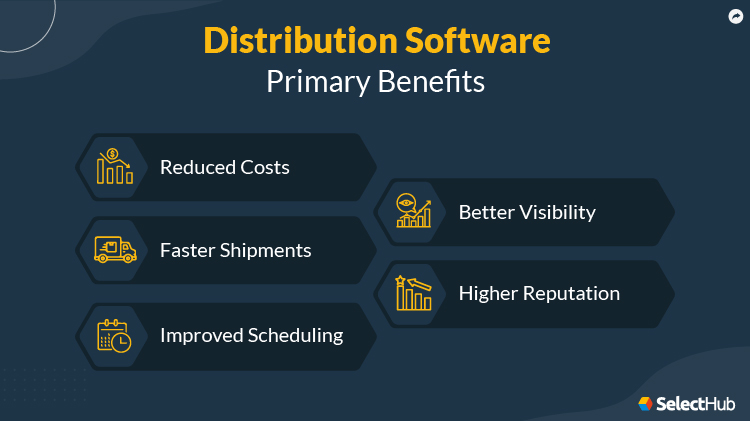
What Are The Key Benefits of Distribution Software?

  • Improved Inventory Accuracy
  • Enhanced Order Fulfillment Speed
  • Boosted Supply Chain Visibility
  • Reduced Operational Costs
  • Streamlined Warehouse Management
  • Data-Driven Decision Making
  • Strengthened Customer Relationships
  • Increased Profitability
  • Improved Business Agility
Read More

How We Rate and Review Products

Our distribution software analysts evaluate solutions using a comprehensive, multi-source approach designed to give you an objective view of what's available in the market. Here’s how it works:

  • Our Research Process: Our analyst team gathers data from multiple angles to ensure complete coverage, including SelectHub Analyst Briefings, direct vendor interviews, user reviews, product documentation, case studies, and technical specifications. This multi-source approach helps eliminate bias and gives you the full picture.
  • Our Scoring Methodology: The proprietary scoring engine in our selection platform analyzes the data to compute the Analyst Score. We evaluate how much functionality you get out of the box vs. what requires additional modules or third-party integrations — because we know implementation complexity and hidden costs matter to your decision.

The result: Data-driven scores for the best products in distribution software that reflects real-world usability and comprehensive feature coverage, helping you make confident software decisions faster.

Learn More

For our distribution software analysis, we scored the following feature groups:

  • Accounting and Financial Management
  • Customer Relationship Management
  • E-commerce Capabilities
  • Integrations and Extensibility
  • Inventory Management
  • Mobile Capabilities
  • Purchase Order Management and Procurement
  • Reports, Dashboards and Business Intelligence
  • Sales Order Management
  • Warehouse and Transportation Management

We use the scale below to rate each feature and integration capability in our platform:

Level of Support Score Description
Fully Supported Out of the Box 100 This feature comes built-in with industry-leading capabilities and works right after installation. No extra modules, integrations, or custom development needed.
Moderately Supported Out of the Box 85 This feature is included out of the box and ready to use, though with more limited capabilities. No extra modules, integrations, or custom development needed.
Supported with Workarounds 70 This feature isn’t offered directly, but you can achieve similar results using other built-in features or workarounds at no extra cost.
Supported with Additional Modules 60 This feature is only available through additional vendor modules or products,which come at an extra cost.
Supported with Partner Integrations 50 You’ll need to use a third-party integration, plugin, or app from the vendor’s marketplace at an extra cost.
Supported with Custom Development 25 This feature isn’t built in or available through add-ons or integrations, but it can be custom-developed using the software’s supported APIs and frameworks. Costs may vary.
Not Supported 0 This feature isn’t supported.
Best Distribution Software Overall

Our Research Analysts evaluated 97 solutions and determined the following solutions are the best distribution software overall:

Sort by
  • Overall Score 
Best For:
Accounting and Financial Management Purchase Order Management and Procurement Reports, Dashboards and Business Intelligence Sales Order Management
Free Trial:
No
Good For:
Large companies
Deployment:
Cloud
User Sentiment:
85% of users recommend this product
Analyst Score  
93

The product tours gave me a high-level feel for the system, but it was the webinars and detailed documentation that really helped me understand how it all fits together.

Once I got into training materials, the user interface stood out. That said, there’s a bit of a learning curve, especially if you’re coming from a less complex system. Luckily, the support content is extensive, and I never felt stuck for long.

One thing I’d still recommend is a hands-on demo. The tours don’t always cover specific workflows, and seeing your own use cases in action can make a big difference.

Kumanti Consulting's success with Oracle Fusion Cloud ERP is a good example. They went live in just two months, without relying on external consultants. They used the platform to consolidate order and financial data, set up GST dashboards, and integrate timesheets for more accurate costing. This led to better decision-making and enhanced client confidence, demonstrating the system's scalability and efficiency.

What I really appreciate is how much Oracle continues to invest in the platform. It’s evolving with the market, which makes it a future-proof option.

Some users mention that they like the level of visibility it provides across departments and how automation reduces manual errors. However, several also point out that the initial setup requires a dedicated team and careful planning to avoid delays.

Still, if your goal is long-term scalability, strong integration and a system that grows with your business, Oracle Fusion Cloud is definitely worth considering.

  • Integration and Usability: Users appreciate how the platform smoothly integrates with other Oracle products, boosting productivity and teamwork across departments.
  • Advanced Features: The use of AI and machine learning that supports decision-making and task automation are seen as a big advantage.
  • Continuous Improvement: Many users mention that the software keeps getting better with regular updates that improve features and user experience.
  • Robust Analytics: The platform provides strong analytics, helping with better financial management and offering useful operational insights.
  • User-Friendly Interface: Users like the simple, easy-to-navigate dashboards, which make troubleshooting easier and streamline workflows for a better user experience.
  • Complex Implementation: Users mention that the implementation process is complex and lengthy, which can be overwhelming and time-consuming, especially for smaller organizations.
  • High Cost: Some users consider the pricing structure to be high, particularly for small and medium-sized businesses, which may limit accessibility.
  • Training Needs: Users note that a lack of training resources can hinder effective use, leading to a steep learning curve for new users.
  • Limited Regional Features: Users point out that some features may not be available in all regions, limiting functionality for global organizations.
  • Data Migration Challenges: Moving data from older systems to Oracle Fusion Cloud can be complex and may lead to data integrity issues.
  • Get Customer Insights: With a score of 99 for analytics in our analysis, the platform lets you centralize account management, enable a self-service portal and streamline lead tracking. Real-time analytics help you make faster decisions across the customer lifecycle.
  • Improve Operational Efficiency: According to our data, Oracle Fusion Cloud meets 85% of distribution-related functional requirements out of the box. It helps you accelerate reporting, close books faster and manage compliance effectively. The platform integrates legacy systems with cloud-based AI to minimize customization and maximize efficiency.
  • Increase Reporting Productivity: The platform earned best-in-class status for reporting in our distribution software category, with a score of 99/100. You can automate reporting workflows, reduce manual effort and give your team more time to focus on strategic initiatives like supplier development. 
  • Simplify Business Processes: With a perfect score of 100 from our analysts in human resource management, the platform unifies HR, ERP and customer experience operations into one streamlined system. IoT integration enhances workflow visibility, enabling faster, more precise decision-making.
  • Streamline Order Fulfillment: Oracle Fusion Cloud earned a score of 99 in our analysis for sales order management. You can manage every step from order capture to fulfillment and billing in one connected system. With real-time visibility and intelligent routing, you’ll avoid delays, cut manual work and keep your customers satisfied with on-time deliveries.
  • Finance Management: Oracle Fusion Cloud can streamline your closing process with built-in automation and standardized workflows. Use dashboards to track progress, automate reconciliations and strengthen audit controls. With a single source of financial data, you’ll resolve issues faster, stay compliant and make smarter decisions with powerful analytics and reporting tools.
  • Project Management: It connects the right resources to your projects for better team alignment. You can use drag-and-drop Gantt charts to manage workloads and gain visibility across multiple projects. Streamline your tasks with a conversational interface to work more efficiently.
  • Procurement: Automate your entire source-to-pay process using machine learning to choose the right suppliers and manage risks. Simplify purchasing with built-in analytics and supplier tools while keeping costs in check. Fully integrated with Oracle Cloud ERP, the platform delivers a seamless experience and uses AI to build stronger supplier relationships.
  • Risk Management: It enhances your security with continuous monitoring and self-service access management. The platform helps you detect Separation of Duties (SoD) violations early, simplifies financial audits, and digitizes internal controls for easier compliance tracking. With a centralized risk and control matrix, you can promote collaboration and transparency across your organization.
  • Enterprise Performance Management: Streamline your sign-off tracking, customize formats and set alerts for managing exceptions. Handle large transaction volumes quickly while ensuring secure document storage for compliance. Plus, you can easily integrate with other Oracle Cloud EPM apps for a complete financial close solution.
Best For:
Purchase Order Management and Procurement
Free Trial:
14-30 Days (Request for Free)
Good For:
Large companies
Deployment:
Cloud
User Sentiment:
87% of users recommend this product
Analyst Score  
92

As a free trial user of SAP S/4HANA Cloud, I can confidently say it excels at simplifying core business processes and offers robust analytics and AI-driven insights.

SAP S/4HANA Cloud is widely used across industries due to its flexible, modular design and comprehensive functionality. After trying it firsthand, I was surprised by how smooth and intuitive the initial setup was. Sample data and guided tours made it easy to explore the modules. 

This experience is similar to that of MOD Pizza, which rapidly deployed SAP S/4HANA Cloud and improved financial operations across hundreds of stores. They achieved faster decision-making and business agility in just six months.

The main menu and search bar were straightforward to navigate without unnecessary redirects. I also appreciate how user-friendly the interface felt, especially for a first-time user.

The finance module stood out the most. It provides a centralized dashboard where you can store and generate various reports, making it easy to track payments and manage overdue invoices. For those looking to optimize manufacturing, the system also offers real-time visibility into operations, making it easier to meet customer demands efficiently.

The free trial did have its limitations. I couldn’t access all features or sample data completely, making it harder to fully explore the system’s potential.

Many recent reviews have praised its real-time inventory view and automated workflows. However, some users mentioned the inability to customize workflows during the trial. While a few users pointed out the system’s complexity, I found it easier to navigate than expected with the sample data. That said, I’m unsure how it would perform with real-time business data in a production setting.

Overall, SAP S/4HANA Cloud is a powerful tool with advanced capabilities, though its learning curve and customization limitations may present challenges for some. For larger organizations with the budget and resources to implement it fully, it can significantly improve operations and drive long-term growth.

  • Real-Time Inventory Visibility: It optimizes stock levels and avoids stockouts with instant inventory updates, reducing carrying costs and boosting customer satisfaction.
  • Purchase Order Accuracy: Some users say automating purchase order generation based on real-time inventory and demand has minimized errors in procurement.
  • Production Planning: It refines production schedules and resource allocation with real-time data insights from connected machines and sensors, increasing efficiency and output.
  • Financial Reporting: Many users appreciate the ability to generate accurate and timely financial reports with automated data consolidation from all departments.
  • Sales Team Productivity: It gives the sales team the ability to access customer data and manage orders directly from mobile devices. This increases overall productivity and works efficiently from anywhere.

What Users Like

  • Operational Visibility: “SAP S/4HANA Cloud helped me see purchasing and finance tied directly to inventory. I could check when the product was due to arrive, confirm what we owed and time our marketing around actual availability.” - Katie Breaker, Sales Director at BirdieBall
  • Real-Time Financial Data: “In real estate, keeping track of investments, costs, and returns is vital, and the platform helps with that in real time. This kind of visibility is something I’ve found useful when working with investors and clients looking for quick answers.” - Mark Sanchez, Founder of Tropic Residential
  • Centralized Job & Material Management: “It simplifies tracking materials, scheduling jobs and managing customer communications, which saves time and reduces errors. Having instant access to inventory and project status helped us keep everything on schedule.” - Ali Hassan, Roofing Specialist and Project Consultant at Rabbit Roofing
  • Steep Learning Curve: It can be tough to transition from traditional ERPs to a new interface and cloud-based model. This could affect initial productivity, requiring user training to get fully up to speed.
  • Limited Customization: Users say the customization options are limited compared to on-premise systems. The ability to tailor the system for specific business needs is restricted.
  • Integration Challenges: Users find integrating with older, non-S/4HANA systems challenging. The process often requires additional tools and expertise, which can increase the complexity and overall costs.
  • Vendor Lock-in: Some users mention the reliance on SAP's cloud infrastructure makes it harder to switch to alternative solutions later. This dependency can reduce flexibility for future expansion.
  • High Subscription Costs: Some users say the cost of the software is a big barrier for small businesses since the initial implementation and ongoing subscription fees are relatively high.

What Users Dislike

  • Complex Navigation: “Simple stuff like checking if a PO had been received or if a payment went through took too many clicks. We made our own cheat sheets just to get people through day-to-day tasks.” - Katie Breaker, Sales Director at BirdieBall
  • Overwhelming Features: “It can be tough to get up to speed with the platform’s extensive features. For a smaller business or someone who isn’t an SAP expert, it can be a bit intimidating.” - Mark Sanchez, Founder of Tropic Residential
  • Steep Learning Curve: “Some features feel overwhelming, and the learning curve can be steep. I had to spend extra time training myself and the team before it really clicked.” - Ali Hassan, Roofing Specialist and Project Consultant at Rabbit Roofing
  • Make Data-Driven Decisions: SAP S/4HANA Cloud earned a near-perfect score of 99/100 in reporting from our analysts. It delivers real-time data, embedded analytics and a context-aware assistant to help you act with clarity and confidence. Visual dashboards simplify complex information for informed decision-making.
  • Automate Business Processes: With a score of 95 for intelligent capabilities based on our research, the platform uses AI and automation to manage routine tasks efficiently. This reduces manual work and frees up your team to focus on strategic goals that drive impact.
  • Adapt to Business Change: Recognized with our best-in-class award for procurement in the distribution category, SAP S/4HANA Cloud gives you flexible CPQ tools to simplify sales and procurement processes. Real-time analytics and proactive alerts keep you one step ahead, helping you respond quickly to shifting business needs.
  • Control Inventory in Real Time: The system earned a score of 99 from our analysts for its exceptional inventory management capabilities, including real-time visibility into stock levels and warehouse operations. You can track goods movement, manage materials and maintain alignment across all locations to reduce delays and avoid overstock.
  • Deliver a Seamless Experience: With 85% of core features available out of the box based on our research, SAP S/4HANA Cloud gets you up and running fast. Its SAP Fiori-designed interface is intuitive, responsive and role-based, giving your team seamless access to what they need on any device.
  • Financial Management: SAP S/4HANA Cloud helps you track revenue and costs in real time, automate transactions across accounting standards, and monitor cash flow from one dashboard. You can prioritize payments, manage overdue invoices and keep your financial reporting consistent and audit-ready. Built-in predictive analytics also helps you stay compliant and spot risks early.
  • Sales Management: You can manage orders, contracts and commissions across goods, services and subscriptions with ease. Built-in machine learning extracts sales order details from PDFs, while AI suggests missing fields to speed up processing and reduce manual work. Integrated billing keeps cash flow accurate, helping you get paid faster and simplify accounts receivable.
  • Supply Chain Management: Scoring a perfect 100 in our analysis, this feature gives you real-time visibility into inventory, predicts stock trends with AI and automates order processing to meet customer expectations. You can track deliveries, optimize routes and reduce waste through mobile logistics tools. Smarter inventory management helps you cut costs and deliver faster.
  • Manufacturing Management: You can manage everything from production and stock to custom orders and direct demand efficiently. Real-time material planning helps you flag shortages early, while a live Kanban board lets you track containers and catch issues before they cause delays. With continuous quality checks, you ensure high-quality products are delivered on time, every time.
  • Procurement Management: Control your procurement with real-time dashboards that centralize requisitions, contracts and supplier performance. You can automate approval workflows, predict delivery timelines and instantly access purchasing data to make smarter buying decisions. New AI tools like Joule also offer intelligent suggestions and help you speed up routine procurement tasks.
Best For:
E-commerce Capabilities Inventory Management Purchase Order Management and Procurement
Start Price:
$24,000
Annually
Free Trial:
Yes
Good For:
Any company size
Deployment:
Cloud, On-Premise
User Sentiment:
83% of users recommend this product
Analyst Score  
91

The product tours gave me a clear overview of Sage X3’s capabilities and what sets it apart. One of the first things I noticed was how well it handles multi-language, multi-currency and multi-legislation needs. That’s a big plus for global operations.

I was also impressed by how easy it is to automate workflows. You can change or update processes without needing a lot of code or IT help. This kind of flexibility saves time and makes teams less dependent on technical support.

The supply chain and inventory tools are strong, too. Real-time tracking, lot and serial number control, and built-in quality checks help reduce errors and improve compliance, especially when scaling up operations.

ARA Food Corporation is a great example of how these features come together. They used Sage X3 to replace disconnected systems and were able to trace ingredients from supplier to shelf, automate quality checks and speed up audits — all without hiring more people. Having everything in one place gave them greater transparency, enabling faster, more informed decisions.

That said, Sage X3 does have a learning curve. You’ll want expert help to get started. Also, while the app marketplace is decent, it’s not as broad as what you’d find with systems like NetSuite or SAP S/4HANA Cloud.

Overall, Sage X3 is a flexible and scalable system that helps manage complex operations while giving you better visibility and control.

  • Flexible Customization: The platform supports tailored workflows, fields and modules, allowing you to align the system with your specific processes and industry needs.
  • Scalability: Sage X3 handles multi-entity and multi-location operations effectively, making it suitable for growing organizations, including those expanding internationally.
  • Comprehensive Financial Management: Users value the system’s strong accounting capabilities, particularly its support for payables, receivables, multi-currency and asset management.
  • User-Friendly Interface: While initial onboarding may require training, many users find Sage X3 intuitive with continued use. Role-based views and customizable dashboards enhance usability once configured.
  • Inventory and Manufacturing Capabilities: The system provides robust tools for tracking inventory by lot or serial number and supports production planning across complex supply chains.
  • Complex Implementation: Initial setup is complex and typically requires external consultants, especially for businesses seeking deep customization or multi-site deployment.
  • Limited Out-of-the-Box Reporting: Although standard reports are built-in, users frequently rely on custom development or third-party BI tools for more advanced or dynamic reporting needs.
  • Support Challenges: Some users report inconsistent or delayed responses from Sage support, particularly when dealing with urgent or complex technical issues.
  • Steep Learning Curve: New users may experience a steep learning curve, often requiring structured training to navigate features confidently.
  • Upgrade and Maintenance Hurdles: Customizations can complicate version upgrades. They sometimes require manual workarounds or additional testing, which can increase downtime and long-term maintenance efforts.
  • Control Inventory: Our analysts gave a perfect score of 100 for Sage’s inventory management capabilities in the distribution software category. It lets you track stock in real time across multiple sites, down to individual batches, serial numbers and expiration dates.
  • Connect E-commerce Channels: Scoring a top score of 98 for eCommerce capabilities from our analysts, Sage X3 integrates directly with platforms like Shopify, Amazon and Magento. You can manage orders, update inventory levels and sync customer data across all channels from one dashboard.
  • Streamline Warehouse Tasks: The mobile tools allow staff to scan items and complete tasks like receiving, picking and stock transfers using handheld devices. This reduces paperwork, minimizes picking errors and speeds up order fulfillment, especially in high-volume environments.
  • Get Actionable Insights: Sage X3 includes over 400 built-in reports covering KPIs such as stock turnover, order accuracy and fulfillment rates. These reports are ready to use and don’t require custom setup or third-party tools.
  • Ensure Quality Control: From receipt to shipment, Sage X3 tracks product movement and runs automated quality checks. It enforces inspection, hold and approval rules to help meet FDA, ISO or customer-specific standards.
  • Financial Management: Sage X3 helps you manage payables, receivables and general ledger in one place. It works with multiple currencies and rules, so it’s great if you operate in different countries. You can also plan budgets and track your company’s assets easily.
  • Supply Chain Management: You can manage purchasing with tools for RFQs, tenders and cost tracking. It handles logistics across sites and companies. Built-in freight cost tracking and logistics tools reduce shipping expenses and improve margin visibility.
  • Inventory Management: You can track inventory by lot, serial number or expiration date. The system also manages complex warehouse tasks like picking and labeling and provides real-time updates and inspection tools to avoid mistakes and stay compliant.
  • Sales Management: Automate your sales from quote to invoice. You can set pricing, offer discounts and control credit. The CRM lets you manage customer info, view orders and track sales rep performance in one place.
  • Manufacturing: Whether you make products in batches or one by one, Sage X3 supports both. You can create work orders, manage BOMs and monitor shop floor activity. It also helps you track changes and fix issues quickly to maintain quality.
Best For:
Accounting and Financial Management Warehouse and Transportation Management
Free Trial:
No
Good For:
Medium & large companies
Deployment:
Cloud, On-Premise
User Sentiment:
81% of users recommend this product
Analyst Score  
89

What I love about NetSuite is how it brings everything together in one platform—financial management, inventory tracking, supply chain automation, CRM and eCommerce. Instead of juggling multiple systems, you get a fully integrated suite that scales with your business.

Another thing that stands out is its multi-tenant cloud ERP, built for flexibility, real-time data access and lower IT costs. Its built-in integrations simplify operations, eliminating the need for third-party middleware and reducing complexity.

That said, user reviews paint a mixed picture, highlighting both its strengths and challenges. Many users praise its comprehensive features, real-time data visibility and reporting improvements. However, some find the platform complex with a steep learning curve, especially when it comes to customization. Others point out that while NetSuite is powerful, its high cost can be a barrier for smaller businesses.

Despite these concerns, NetSuite’s machine learning and AI-powered analytics set it apart. You get real-time dashboards and predictive insights without needing separate AI modules. That means you can spot trends faster, plan better and make smarter business decisions.

One of its most impressive features is SuiteCommerce, which seamlessly connects online and offline sales channels. Take Ronin Gallery, for example — the largest collection of Japanese woodblock prints in the U.S. They used SuiteCommerce Advanced to unify their online and in-store operations, doubling employee productivity and improving inventory tracking. With better consignment handling and a more connected customer experience, they now serve over 30,000 clients more efficiently.

Overall, NetSuite offers deep functionality, real-time insights and an all-in-one solution that grows with you. However, given its pricing, it's best suited for mid-sized to large enterprises that need a scalable, feature-rich ERP system and can justify the investment.

  • Real-Time Data and Visibility: Gain immediate insights into your business performance with real-time access to all your data.
  • Improved Efficiency and Automation: Automate routine tasks and streamline workflows to boost productivity across your organization.
  • Enhanced Collaboration: Break down departmental silos and foster better communication across teams.
  • Scalability and Flexibility: Adapt NetSuite to your unique needs and accommodate your business growth.
  • Comprehensive Features: Manage all aspects of your business operations with a single platform.
  • Improved Decision-Making: Get data-driven insights to make informed and strategic decisions.
  • Strong Customer Support: Reliable support is available through multiple channels to ensure your success.
  • High Security and Compliance: Secure your data and meet industry regulations with robust security features.
  • High Cost: NetSuite's initial implementation and ongoing maintenance fees can be significant, especially for small businesses.
  • Steep Learning Curve: The platform's extensive features require significant training and user adoption efforts.
  • Limited Customization Options: While customizable, NetSuite requires technical expertise and can be costly compared to competitors.
  • Vendor Lock-in Concerns: Switching to a different ERP provider can be challenging due to potential data migration issues and dependence on NetSuite's proprietary features.
  • Integration Challenges: While NetSuite offers pre-built integrations, connecting with niche or less popular applications might require complex manual data entry or third-party solutions.
  • Customize to Fit Your Needs: Our analysts gave NetSuite a perfect 100 for customization, recognizing its ability to adapt to your unique business requirements. With highly configurable workflows, dashboards and reports, you can tailor the platform to match your operations, ensuring efficiency and scalability.
  • Control Your Business Processes: NetSuite received an 81 out of 100 from our analysts, ranking higher than Kinetic and IFS Cloud for its customer relationship management (CRM) capabilities. Its supply chain portal ensures a consistent customer experience at every touchpoint, keeping your sales funnel optimized for seamless conversions.
  • Leverage Real-Time Insights: With another 100 rating from our analysts, NetSuite excels in real-time data capabilities. Instead of wasting time filtering and sorting through reports, you can rely on personalized dashboards to surface key metrics, helping you make data-driven decisions.
  • Reduce Costs: Our analysts gave NetSuite a perfect 100 for total cost of ownership (TCO), meaning you get a high-value ERP without hefty IT expenses. With automatic updates and no extra maintenance fees, you eliminate hidden costs and keep your system up to date without additional spending.
  • Automate Workflows: NetSuite’s built-in workflows let you automate repetitive tasks, reducing errors and saving valuable time. Whether it’s financial management, order processing or omnichannel engagement, automation streamlines operations so you can focus on strategic growth instead of manual work.
  • Inventory Management: Our analysts gave NetSuite a perfect 100 for inventory capabilities. Track stocks with real-time monitoring and demand planning. You can optimize inventory levels, reduce overages and prevent shortages. Automated replenishment ensures products remain available when needed.
  • Supply Chain Management: With a full rating for project management capabilities, you’ll gain real-time visibility into your procurement, production and distribution to optimize resource allocation and tackle challenges proactively. Use built-in project management tools to streamline supply chain initiatives, track milestones and strengthen supplier collaboration.
  • Accounting Software: NetSuite simplifies your financial management with automated accounts payable and receivable, tax compliance, and fixed asset tracking. Gain real-time visibility into financial performance, reducing errors and improving reporting accuracy. With a unified platform, you can maintain compliance while streamlining operations.
  • Financial Management: Take control of your financial health with budgeting, forecasting and reporting tools. NetSuite automates repetitive processes, helping you save time and focus on strategic decision-making. Seamless integration with other business functions, such as inventory, procurement and CRM, provides a complete financial picture.
  • Global Business Management: Managing international operations becomes effortless with support for multi-currency transactions, localization and tax compliance. You can consolidate financials across subsidiaries while ensuring compliance with regional regulations. NetSuite’s centralized approach improves global visibility, helping your business operate efficiently across borders.
Best For:
Accounting and Financial Management Customer Relationship Management
Start Price:
$10,000
One-Time
Free Trial:
No
Good For:
Small & medium companies
Deployment:
On-Premise
User Sentiment:
91% of users recommend this product
Analyst Score  
88

Inform ERP receives praise for its robust functionality and adaptability, particularly in managing complex distribution operations. Users appreciate its ability to handle diverse tasks, from inventory and order management to financials and reporting. Its strength lies in providing a comprehensive solution that streamlines processes and enhances efficiency. However, some users note that the initial setup and learning curve can be challenging due to the system's extensive features. Inform ERP distinguishes itself by offering industry-specific modules and customization options, allowing businesses to tailor the software to their unique requirements. This flexibility is crucial for companies with specialized workflows or niche markets.

While Inform ERP excels in functionality, some users mention that the user interface could be more intuitive and modern. Despite this, the software's strengths in customization, scalability, and industry-specific features make it a valuable tool for mid-sized to large distributors and manufacturers with complex operational needs. Its ability to adapt to evolving business requirements ensures long-term value and supports growth.

  • Comprehensive Functionality: Inform ERP provides a wide range of features that cater to various aspects of distribution businesses, including inventory management, order processing, financials, and customer relationship management. This comprehensive functionality eliminates the need for multiple software solutions, streamlining operations and reducing complexity.
  • Industry-Specific Focus: Inform ERP is specifically designed for distributors, with features and functionalities tailored to their unique needs. This industry-specific focus ensures that the software aligns with the workflows and processes of distribution businesses, providing a more efficient and effective solution.
  • Scalability and Flexibility: Inform ERP is a scalable solution that can grow with the needs of a business. It offers flexible deployment options, including on-premise, cloud-based, and hybrid models, allowing businesses to choose the best fit for their infrastructure and budget.
  • User-Friendly Interface: Inform ERP features a user-friendly interface that is easy to navigate and learn. This intuitive design reduces training time and allows users to quickly become proficient with the software, improving productivity and user adoption.
  • Strong Reporting and Analytics: Inform ERP provides robust reporting and analytics capabilities, enabling businesses to gain insights into their operations and make data-driven decisions. Users can generate custom reports, track key performance indicators (KPIs), and analyze trends to identify areas for improvement.
  • Customization Challenges: Making modifications to Inform ERP to fit specific business needs can be complex and time-consuming, often requiring specialized developer skills. This can lead to frustration for businesses with unique workflows or industry-specific requirements.
  • Reporting Limitations: Generating reports and extracting data from Inform ERP can be cumbersome, with limited built-in reporting tools and a steep learning curve for creating custom reports. This can hinder data analysis and decision-making processes.
  • User Interface: The user interface of Inform ERP can feel outdated and clunky, leading to a less-than-optimal user experience. Navigating through the system and finding specific functions can be challenging, especially for new users.
  • Integration Complexities: Integrating Inform ERP with other business systems, such as CRM or e-commerce platforms, can be a complex undertaking. This can create data silos and hinder overall business efficiency.
  • Paperless Workflows: Inform ERP includes electronic signature and electronic document scanning functionality. The system can also store documents such as product images, material safety data sheets (MSDS) and descriptions. 
  • Increased Productivity: This program can increase productivity through its demand planning tool, which forecasts material and production needs. The system also contains the ability to make orders into quotes and to create price inquiries with just one click, therefore reducing the amount of time that employees spend on these tedious tasks. 
  • Automation: Automation is a driving factor of increased productivity and, by extension, increased revenue. An example of how Inform ERP uses automation to its benefit is through its financial management tool, which archives important documents and posts transactions to the general ledger automatically. 
  • Improved Customer Relationships: The Embedded CRM tool allows users to keep track of important customer information. By using and sharing this data, employees can hone their sales tactics and improve customer relationships through more personalized and targeted conversations. 
  • Insight Development: This program uses real-time data and customizable dashboards to help users manage workflows such as sales and production. It includes drill-down functionality that allows users to find the specific data that they need to access. 
  • Financial Management: Inform ERP contains accounts payable, accounts receivable and bank reconciliation functionality. It gives users access to financial reports and allows them to perform tasks such as posting transactions to the general ledger as they occur. The program also contains the ability to archive documents such as invoices, financial reports and statements automatically. 
  • Inventory Management: This feature enables users to visualize inventory information such as purchase orders, availability, returned goods and open orders. It also allows for adjustment to sporadic demand and can balance warehouse overstocks. The advanced demand planning and forecasting tool contains a real-time replenishment calculation that facilitates adjustment to actual demand. 
  • Order Fulfillment: Inform ERP lets users make quotes into orders with the click of a button. Defective parts can be tracked through the system along with vendor reimbursement claims. The customer checkout process is streamlined through PCI-compliant card processing. 
  • Embedded CRM: This program enables users to gather relevant customer information such as purchase history, order status and personal notes to assist in the personalization and improvement of the customer experience. It can also create order entries and price inquiries with one click. Individual and group calendars are included in the program so that staff can look at operations and sales opportunities in real-time. 
  • Analytics and Reporting: Inform ERP’s reporting dashboards are customizable and can be segmented by user level. The Inventory Pivot Table Cube Editor allows users to manage stock transfers. The program also leverages real-time data and includes drill-down menus so that users can find relevant information. 
Free Trial:
No
Good For:
Medium & large companies
Deployment:
Cloud, On-Premise
User Sentiment:
82% of users recommend this product
Analyst Score  
88

What stood out to me about Prophet 21 was its deep alignment with the needs of wholesale distributors. The system is built from the ground up to handle the real-world complexity of inventory, order fulfillment, pricing and vendor relationships across multiple locations.

Unlike platforms like SAP S/4HANA or JD Edwards, which require heavy customization to work for distributors, Prophet 21 addresses common challenges such as multi-warehouse routing, contract pricing, vendor rebates and split shipments right out of the box. That means less time and budget spent on workarounds and more focus on execution.

I also appreciated the value in Prophet 21’s mobile-first approach. Its mobile CRM and sales tools allow reps to access customer data, enter orders and manage opportunities from any device without needing to install app-specific software. For teams working in the field, this kind of accessibility supports faster response times and better service.

A real-world example of this impact can be seen in Transco Supply Company. With limited visibility and disconnected processes, they adopted Prophet 21 to eliminate manual steps, improve inventory control, and simplify pricing and customer management. As a result, they became more efficient and responsive without adding headcount.

The Epicor Commerce Connect integration is another standout feature. Distributors can manage multiple branded storefronts and inventory while offering self-service experiences to customers, all fully connected to the ERP backend. This creates a consistent, accurate order flow that improves both operational efficiency and customer satisfaction.

Prophet 21 performs well in core operational areas like warehouse management and purchasing. It supports barcode scanning, mobile picking and task automation to accelerate fulfillment. On the purchasing side, it automates order creation based on demand, lead times or vendor terms, helping reduce errors and maintain inventory flow.

Of course, there’s a learning curve. Custom reporting often requires SQL or Crystal Reports skills, and setup and training can take time. But once configured, users find it stable. They also praise Epicor’s support team for being responsive and knowledgeable.

Overall, Prophet 21 delivers a purpose-built, distribution-centric ERP best suited for mid to large-sized businesses. However, considering the trade-offs and carefully evaluating your specific needs is crucial before making a decision.

  • Strong Customization Capabilities: Prophet 21 allows for significant customization of fields, screens and workflows. Users appreciate the flexibility to adapt the system to their unique operational needs.
  • Robust Inventory and Order Management: The platform delivers reliable tools for tracking inventory, managing orders and forecasting demand. These capabilities help distributors improve accuracy and efficiency across their supply chain.
  • User-Friendly Navigation: Once trained, users find the interface well-structured and efficient for daily tasks. The function-based menu layout supports quicker navigation over time.
  • Solid Integration with Financial and CRM Tools: Prophet 21 integrates smoothly with accounting systems, credit card processors, sales tax software like Avalara and its own CRM. This helps centralize data and automate key processes.
  • Reliable Support and Industry Focus: Users praise Epicor’s customer support and deep understanding of distribution workflows, noting that the platform feels purpose-built for their industry.
  • Steep Learning Curve: New users often find the system complex and unintuitive without formal training. Onboarding can be time-consuming for teams without prior ERP experience.
  • Limited Reporting Options: While Prophet 21 offers standard reports, customizing or building new ones requires technical expertise or external support. This makes on-demand insights harder for non-technical users.
  • Limited Third-Party Integrations: It supports fewer plug-and-play integrations compared to other ERPs like NetSuite or Microsoft Dynamics. This may be a challenge for companies relying on diverse SaaS tools.
  • Performance and Speed Issues: Some users report slow response times, particularly during peak usage or when handling large datasets in the cloud version.
  • High Initial and Ongoing Costs: The total cost of ownership can be significant for small to mid-sized distributors. Expenses include licensing, implementation, consulting and continuous training.
  • Enable Mobile Operations: Prophet 21’s mobile capabilities earned a 95/100 from our analysts, the highest rating in the distribution category. Equip your warehouse and field teams to work smarter with mobile scanning, real-time inventory access and on-the-go order entry. You reduce delays, eliminate bottlenecks and keep operations moving from anywhere.
  • Get Broader Feature Coverage: Prophet 21 lets you handle complex pricing, fulfillment and purchasing processes without adding third-party tools or switching platforms as you grow.
  • Streamline Distribution: You get tools built specifically for distributors, like contract pricing, vendor rebates, multi-warehouse routing and real-time inventory visibility. There's no need to rely on costly customizations just to make the system fit your business.
  • Drive Sustainable Growth: Whether you're expanding into new markets or adding locations, you can grow without outgrowing your system. Built-in demand forecasting, eCommerce integration and purchasing automation help you scale operations without piling on extra modules or costs.
  • Connect Systems Seamlessly: You can deploy Prophet 21 in the cloud or on-premises. With open APIs, it integrates easily with your existing tools so your workflows stay connected and your data flows without friction.
  • Customer Relationship Management: You can view customer history, pricing and sales activity in one place. Mobile CRM tools keep your sales team connected in the field, allowing them to track leads, manage accounts and capture opportunities in real time.
  • Finance and Accounting: Prophet 21 gives you full visibility into your general ledger, accounts payable and receivable, and vendor rebates. Avalara Tax Connect handles sales tax compliance automatically. XL Connect lets you build reports directly in Excel, so you spend less time exporting data and more time analyzing it.
  • Service and Maintenance: Whether you're dispatching technicians or managing warranty claims, the service module keeps everything organized. You reduce delays, improve accountability and give customers a better post-sale experience.
  • E-Commerce: With Epicor Commerce Connect, you manage multiple branded web stores in one system. Real-time sync between inventory and pricing ensures online orders are accurate, timely and effortless for your customers.
  • Business Intelligence: Get more than just reports. Role-based dashboards show KPIs like margins, vendor trends and order velocity, so you don’t wait for insights, you act on them.
Best For:
Mobile Capabilities
Free Trial:
No
Good For:
Medium & large companies
Deployment:
Cloud
User Sentiment:
87% of users recommend this product
Analyst Score  
87

IFS Cloud doesn’t offer a free trial. I used our analyst data, user review platforms like Gartner and G2, blogs and YouTube videos to understand its capabilities.

What I like most about IFS Cloud is its AI integration. It provides actionable insights that help reduce risk and automate production.

Its modern architecture also stood out to me, offering the flexibility to select and implement only the features I need. This allows for easy expansion as the business evolves.

I was also impressed by the clean, intuitive UI showcased in YouTube videos. Even users with minimal technical knowledge will find it easy to adopt.

Another key feature is its native mobile apps, which allow for task management, approvals and data collection on the go.

User Testimonials

"The flexibility and versatility that IFS Cloud offered in supporting ERP, EAM and FSM on a single platform, along with accelerating the delivery of digital capabilities, made it ideally suited to our needs," said Johny Lotten, Head of IT and Digitalization at Hafslund Oslo Celsio. (Source)

"IFS Applications is a scalable enterprise application system that has enhanced our business value, improved productivity and reduced overhead costs," said the Operations Manager at Changzhou Amphenol Fuyang Communication Equipment Co., Ltd. (Source)

"IFS provides the support we need to manage the key areas of operation of the entire Alumetal Group. It enables real-time cost control and supports production, sales, purchasing and logistics processes," said Paweł Tupaj, Senior ERP Business Specialist at Alumetal. (Source)

However, some users have reported challenges, such as a learning curve, implementation complexity, and ongoing costs.

Overall, IFS Cloud is a powerful solution for businesses looking to improve their operational capabilities while adapting to shifting market demands.

  • User-Friendly Interface: Many users like IFS Cloud’s intuitive design, which makes navigation across modules simple.
  • Scalability and Flexibility: IFS Cloud's cloud-based architecture allows for easy scaling to accommodate business growth and changing needs.
  • Improved Visibility and Insights: Real-time data and powerful analytics tools provide comprehensive insights into business performance.
  • Reduced IT Costs: Eliminates the need for on-premise hardware and software, reducing IT infrastructure costs.
  • Enhanced Collaboration: Cloud-based platform facilitates collaboration and communication between teams and departments.
  • Increased Security: IFS Cloud leverages robust security features and regular updates to ensure data protection.
  • Limited Customization: IFS Cloud offers less customization compared to on-premise ERP solutions.
  • Integration Challenges: Integrating IFS Cloud with existing systems can be complex and require additional resources.
  • Vendor Lock-In: Switching to a different ERP solution from IFS Cloud can be difficult and costly.
  • Learning Curve: The user interface and features of IFS Cloud may require a steeper learning curve compared to other ERP solutions.
  • Limited Offline Functionality: Some features and functionalities may require an internet connection.
  • Improved Efficiency: Our analyst team gave the platform a flawless 100 for its ability to automate tasks like invoicing, payroll processing and reporting. The system also simplifies your workflows by consolidating data into one system for better productivity.
  • Increased Profitability: You can cut costs by eliminating inefficiencies and improving overall processes. With real-time data insights, the system helps you allocate resources more effectively, making smarter decisions along the way.
  • Enhanced Visibility: With a best-in-class award and a perfect 100 for reporting, IFS Cloud allows you to track business performance in real time. You’ll easily analyze key metrics and share insights through interactive dashboards and reports, giving you the full picture at any moment.
  • Improved Collaboration: IFS Cloud brings your team together on one platform. You’ll be able to communicate, assign tasks and track progress easily, helping every department stay connected and work more efficiently.
  • Robust Scalability: As your business grows, IFS Cloud adapts with you. With 86% of functional requirements supported out-of-the-box, the system provides the features you need to meet evolving demands and ensure continuous support for your growth.
  • Manufacturing: Our analysts gave it a strong 96/100 for its manufacturing capabilities. You can use AI-driven scheduling to optimize resources and reduce lead times. The manufacturing execution system (MES) gives you real-time production insights. The platform supports models like make-to-order and assemble-to-order.
  • Supply Chain Management: Gain a complete view of your supply chain to support cost management. With AI-driven demand forecasting and planning, you can optimize inventory, boost margins and speed up cash flow. The system also supports sustainability by enabling transport consolidation and using recyclable packaging to reduce your carbon footprint.
  • Projects: This module scored 99 in our analyst data and manages projects from planning to delivery with real-time tracking and cost control. IFS Cloud supports various project types and integrates with your business processes. With features for risk management, resource allocation and budgeting, you can ensure successful project outcomes.
  • Finance: Handle core financial functions like accounts receivable, accounts payable, and general ledger with real-time data. Rated 98 in our analyst data, IFS Cloud simplifies financial reporting, consolidation and forecasting. You can easily handle complex financial operations with support for multi-currency transactions and global compliance.
  • Human Capital Management: Manage the entire employee lifecycle, from recruitment to retirement, in one platform. IFS Cloud provides workforce planning, onboarding, career development and compliance management tools. With self-service options for employees and managers, you can improve engagement and efficiency across your organization.
Free Trial:
No
Good For:
Large companies
Deployment:
Cloud, On-Premise
User Sentiment:
79% of users recommend this product
Analyst Score  
87

User reviews of JD Edwards EnterpriseOne offer a mixed bag of perspectives, highlighting both its strengths and weaknesses. While praised for its scalability, flexibility, and ability to improve efficiency and visibility, it is also criticized for its high implementation costs, complex interface, and limited mobile functionality.

One user described JD Edwards EnterpriseOne as a "powerful platform that can be tailored to meet the specific needs of any business," appreciating its ability to "streamline workflows and automate tasks, resulting in significant productivity gains." However, another user commented that "the initial setup costs can be quite high," and that "the learning curve can be steep for new users."

Comparisons to other ERP solutions are inevitable. One user noted that "while JD Edwards EnterpriseOne may not be as feature-rich as some of its competitors, like SAP or Oracle, it offers a more user-friendly interface and is much easier to customize." Another user pointed out that "JD Edwards EnterpriseOne has a strong track record of success in specific industries, such as manufacturing and distribution," which is a differentiating factor for those businesses.

Ultimately, the user experience with JD Edwards EnterpriseOne seems to depend on individual needs and priorities. Those who value adaptability, efficiency, and industry-specific solutions may find it a valuable investment, while those on a tight budget or with limited technical resources may find it less appealing.

  • Scalability and Flexibility: Adapts to changing business needs and scales to accommodate growth.
  • Improved Efficiency and Productivity: Streamlines workflows and automates tasks for increased efficiency and employee productivity.
  • Enhanced Visibility and Control: Provides real-time insights and comprehensive reporting for better decision-making.
  • Reduced Costs: Optimizes resource utilization and reduces operational expenses.
  • Improved Collaboration: Facilitates seamless information sharing and teamwork through integrated communication tools.
  • High Implementation Costs: Initial setup requires significant investment in software licenses, hardware, consulting, and training.
  • Complex Interface: Navigating the system can be challenging and require extensive training, causing frustration for new users.
  • Limited Customization Options: While customizable, it may not fully meet the specific needs of certain businesses, potentially requiring additional development.
  • Integration Challenges: Integrating JD Edwards EnterpriseOne with other systems can be complex and time-consuming.
  • Limited Mobile Functionality: Mobile app functionality may be limited compared to other ERP solutions, hindering mobile workforce productivity.
  • Access a User-Friendly Architecture: Utilize built-in modules for reporting tools, database systems and other third-party and web server applications. This connectivity makes the integration of business processes faster and easier. 
  • Adjust Adaptability: Build sophisticated analytical reports by customizing transactional data into charts, graphs, lists and tables. Simplify statistical insight gatherings, and adapt to different languages, currencies and technological standards. 
  • Build Smooth Interoperability: Leverage existing hardware, databases and software investments for smooth legacy and third-party product integrations. 
  • Offer Multiple Deployment Options: Runs as either a cloud-based solution or an on-premise installation. These deployment options allow customers to select which option will be most accessible for their particular business. 
  • Provide Transparency: Gain visibility across the entire organization with its integrated applications suite. This visibility encourages a centralized approach to operations. Clients can check on product or material statuses as they move from procurement and manufacturing to distribution. They can also accurately see and resolve production bottlenecks. 
  • Asset Lifecycle Management
    • Condition-Based Maintenance: Detect machinery errors ahead of time and conduct maintenance as necessary. Boosts asset utilization, prolongs equipment lifecycles and eliminates maintenance fees. 
    • Rental Management: Govern all rental stages, such as contract creation, receiving and servicing returned tools. 
    • Capital Asset Management: Utilize full financial and operational performance transparency to optimize asset ROIs. Increases asset performance and diminishes maintenance expenses. 
    • Equipment Cost Analysis: Assess and compare timely machinery costs to manage maintenance and operating expenses. 
    • Resource Assignments: Utilize an integrated workbench to allocate maintenance duties, superintend workflows and rate how the assigned crew performs to schedule. 
  • Condition-Based Maintenance: Detect machinery errors ahead of time and conduct maintenance as necessary. Boosts asset utilization, prolongs equipment lifecycles and eliminates maintenance fees. 
  • Rental Management: Govern all rental stages, such as contract creation, receiving and servicing returned tools. 
  • Capital Asset Management: Utilize full financial and operational performance transparency to optimize asset ROIs. Increases asset performance and diminishes maintenance expenses. 
  • Equipment Cost Analysis: Assess and compare timely machinery costs to manage maintenance and operating expenses. 
Free Trial:
No
Good For:
Medium & large companies
Deployment:
Cloud, On-Premise
User Sentiment:
83% of users recommend this product
Analyst Score  
86

Aptean ERP has garnered a range of user feedback, highlighting both its strengths and areas for improvement. Users frequently commend its user-friendly interface, making it accessible even for those without prior ERP experience. The software's flexibility to adapt to various business needs through customization is also a significant advantage. However, some users have expressed concerns regarding its cost, which can be a barrier for smaller businesses. Additionally, the complexity of certain features and occasional challenges with customer support have been noted.

When compared to similar products like SAP and Oracle NetSuite, Aptean ERP stands out for its ease of use and affordability, particularly for mid-sized businesses. While it may not offer the same level of advanced functionality as its larger competitors, it provides a comprehensive solution that caters to the core needs of many organizations. Its industry-specific modules, such as those for manufacturing and distribution, further enhance its value proposition.

Aptean ERP is best suited for mid-sized businesses seeking a balance between functionality, affordability, and ease of use. Its industry-specific solutions and customization options make it a versatile choice for companies with unique requirements. However, businesses with complex needs or those requiring extensive customer support may want to consider alternative options.

  • Industry-Specific Functionality: Aptean caters to specific industries like manufacturing, distribution, and food and beverage with tailored features and modules that address unique challenges and compliance requirements.
  • Scalability and Flexibility: Aptean is designed to grow alongside businesses, accommodating increasing data volumes and user numbers without compromising performance. Its modular structure allows companies to add or remove features as needed.
  • Cloud-Based or On-Premise Deployment: Aptean offers both cloud-based and on-premise deployment options, providing flexibility for businesses with varying IT infrastructures and preferences.
  • User-Friendly Interface: Aptean prioritizes user experience with an intuitive interface that simplifies navigation and reduces the learning curve for new users. The system's dashboards and reporting tools provide easy access to critical business data.
  • Comprehensive Functionality: Aptean encompasses a wide range of ERP functionalities, including financials, supply chain management, inventory control, customer relationship management (CRM), and human resources, providing a centralized platform for managing core business processes.
  • Customization Challenges: Modifying the system to fit specific business needs can be difficult and time-consuming, often requiring specialized developer knowledge.
  • Reporting Limitations: Generating reports with desired levels of detail can be cumbersome, sometimes necessitating manual data exports and manipulation in external tools like Excel.
  • Usability Concerns: The user interface can feel outdated and unintuitive, leading to a steeper learning curve for new users and occasional frustration during daily tasks.
  • Integration Complexities: Connecting Aptean ERP with other essential business systems or third-party applications can pose technical challenges and may require additional development effort or middleware solutions.
  • Supply Chain Planning: Build a robust business model by planning and forecasting demand proactively, minimizing inventory costs and optimizing production schedules. 
  • Streamline Operations: Streamline business operations to identify opportunities for cost savings and increase ROI. 
  • Ensures Efficiency: Plan, schedule, execute and track business operations to ensure efficient and flexible business processes. 
  • Improve Production Planning: Take into account the availability of resources, including raw materials, packaging supplies, equipment and labor required for production accurately. 
  • Understand your Costs: Make accurate cost predictions, track project costs, develop budgets and analyze actual-to-estimated costs any time during the project. 
  • Intelligent Inventory Management: Get a clear picture of stock in real-time visibility across all sales channels and operations. Align the demand and supply ratio and make sure the orders are fulfilled efficiently. 
  • Role-Based Dashboards: Use role-based management dashboards equipped with drill-down capability to monitor and analyze business processes effectively. Leverage pre-built charts and graphs to create intuitive dashboards. 
  • Production Management: Use production scheduling tools to determine what to produce, when to produce and what resources to use to facilitate optimal production. 
  • Robust CRM: Store comprehensive customer information in a central database and integrate it with the solution, giving employees access in different departments. It enables them to identify sales opportunities, foster customer relationships and improve customer service. 
  • Real-Time Reporting: Enable precise tracking of customer orders and shipping information to provide accurate status updates with real-time reporting tools. 
Free Trial:
No
Good For:
Any company size
Deployment:
Cloud
User Sentiment:
90% of users recommend this product
Analyst Score  
85

Acumatica Distribution has garnered positive feedback from users for its user-friendly interface and comprehensive features, making it a valuable tool for businesses of all sizes. Users appreciate the software's ability to streamline distribution operations, enhancing efficiency and productivity. The exceptional customer support provided by Acumatica further contributes to the positive user experience.

Compared to similar products, Acumatica Distribution stands out due to its cloud-based nature, offering flexibility and accessibility from any location. The software's scalability allows it to adapt to the evolving needs of businesses as they grow. Additionally, Acumatica Distribution's seamless integration with other business systems, such as accounting and CRM platforms, eliminates data silos and enhances overall operational efficiency. While some users have mentioned a slight learning curve associated with the software's extensive features, the available resources and customer support effectively address this challenge.

Acumatica Distribution is an ideal solution for businesses seeking a cloud-based distribution management software that prioritizes ease of use, comprehensive functionality, and exceptional customer support. Its scalability and integration capabilities make it suitable for businesses of all sizes, from small startups to large enterprises. Whether you need to manage inventory, streamline order processing, or gain real-time visibility into your distribution operations, Acumatica Distribution provides the tools and support necessary to optimize your supply chain and achieve your business goals.

  • Inventory Management: Acumatica provides real-time inventory visibility across multiple locations, allowing businesses to optimize stock levels and reduce carrying costs. The platform also supports barcode scanning and mobile devices for efficient warehouse operations.
  • Order Management: Streamline the entire order-to-cash process, from order entry and fulfillment to invoicing and payment processing. Acumatica enables businesses to automate order workflows, track shipments, and manage customer returns effectively.
  • Purchasing: Acumatica simplifies procurement processes by automating purchase order creation, vendor management, and invoice processing. The system helps businesses negotiate better pricing, track purchase histories, and ensure timely deliveries.
  • Reporting and Analytics: Gain insights into key distribution metrics with Acumatica's comprehensive reporting and analytics tools. Businesses can track sales performance, inventory turnover, and other KPIs to make data-driven decisions.
  • Scalability and Flexibility: Acumatica is a cloud-based solution that can scale to meet the changing needs of growing businesses. The platform is also highly customizable, allowing companies to tailor the system to their specific requirements.
  • Customization Challenges: Acumatica can be difficult to customize for specific business processes, especially for users without extensive coding experience. Some users find the customization tools to be complex and time-consuming.
  • Reporting Limitations: Generating custom reports or modifying existing ones can be challenging. Users may need to rely on third-party reporting tools or developers to get the insights they need, which can add to the overall cost and complexity.
  • Mobile App Functionality: The mobile app's functionality may be limited compared to the desktop version, making it less suitable for users who require full access to features while on the go. This can hinder productivity and efficiency for mobile workforces.
  • Streamlined Operations: Acumatica Distribution enables businesses to automate and optimize their entire distribution process, from order entry to inventory management, reducing manual tasks and errors.
  • Real-Time Visibility: With Acumatica, companies gain live access to their inventory levels, order status, and customer information, allowing for informed decision-making and swift response to market changes.
  • Improved Inventory Management: The software provides tools for better forecasting, replenishment, and warehouse management, ensuring that businesses can meet demand without overstocking or stockouts.
  • Enhanced Customer Satisfaction: By streamlining operations and providing accurate, timely information, Acumatica helps businesses improve their service levels, leading to higher customer satisfaction and loyalty.
  • Scalability: Acumatica's cloud-based platform easily scales with your business, supporting growth without the need for significant additional investment in IT infrastructure.
  • Inventory Management: Capture end-to-end supply chain traceability by tracking up and downstream inventory. Collect data from the point of purchase and ensure visibility for the entire product lifecycle. Ensure compliance and manage perishables with first-expired, first-out picking. 
  • Replenishment: Refill stock levels with advanced algorithms and user-defined configurations. Define order quantities, seasonality, reorder points, safety stock and lead times while the system calculates accurate cycle volumes. 
  • Warehouse Management: Automate picking, packing and shipping with customized workflows to minimize errors. Notify customers about shipment progress through every stage of order fulfillment. 
  • Barcode Scanning: Automatically enter data with integrated barcode scanning to reduce manual errors. Increase items per scan and track lot and serial numbers. Boost digital scale and printer integration by automatically printing packing slips and print labels. 
  • Financial Management: Create audit trails of transactions with records that can be deleted or modified. Correct errors by revising entries and letting the system track user IDs for transaction modifications. 

Compare the Best Distribution Software

Select up to 5 products from the list below to compare.

 
Product
Score 
Best For
Start Price
Free Trial
Good For
Deployment
Learn More
91
E-commerce Capabilities
Yes
Any company size
Cloud, On-Premise
88
Accounting and Financial Management
No
Small & medium companies
On-Premise
88
NA
No
Medium & large companies
Cloud, On-Premise
86
NA
No
Medium & large companies
Cloud, On-Premise

Filter Products (97)

Reset filters

All Distribution Software

Showing 1 - 20 of 97 Products

Prophet 21 is a cloud-based ERP solution built for distributors that helps streamline inventory management, order fulfillment, purchasing, warehouse operations and customer relationships. You can pick, pack and ship orders faster and more accurately with its built-in fulfillment engine. The warehouse management features help you optimize your layout, improve picking accuracy and make better use of space. You’ll also get tools for demand planning, CRM, eCommerce integration and financial reporting to manage your operations more effectively. Many users appreciate Prophet 21 for its strong inventory control, distribution-focused design and overall reliability. That said, it also comes with a learning curve. Advanced reporting and customization often require technical expertise, and its out-of-the-box integration options may feel limited compared to more comprehensive ERP systems. While Prophet 21 doesn’t list exact pricing online, industry estimates suggest subscription costs typically start around $40 per user per month. Your total cost will depend on the features you choose and how many users you need to support. Our Research Process for Prophet 21 I explored the resources available on the vendor’s website and reviewed user feedback on G2, TrustRadius and Software Advice. I also referred to data from our software selection platform to compare Prophet 21 with competitors like NetSuite and Infor CloudSuite Distribution. By combining insights from all these resources, I developed a well-rounded understanding of Prophet 21’s capabilities, strengths and real-world impact.
Free Trial:
No
Good For:
Medium & large companies
Deployment:
Cloud, On-Premise
User Sentiment:
82% of users recommend this product
Oracle Fusion Cloud is a powerful all-in-one ERP suite designed for medium to large businesses managing complex operations across finance, customer service and HR. With built-in AI, it streamlines key functions like ERP, EPM, SCM, HCM and CX, helping teams boost efficiency, make smarter decisions and scale confidently in a competitive market. It’s built on Oracle Cloud Infrastructure, providing essential services like authentication, authorization, events and monitoring. The applications are flexible and easy to customize, making it simple for businesses to adapt to changes on the fly. Users love how seamlessly Oracle Fusion Applications work with other Oracle products. It syncs real-time data effortlessly, making reporting a breeze. Plus, the wide range of features and customization options is a big bonus! However, some users find the setup process a bit tricky. It can take some time and resources to get everything just right. You can choose to deploy it in various ways: private, public, hybrid or even on a private cloud managed by Oracle Cloud Services. Pricing depends on the modules and features you choose. Subscriptions typically start at $625 per user per month, with a minimum purchase of 10 users. It's good to review the base costs and any additional expenses that may come with using Oracle Fusion Cloud services. Our Research Process for Oracle Fusion Cloud I started by exploring the resources available on the vendor’s website. I also reviewed user feedback on Gartner and Software Advice. Additionally, I referred to data from our software selection platform to compare Oracle Fusion Cloud with competitors like SAP S/4HANA Cloud and IFS Cloud. By combining insights from all these resources, I developed a well-rounded understanding of Oracle Fusion Cloud’s capabilities, strengths and real-world impact.
Best For:
Overall Accounting and Financial Management Purchase Order Management and Procurement Reports, Dashboards and Business Intelligence Sales Order Management
Free Trial:
No
Good For:
Large companies
Deployment:
Cloud
User Sentiment:
85% of users recommend this product
Epicor Eclipse is an enterprise resource planning (ERP) software designed for mid-market distributors. It streamlines core operations like inventory management, order fulfillment, and warehouse logistics, providing real-time visibility and control across the supply chain. Its robust features cater to complex distribution needs, including multi-location inventory, advanced pricing rules, and kitting and assembly functionalities. Eclipse's strengths lie in its tight integration between modules, facilitating seamless data flow and eliminating manual work. Users praise its intuitive interface, customizable dashboards, and efficient reporting tools. Compared to similar ERP systems, Eclipse is lauded for its scalability, adaptability to diverse industry requirements, and proactive customer support. Pricing for Eclipse varies based on the specific modules chosen, company size, and implementation needs. It typically follows a tiered subscription model with annual or multi-year contracts. While not the most budget-friendly option, Eclipse's comprehensive functionality and potential for increased efficiency often justify the investment for distributors seeking to optimize their operations and gain a competitive edge.
Free Trial:
No
Good For:
Medium & large companies
Deployment:
Cloud, On-Premise
User Sentiment:
85% of users recommend this product
SAP S/4HANA Cloud is a modern cloud-based ERP solution that helps simplify core business operations like finance, procurement, manufacturing and supply chain management. It’s built for mid-sized to large enterprises, offering real-time insights and advanced analytics to keep things running smoothly. It also integrates advanced technologies such as AI and machine learning.  SAP S/4HANA Cloud offers a user-friendly interface, customizable dashboards and industry-specific workflows. It provides various deployment options to meet different business requirements, including public cloud, private cloud, on-premise and hybrid models. It beats traditional on-premise ERPs with faster deployment, lower maintenance and automatic updates.  Pricing starts at $100/user/month and varies based on business size, number of users and selected modules. It also offers a 14–30 day free trial that includes guided tours and sample data. Our Research Process for SAP S/4HANA Cloud I started with a free trial of SAP S/4HANA Cloud to explore its core features firsthand, but it doesn’t include access to customization options or integration settings. To gain a better understanding of the platform, I turned to SAP S/4HANA’s product tours and tutorials. I analyzed data from our software selection platform alongside competitors like Oracle Fusion Cloud and NetSuite. Additionally, I read customer reviews on Gartner, G2 and TrustRadius to understand real user experiences.
Best For:
Purchase Order Management and Procurement
Free Trial:
14-30 Days (Request for Free)
Good For:
Large companies
Deployment:
Cloud
User Sentiment:
87% of users recommend this product
Iptor is a comprehensive software solution designed to streamline and manage distribution tasks, making it an ideal choice for businesses looking to optimize their supply chain operations. Tailored for companies of various sizes, Iptor excels in environments where managing complex distribution networks is crucial. Its key benefits include enhanced efficiency, improved inventory management, and the ability to adapt to the unique demands of a business's supply chain. Users appreciate features such as real-time inventory tracking, order management, and analytics, which collectively contribute to making informed decisions and improving overall operational performance. When compared to similar products, Iptor stands out for its flexibility and the depth of its distribution-focused functionalities. Pricing considerations for Iptor typically involve a range based on the scale of deployment and may include per unit criteria and payment frequency options, allowing businesses to select a plan that best fits their budget and operational needs.
Free Trial:
No
Good For:
Any company size
Deployment:
Cloud, On-Premise
User Sentiment:
77% of users recommend this product
Sage X3 is a comprehensive ERP solution that helps you manage complex operations across finance, supply chain, production and inventory. It supports both cloud and on-premise deployment with customizable workflows, modules and interfaces tailored to meet your business needs. Built-in tools like demand forecasting, batch and lot traceability, and compliance management offer greater control and visibility throughout your operations. Many users appreciate the modern interface, functional depth and scalability. However, due to the system’s complex setup, partnering with a certified Sage implementation expert can simplify deployment and training. Pricing varies based on the number of users, selected modules and implementation scope. While Sage doesn’t list pricing publicly, industry estimates suggest annual costs range from $20,000 to $60,000, depending on configuration and deployment model. Our Research Process for Sage X3 I began by exploring the resources available on the vendor’s website, then reviewed user feedback on platforms like Gartner, Capterra and Software Advice. I also used data from our software selection platform to compare Sage X3 with competitors like NetSuite and Acumatica Distribution. Combining insights from these varied sources, I developed a well-rounded understanding of Sage X3’s capabilities, strengths and real-world impact.
Best For:
E-commerce Capabilities Inventory Management Purchase Order Management and Procurement
Start Price:
$24,000
Annually
Free Trial:
Yes
Good For:
Any company size
Deployment:
Cloud, On-Premise
User Sentiment:
83% of users recommend this product
Xebra is a sophisticated software solution designed to streamline distribution and related business processes. It is particularly well-suited for industries that require efficient inventory management, order processing, and supply chain coordination. Xebra stands out with its robust features that include real-time tracking, comprehensive reporting, and seamless integration capabilities. Users appreciate its intuitive interface and the ability to customize workflows to fit specific business needs. The software enhances operational efficiency by automating routine tasks and providing insightful analytics for better decision-making. While pricing details are not explicitly available, potential users are encouraged to contact SelectHub for a tailored quote that aligns with their unique requirements. Xebra's adaptability and powerful functionalities make it a compelling choice for businesses looking to optimize their distribution operations, offering a competitive edge in a demanding market landscape.
NetSuite ERP is a cloud-based enterprise solution designed to automate and integrate your core business functions like financials, accounting, inventory, order management, procurement, supply chain and warehouse management in one place. With its modular approach, you can customize your ERP with industry-specific solutions. If your business operates across multiple locations, you can benefit from multi-subsidiary management, multi-currency transactions and global tax compliance. AI-powered automation simplifies anomaly detection and financial close management, reducing manual work and improving accuracy. NetSuite seamlessly integrates with third-party apps like Salesforce, Shopify, Avalara and ADP to extend its functionality. With the SuiteCloud development platform, you can create custom API integrations, ensuring compatibility with your existing tech stack. Many users praise NetSuite’s flexibility and real-time data access. However, some find implementation complex and note a learning curve due to its extensive configuration options. Pricing for NetSuite depends on factors like the number of users, selected modules and required services. For up to 15 users, licenses and services typically cost between $20,000 and $70,000. Our Research Process for NetSuite I started by exploring NetSuite’s customer stories, product demo videos and blogs to understand its core offerings. To gain deeper insights, I analyzed our Express App data to identify its strengths and weaknesses compared to competitors. I also reviewed user feedback from Gartner, G2, GetApp and Software Advice. By combining insights from these sources, I developed a comprehensive understanding of NetSuite’s capabilities, competitive advantages and real-world impact.
Best For:
Accounting and Financial Management Warehouse and Transportation Management
Free Trial:
No
Good For:
Medium & large companies
Deployment:
Cloud, On-Premise
User Sentiment:
81% of users recommend this product
Systum is a comprehensive software solution designed to streamline and manage various tasks related to distribution, including inventory management, order processing, and customer relationship management. It is particularly well-suited for small to mid-sized businesses in industries such as wholesale distribution, retail, and e-commerce. The platform's robust features include real-time inventory tracking, multi-channel sales integration, and detailed analytics, which help businesses optimize their operations and improve efficiency. One of the standout benefits of Systum is its ability to provide a unified view of the entire business, enabling better decision-making and enhanced customer service. Users appreciate its intuitive interface and the seamless integration with other business tools, which simplifies the workflow. Compared to similar products, Systum is often praised for its scalability and flexibility, making it a versatile choice for growing businesses. Pricing details for Systum are not readily available, and it is recommended that users contact SelectHub for a customized pricing quote based on their specific needs.
Free Trial:
Yes
Good For:
Small & medium companies
Deployment:
Cloud
User Sentiment:
96% of users recommend this product
Inform ERP is a software solution that helps with distribution, production and financial activities. It integrates these processes to automate and streamline operations across various aspects of a business. Its financial management tool coordinates with production workflows so that as transactions are made, they are automatically inputted to the general ledger. It also allows users to plan transportation logistics and look at factors such as volume and necessary stops when planning routes. This program further enables users to optimize the supply chain through visualization and control of a variety of processes. Users can benefit from personalized dashboards that leverage real-time data so that quicker and more relevant insights can be developed.
Best For:
Accounting and Financial Management Customer Relationship Management
Start Price:
$10,000
One-Time
Free Trial:
No
Good For:
Small & medium companies
Deployment:
On-Premise
User Sentiment:
91% of users recommend this product
Blue Link ERP is a cloud-based Enterprise Resource Planning (ERP) software designed to streamline and integrate key business processes for small and medium-sized distributors and wholesalers. Its comprehensive features encompass inventory management, accounting, order processing, warehouse management, customer relationship management (CRM), and business intelligence. Blue Link ERP is particularly well-suited for businesses that manage complex inventory operations, multiple sales channels, and require robust reporting capabilities. Users often highlight its user-friendly interface, strong inventory control features, and ability to automate time-consuming tasks as key benefits. Compared to similar products, Blue Link ERP is often praised for its industry-specific functionality and value for price. Pricing is subscription-based, typically charged monthly per user, and varies depending on the specific features and modules required. Pros User-friendly interface Robust inventory control Strong reporting features Industry-specific functionality Value for price Cons Limited customization options Occasional technical glitches Steeper learning curve for some modules Reporting customization challenges Limited integrations with 3rd party apps
Free Trial:
No
Good For:
Small & medium companies
Deployment:
Cloud, On-Premise
User Sentiment:
79% of users recommend this product
IFS Cloud is a cloud-based platform that mainly focuses on ERP, field service management and EAM. Its capabilities help you manage assets, resources and processes more efficiently. Here’s a quick snapshot of what IFS Cloud offers, where it excels and where it falls short. Best For Mid-to-large companies in industries like manufacturing, energy and telecom that need a powerful, all-in-one ERP system. Not Ideal For Smaller businesses or lean teams looking for simple tools. IFS Cloud can be complex, costly and tough to customize. Competitive Edge All-in-one platform for ERP, EAM and FSM that grows with your business. Real-time data and AI tools for smarter decisions. Tailored for specific industries with most features ready out of the box. Integrations Connects easily with other tools using APIs and pre-built connectors. Handles complex setups with integrations for dozens of systems. Plays well with legacy software during upgrades. Price Setup costs range from $100K to $500K. Monthly fees are $200 to $500 per user, plus extra for support, upgrades, and custom features. Key Features Smart manufacturing tools to speed up production. Real-time finance tracking with global compliance. Project management with live updates, budgeting, and risk tracking. Biggest Downsides Harder to tailor than on-premise systems. Setup and integrations take time and money. Long-term commitment, switching later can be costly. Verdict IFS Cloud is a smart pick for complex operations, but smaller teams or those needing quick setup might find it more than they need. Our Research Process for IFS Cloud I relied on our analyst data, user review platforms like Gartner and G2, blogs, customer stories and YouTube videos to understand how IFS Cloud supports users and where it falls short.
Best For:
Mobile Capabilities
Free Trial:
No
Good For:
Medium & large companies
Deployment:
Cloud
User Sentiment:
87% of users recommend this product
Antera Software specializes in providing comprehensive solutions for managing distribution tasks, offering a robust platform tailored for industries such as wholesale, retail, and manufacturing. The software excels in streamlining operations, enhancing inventory management, and optimizing order processing. It is particularly well-suited for businesses that require efficient handling of large volumes of products and complex supply chains. One of the standout benefits of Antera Software is its ability to integrate seamlessly with existing systems, reducing the need for extensive overhauls. Users appreciate its intuitive interface, which simplifies the learning curve and boosts productivity. Additionally, the software's powerful analytics tools provide actionable insights, helping businesses make informed decisions. Compared to similar products, Antera Software is often praised for its reliability and customer support. While specific pricing details are not readily available, potential users are encouraged to contact SelectHub for a tailored quote based on their unique requirements.
JD Edwards EnterpriseOne is a comprehensive enterprise resource planning (ERP) software solution designed to automate and streamline various business processes across multiple industries. It offers a wide range of features including financial management, supply chain management, customer relationship management, and human capital management. EnterpriseOne is particularly well-suited for medium to large businesses with complex operations and diverse needs. Its modular architecture allows companies to implement only the modules they need and scale the solution as their business grows. Some of the key benefits of using EnterpriseOne include improved operational efficiency, reduced costs, increased visibility into business performance, and enhanced decision-making. Popular features include its intuitive user interface, robust reporting capabilities, and tight integration with other business applications. User reviews generally praise EnterpriseOne's comprehensive functionality, flexibility, and scalability. However, some users have reported occasional performance issues and a relatively steep learning curve. Pricing for EnterpriseOne varies depending on the specific modules and features required. Typically, it is sold on a per-user basis with annual subscription fees.
Free Trial:
No
Good For:
Large companies
Deployment:
Cloud, On-Premise
User Sentiment:
79% of users recommend this product
For businesses managing complex operations like inventory, supply chains, and customer relationships, having an ERP system in place is essential. That's where VAI’s all-in-one ERP software, S2K Enterprise, comes in. It handles key business functions like product management, order processing, warehouse management and much more. One of its key strengths is its ability to anticipate customer needs and streamline operations in one place. This platform also provides industry-specific solutions, ensuring strong security and scalability. Recent reviews praise its user experience, customer support and functionality. However, its wide range of customization options might pose a learning curve for new users. Its top modules include customer orders, supply & demand planning, warehouse management, and manufacturing. This program is available for cloud and on-premise deployments and is accessible on mobile devices. The cost of S2K Enterprise varies based on factors like the number of users, required features and deployment method. Contact VAI for a custom quote. To learn more, visit our S2K Enterprise company page. Our Research Process for S2K Enterprise I relied on data from our analysts, software review sites, and product demo videos and blog posts (available on their website) to understand its strengths and weaknesses. While a free trial wasn’t available to explore the modules firsthand, gave me a clear overview of the software’s features and functionality.
Aptean ERP is a comprehensive software solution designed to streamline and automate the core processes of businesses across various industries. It is particularly well-suited for manufacturing and distribution companies looking for an integrated approach to manage their operations, from supply chain management to financials and beyond. One of the key benefits of Aptean ERP is its ability to provide real-time insights into business performance, enabling more informed decision-making. Users appreciate its robust feature set, which includes inventory management, quality control, and customer relationship management, among others. When compared to similar products, Aptean ERP stands out for its industry-specific functionalities that cater to the unique needs of its users. Pricing considerations for Aptean ERP typically involve a range that varies based on the size of the business, the specific modules required, and the payment frequency, which could be monthly or annually, ensuring that businesses can find a plan that fits their budget and operational needs.
Free Trial:
No
Good For:
Medium & large companies
Deployment:
Cloud, On-Premise
User Sentiment:
83% of users recommend this product
INxSQL is a robust software solution designed to streamline and manage distribution tasks, particularly for businesses involved in inventory management and supply chain operations. It is particularly well-suited for industries such as wholesale distribution, manufacturing, and retail, where efficient inventory control and order processing are critical. The software offers a comprehensive suite of features, including real-time inventory tracking, order management, purchasing, and customer relationship management (CRM). These capabilities help businesses optimize their operations, reduce costs, and improve customer satisfaction. One of the unique benefits of INxSQL is its ability to integrate seamlessly with various accounting systems, providing a unified platform for financial and inventory data. This integration enhances accuracy and reduces the need for manual data entry. Users often praise the software for its user-friendly interface and customizable reporting tools, which allow for detailed insights into business performance. Compared to similar products, INxSQL stands out for its specialized focus on distribution and inventory management, making it a preferred choice for companies in these sectors. Pricing for INxSQL can vary based on the specific needs and scale of the business. It is recommended that potential users contact SelectHub for a personalized pricing quote to ensure they receive the most accurate and relevant information for their situation.
Acumatica Distribution is a comprehensive software solution designed to streamline distribution management processes for businesses. It is particularly well-suited for small to medium-sized enterprises looking to optimize their supply chain, inventory, order management, and purchasing operations. One of the key benefits of Acumatica Distribution is its ability to enhance operational efficiency and provide real-time visibility into inventory levels, order status, and shipment schedules. This software stands out for its user-friendly interface and flexible customization options, allowing businesses to tailor the system to their specific needs. Compared to similar products in the market, users often praise Acumatica Distribution for its scalability and the seamless integration with other business systems, which supports growth without the need for frequent software changes. Pricing for Acumatica Distribution varies based on the specific needs and size of the business, with costs typically structured around a subscription model that may include per-user or per-transaction fees, ensuring that businesses only pay for what they need.
Free Trial:
No
Good For:
Any company size
Deployment:
Cloud
User Sentiment:
90% of users recommend this product
Infor CloudSuite Distribution helps businesses manage inventory, finances, distribution and purchasing. It’s available through cloud-based deployment and specializes in assisting enterprises in centralizing their workflows. All of the data is stored by AWS, making it exceptionally secure. It’s also highly integrative to the outside modules, and new functionalities are continually being offered — it adds more capabilities every 30 days. It’s personalizable and allows users to track key metrics through dashboards and centralized notifications.
Office Master System is a comprehensive software solution designed to streamline accounting and business management tasks. It excels in automating financial processes, managing payroll, and generating detailed financial reports. This software is particularly well-suited for small to medium-sized enterprises across various industries, including retail, manufacturing, and professional services, due to its robust functionality and user-friendly interface. One of the standout benefits of Office Master System is its ability to integrate seamlessly with other business applications, enhancing overall operational efficiency. Users appreciate its intuitive dashboard, which provides real-time insights into financial health and business performance. Additionally, the software's customizable features allow businesses to tailor it to their specific needs, making it a versatile tool for diverse business environments. Compared to similar products, Office Master System is often praised for its reliability and comprehensive support services. While specific pricing details are not readily available, potential users are encouraged to contact SelectHub for a personalized quote based on their unique requirements. This ensures that businesses can find a pricing plan that aligns with their budget and operational needs.
  • <
  • 1
  • ..

Pricing Guide

See the Price/User for the top Distribution ERP software… plus the most important considerations and questions to ask when shopping.

Pricing Guide

Distribution Software Buyer's Guide

The Best Distribution Software is All About Streamlined Order Processing

Distribution Software BG Intro

Any business focused on selling and shipping products needs to keep an eye on their supply chain pipeline, ensuring it’s flowing smoothly with minimal delay. Without modern technology, this process can be costly and time-consuming. Luckily, there are plenty of distribution management software solutions out there to help businesses stay on top of their product creation and delivery.

With all the options on the market, it can be hard to determine which is the right choice. But there are a few key considerations you can use to help you get oriented and decide which software will be best for your business. In this article, we’ll outline some of the benefits and features distribution software can offer, as well as some of our analysts’ top picks.

Executive Summary

  • Distribution management software is built to help automate and streamline a business’s supply chain.
  • Set goals and benchmarks for before, during and after purchasing software to ensure you’re making the right decision.
  • Key features include reporting, supply chain management, warehouse management and asset tracking.
  • Be sure to ask internal and external questions to gather as much information as possible before committing to a software purchase.

Deployment Methods

As with most other business software, distribution management software can come in one of two forms of deployment: on-premise or cloud-based. Let’s take a closer look at each.

On-Premise

On-premise deployment means your distribution management software is housed on a computer or network physically located within your organization, allowing you to maintain complete control over the software, users and data. This deployment strategy protects critical data from malicious access by managing and maintaining it with an in-house IT department.

However, on-premise deployment is more expensive considering deployment and solution maintenance costs, and isn’t as easy for small businesses to implement because of its high upfront cost of entry.

Cloud-Based

Cloud-based software deployment means entrusting the software to its parent company. While your business has less direct control, housing the software online reduces the cost of entry and makes the vendor responsible for things like maintenance and updates. You can also use the software more easily, since any web-connected device can access the cloud. As processes become more complex, it’s easy to scale and accommodate additional modules.

In addition to scalability and cost-saving, resilience, accessibility and disaster recovery are other benefits of cloud-based solutions. On the other hand, if the cloud is down, it may temporarily affect business processes and prove detrimental in terms of cost. Some businesses may also have concerns about data security being put into the hands of another entity.

Primary Benefits

Let’s look at the benefits of distribution software.

Primary Benefits of Distribution Software

Reduced Costs

Distribution management software contains modules to organize the costs of operating warehouses and distribution centers into a framework that makes comparing them across locations easier. These include cost assignment, calculation, reporting, analysis and the aggregation of financial reporting statements, helping you minimize outgoing funds while maximizing company profits.

Faster Shipments

Between order and inventory tracking and warehouse management, distribution management software enables you to have a complete view of — and the ability to optimize — your supply chain, which further enables on-time shipments, order fill rates, line fill rates and pick accuracy. Other key metrics include inventory accuracy, space utilization, labor productivity, receiving, put-away, replenishment, picking and shipping.

Improved Scheduling

Adopting distribution management software can help a business meet their production and delivery goals by the dates and times promised by measuring and improving internal schedule compliance — an excellent way to make sure delivery dates and locations are correct and costs are low.

Better Visibility

Distribution management software provides a detailed view of each step in the supply chain, from initial material supply to final product delivery. This allows you to monitor your warehouses’ supply of resources and products and reorder when they’re running low, as well as identify and circumvent slowdowns in the process.

Higher Reputation

Distribution management software’s process automation features enable faster service, precise delivery and instant resolution of customer complaints during order fulfillment. This in turn improves customer satisfaction in your business, leading to better reach and more repeat business.

Distribution Software Report

Expert recommendations and analysis on the top Distribution Software

Get free access now

Implementation Goals

Before purchasing distribution management software, it’s important to have a set of goals in mind for what you and your business hope to achieve by adding it to your workflow. These will be different for every business, but here are a few to consider for your own list - just remember that goals work best when they’re measurable, so make sure you have solid numbers for them.

Goal 1

Customer Retention

Through increased efficiency and transparency regarding deliveries, good use of distribution management software should lead more customers to return to your business. Set a goal for what number of repeat customers you’d like to have over a certain number of months — your software should help you meet or exceed it.

Goal 2

Faster Average Delivery Times

Automating certain parts of the supply chain with distribution management software should ideally cut down on the time it takes to deliver a product to customers. While you can’t always stop unforeseen issues or delays, averaging delivery times before and after incorporating a new software solution can help indicate how much your performance is improving.

Goal 3

Consistent Warehouse Supply Levels

Distribution management software’s automation capabilities can keep your warehouses from running too low on supplies by automatically reordering them when stock reaches a certain minimum threshold. This can help keep you from experiencing shortages or delays.

Goal 4

Improved Manufacturing Time

Automating parts of the supply chain process with distribution management software can also speed up the time it takes to turn raw materials into the goods you sell. It’s more advantageous to measure these parts separately rather than as a whole, as you can then pinpoint where the software is helping most of all and where it may need your attention.

Goal 5

Increased Incoming Revenue

As an overall goal, businesses want to maximize profits, and measuring the amount of money you’re earning before and after implementing distribution management software is an indirect but helpful indicator of how it’s affecting your business. As long as it’s increasing, you can be sure you’ve made the right software decision.

Distribution Software Report

Expert recommendations and analysis on the top Distribution Software

Get free access now

Basic Features & Functionality

Let’s consider the basic features of distribution software:

Distributed Order Management

Distribution management software allows businesses to centralize their incoming orders and select distribution centers to carry them out based on location. These features also provide order-level details, status, quote-to-cash (QTC) and more to audit transactions.

Inventory Control and Management

Distribution management software lets businesses manage inventory levels across a warehouse or an entire distribution network. It allows you to calculate reorder points based on product order levels. Track order quantity, lead demand, stock cover and more.

Inventory and Order-level Financial Reporting

Evaluate inventory status across multiple warehouses while providing a single statement of all inventory levels and their financial value. If you’re using accounting software, you can integrate it with some distribution software to create a single, unified system for managing distribution operations.

Warehouse and Distribution Reporting & Analytics

Get a complete picture of your supply chain with distribution management software’s real-time reporting and analytics features, allowing you to send instant updates to customers and stakeholders and catch slowdowns before they become a problem.

Integrated Asset Tracking Systems

Track physical assets like machines, vehicles, computers and other equipment through an asset management module and RFID technology. You can also set up alerts and notifications to assign personnel for different work orders and schedule equipment maintenance.

Distribution Software Report

Expert recommendations and analysis on the top Distribution Software

Get free access now

Advanced Features & Functionality

Below are some advanced offerings to watch.

Forecasting and Demand Planning

You can leverage the data received from distribution management software, such as cross-functional demand, to create forecasts and inform decisions about business functions. You can also launch product workflows, pricing, promotions, rebates and models that predict how efforts will impact inventory levels and velocity.

Electronic Data Interchange (EDI) Expertise

Distribution management software can integrate with EDI software to help you securely exchange transaction reports and documents like purchase orders, invoices, RFQs, loan applications and more. Using EDI helps minimize data loss and transmission errors as well.

Warehouse Management

Entrusting your warehousing workload to your distribution management software allows you to manage individual stock-keeping units (SKUs) and automatic ID technologies (bar codes, RFID and EPC codes), support multi-location analysis and warehouse location assignments by asset type, and analyze expected productivity rates.

Distribution Requirements Planning

Plot out a plan within your company requirements by using a table-driven structure that includes demand forecasts, current inventory levels, target safety stock, recommended replenishment quantities and replenishment lead times.

Supplier Collaboration and Scheduling

It’s simple to leverage distribution management software’s reporting and data transfer capabilities to ensure your suppliers are kept up to date on warehouse status, supply chain slowdowns and other issues. This software also assists businesses with scheduling resupplies.

Distribution Software Report

Expert recommendations and analysis on the top Distribution Software

Get free access now

Current and Upcoming Trends

Distribution Software Trends

The Advent of Omnichannel Retailing

Customers are more likely to engage with brands that use multiple channels to reach out to them, a phenomenon known as “omnichannel” retailing. Software makes it much easier to leverage these channels and track their performance from a single location.

While eCommerce is booming due to its unbeatable convenience, there are still many advantages to selling in physical stores, through catalogs and even on television shopping networks, giving prospective customers more options to find and purchase your products and enabling you to reach multiple target audiences at once.

Expansion into Global Markets

Most businesses can find greater success by expanding into international markets, allowing them to sell to customers in several different regions. This expansion requires more focus on digitizing supply chain workflows, implementing cross-border trade and cross-channel marketing strategies, streamlining payment technologies and providing international shipping services.

Distribution management software can assist in this expansion by calculating international shipping costs and taxes, as well as monitoring warehouses in multiple regions to ensure shipping takes minimal time and effort.

Supply Chain Automation

Supply chain automation lets distributors effectively manage day-to-day operations and make informed decisions about staffing, shipping and warehousing, facilitating smarter inventory management. This is an industry standard inclusion for most distribution management software, giving companies of all sizes the ability to monitor their supply chain and minimize the tasks they need to perform.

Automating a business’s supply chain helps reduce the time taken for the whole process, and allows you to send customers real-time information on when the item they want will be in stock and when it’s expected to arrive at its destination. Some distribution management software also uses machine learning to help you anticipate demand.

Distribution Software Report

Expert recommendations and analysis on the top Distribution Software

Get free access now

Software Comparison Strategy

Now that you understand how distribution management software can help your business, how do you figure out which options are best for your business? We recommend starting with our in-depth comparison report. Once you’ve made a list of software needs and wants, take a look at how some of the most popular software vendors stack up regarding product support and integration across various features.

It’s important to do research on individual software and vendors as part of this process too. Ask questions internally about requirements, as well as questions of vendors about their software and support to make sure you’re making the best decision for your business. You can use the questions we’ve written out below as a guide.

Cost and Pricing Considerations

While you’re making a software comparison, you’ll want to be sure you consider how much your company can reasonably spend. For example, if you choose to deploy an on-premise system, you’ll have to purchase a one-time or recurring license. However, if you opt for a cloud product, you’ll pay less up front, but you’ll have to consider the long-term costs of a recurring subscription.

Additional costs include:

  • Version upgrades
  • Add-ons
  • Data migration or customization services
  • Training
  • Implementation and maintenance
Distribution Software Report

Expert recommendations and analysis on the top Distribution Software

Get free access now

Questions To Ask Yourself

Use these questions as a starting point for internal conversations:

  • How much are we willing to spend on new software?
  • What systems will we need to be sure our software integrates with?
  • What features and requirements are most important for our business goals?
  • How many employees will we need to onboard?
  • What implementation goals are we trying to achieve?

Distribution Software Key Questions To Ask


Questions To Ask Vendors

Use these questions as a starting point for conversations with vendors:

About the Software

  • What forms of deployment does the software support?
  • How does the software integrate with other business modules?
  • How long does it take to onboard employees with the software?
  • How scalable is the software over time?
  • What pricing tiers are available for the software?

About the Vendor

  • What software training do you provide for customers?
  • How do you handle support requests?
  • Do you have experience working with businesses in our industry?
  • What consulting services do you offer?
  • How knowledgeable is your support staff?
Distribution Software Report

Expert recommendations and analysis on the top Distribution Software

Get free access now

Next Steps

Distribution management software can have a number of benefits for businesses that need to optimize their supply chain and make more efficient deliveries.

Ready for the next step? Take a look at our distribution software requirements checklist to see what options might work for your business, and check out some of the links below to see how different software options stack up against each other.


About The Contributors

The following expert team members are responsible for creating, reviewing, and fact checking the accuracy of this content.

Technical Content Writer
 
With an interest in technology and a master's in Technical Communication, Peter covers accounting, distribution and EDI software for SelectHub. In his role as a Technical Content Writer, he aims to make complicated topics easy for an everyday audience to understand. Outside of work, he enjoys making music, seeing horror movies, and taking a good nap.
Technical Research By
Sindhura Tammineedi
Research Analyst
 
Sindhura Tammineedi holds a Bachelor's in Computer Science (GITAM University, Hyderabad) and an MBA (SPJIMR, Mumbai), the latter program earning her a spot on the dean's list for her strong academic performance. For SelectHub, she works on categories ranging from TMS and inventory management to WMS and EAM.
Technical Research By
Shweta Bhandari
Senior Analyst
 
In her role on SelectHub's research team, Shweta Bhandari works on categories like manufacturing, CMMS, construction ERP, takeoff software, supply chain management, field service, construction bidding software and construction estimation software.
Technical Review By
Kankana Kalita
Principal Analyst
 
A seasoned business and research analyst, Kankana Kalita specializes in ERP, CMMS, manufacturing, construction, supply chain, HRMS and CRM. Prior to joining SelectHub, she earned a Bachelor's degree in Computer Science and Engineering, an MBA in Operations and Marketing, and worked in email marketing and logistics.
Edited By
Dianna Dragonetti
Content Editor
 
As an editor, Dianna Dragonetti leads a team of five writers in writing about a variety of software, with an emphasis on how these tools empower businesses. Categories include accounting, learning management systems, content management systems, supply chain management, and electronic data interchange.
Edited By
Hunter Lowe
Content Editor
 
Hunter Lowe is a Content Editor, Writer and Market Analyst at SelectHub. His team covers categories that range from ERP and business intelligence to transportation and supply chain management. Hunter is an avid reader and Dungeons and Dragons addict who studied English and Creative Writing through college. In his free time, you'll likely find him devising new dungeons for his players to explore, checking out the latest video games, writing his next horror story or running around with his daughter.