Coordinate your team's work, track progress, and manage tasks like building blocks, so you can adapt quickly and get to the finish line faster.
Last Updated: Oct 20th, 2025
Our Review Process:
Our content and analyst teams reviewed 15 agile project management software.
We use a rigorous research process and test products where possible to provide unbiased,
data-backed recommendations so you can select software faster and with confidence.
30+
Analysts
9,094
Overall Products
Researching Since
2015
What is Agile Project Management Software?
Agile project management software is a digital hub for teams to work together in small, iterative cycles, ensuring everyone stays on the same page. It solves the chaos of changing requirements and the administrative burden of manual updates. Key features like Kanban boards, sprint planning, and automated reporting are standard, with emerging trends focusing on AI for predictive analytics and skills-based task assignments. While it originated in software development, marketing and creative teams also benefit. A limitation is the risk of "scope creep," as flexibility can sometimes lead to new features being added mid-project, but its ultimate value lies in its ability to transform a project from a rigid blueprint into a dynamic, adaptable journey.
What Are The Key Benefits of Agile Project Management Software?
Our agile project management software analysts evaluate solutions using a comprehensive,
multi-source approach designed to give you an objective view of
what's available in the market. Here's how it works:
Our Research Process
Our teams gather data from multiple angles to ensure complete coverage,
including a combination of user reviews, product documentation, case studies,
technical specifications, and overall popularity.
This multi-source approach helps eliminate bias and gives you the full picture.
The result: A ranked list of the top products in agile project management software that reflects real-world popularity,
usability and comprehensive feature coverage, helping you make confident software decisions faster.
Best Agile Project Management Software Overall
Based on the latest available data collected by SelectHub for 15 solutions,
we determined the following solutions are the best Agile Project Management Software overall:
Based on user reviews collected from popular reviews sites.
Is ZenHub the Zenith of project management tools, or does it leave users feeling Agile? ZenHub has generated a lot of buzz, but what are users really saying? Reviews on platforms like TrustRadius and Software Advice paint a picture of a tool that's a double-edged sword. On the one hand, users rave about its seamless integration with GitHub, which is a major plus for development teams already entrenched in the GitHub ecosystem. This native integration means no more jumping between platforms, leading to a more streamlined workflow. However, this strength is also its Achilles' heel - ZenHub's reliance on GitHub means that teams unfamiliar with the platform might find it difficult to use. Some users have pointed out that ZenHub's interface, while powerful, can be a bit complex for beginners, especially those unfamiliar with Agile methodologies. This complexity, coupled with occasional syncing issues between ZenHub and GitHub, can lead to frustration and lost productivity.
Despite these drawbacks, ZenHub's strengths in providing a centralized platform for managing sprints, visualizing workflows, and generating insightful reports make it a valuable tool for Agile teams. The ability to manage multiple GitHub repositories on a single board is a huge plus, as is the automation of repetitive tasks. Ultimately, ZenHub is best suited for development teams already familiar with GitHub and Agile principles who are looking for a robust tool to streamline their workflow and enhance collaboration. If you're new to the world of GitHub and Agile, however, ZenHub's learning curve might be a bit steep.
GitHub Integration: User reviews highlight ZenHub's native integration with GitHub, allowing teams to manage projects and track progress within their existing workflows.
Improved Visibility: ZenHub's centralized platform and visual tools, such as Kanban boards and burndown charts, enhance project visibility and keep everyone informed about progress and potential roadblocks.
Streamlined Agile Processes: ZenHub offers features like automated sprint planning, AI-driven sprint reviews, and velocity tracking, making it easier for teams to adopt and manage Agile methodologies.
Limited Automation Flexibility: User reviews mention that while ZenHub offers automation, it can be inflexible and may not cater to all workflow customization needs.
Occasional Update Issues: Some users have reported experiencing occasional issues with updates, particularly when changes are not managed directly through GitHub, which can disrupt workflows.
Streamlined Workflow: ZenHub integrates directly with GitHub, allowing teams to manage projects without switching platforms, reducing context-switching and increasing productivity.
Enhanced Collaboration: By providing a shared workspace, ZenHub fosters better communication among team members, ensuring everyone is aligned and informed about project progress.
Real-Time Updates: With live data synchronization, ZenHub ensures that all team members have access to the most current project information, minimizing misunderstandings and delays.
Customizable Dashboards: Teams can tailor their dashboards to display the most relevant information, helping them focus on key metrics and make informed decisions quickly.
Improved Visibility: ZenHub's visual project management tools, like Kanban boards and Gantt charts, provide clear insights into project status, helping teams identify bottlenecks and adjust priorities effectively.
GitHub Integration: Seamlessly integrates with GitHub, allowing teams to manage projects directly within their GitHub repositories.
Kanban Boards: Provides customizable Kanban boards for visualizing workflows and tracking progress across different stages.
Epics: Enables grouping of related issues into larger bodies of work, making it easier to manage complex projects.
Roadmaps: Offers a high-level view of project timelines and milestones, helping teams plan and communicate long-term strategies.
Reporting and Analytics: Delivers insights through various reports such as velocity charts and burndown charts to track team performance and project health.
How do you make a retrospective truly timbolicious? User reviews from the past year reveal that TimboRetro excels at spicing up online retrospectives, particularly for remote teams, with its engaging features and intuitive design. Users rave about the platform's customizable templates and built-in activities, such as icebreakers and games, which inject a dose of fun into what can often be dry meetings. This focus on engagement, they say, leads to more open feedback and ultimately, a more enjoyable and productive retrospective experience.
However, some users have pointed out that while TimboRetro shines in its interactive elements, it may lack the robust project management capabilities of tools like Jira. For example, while it integrates with Jira, it doesn't offer the same depth in features like detailed sprint planning or bug tracking.
Overall, TimboRetro emerges as a top choice for teams seeking to revitalize their retrospectives and foster a more collaborative and insightful process. Its strength lies in its ability to transform potentially tedious meetings into engaging and productive sessions, making it particularly well-suited for remote teams who often struggle to replicate the dynamism of in-person interactions.
Improved Team Performance: Facilitates identifying successes, failures, and areas for improvement in sprints, leading to more effective workflows.
Actionable Insights: Supports the creation and tracking of actionable items from retrospectives, fostering continuous improvement.
Enhanced Team Morale: Includes fun activities, games, and positive reinforcement features like 'Thank You' cards to boost team spirit.
Facilitates Remote Collaboration: Provides an interactive platform for remote teams to engage in sprint retrospectives, regardless of location.
Anonymous Feedback: Offers an anonymous mode for providing feedback, encouraging honest and open communication during retrospectives.
Limited Use Cases: As per user reviews, TimboRetro is highly specialized for sprint retrospectives and may not address the diverse range of needs within a typical Agile project, such as daily stand-ups or backlog refinement.
Over-Reliance on Gamification: While fun activities can be engaging, some users might find them gimmicky or distracting, especially in a professional setting where efficiency is key.
Potential Integration Issues: Although TimboRetro integrates with JIRA, potential compatibility hiccups or limitations with other popular project management tools could arise, impacting workflow and data synchronization.
Enhanced Collaboration: TimboRetro fosters seamless communication among team members by integrating chat and video conferencing tools, ensuring everyone stays on the same page.
Improved Task Visibility: With its intuitive dashboard, TimboRetro provides a clear overview of project progress, helping teams identify bottlenecks and allocate resources efficiently.
Streamlined Workflow: By automating repetitive tasks, TimboRetro allows team members to focus on high-priority activities, increasing overall productivity.
Data-Driven Decisions: The software offers robust analytics and reporting features, enabling teams to make informed decisions based on real-time data insights.
Customizable Agile Frameworks: TimboRetro supports various Agile methodologies, such as Scrum and Kanban, allowing teams to tailor their approach to fit specific project needs.
Real-Time Collaboration: Facilitates seamless communication among team members with instant updates and notifications.
Customizable Dashboards: Allows users to tailor their project views with widgets and filters to suit specific project needs.
Retrospective Tools: Provides structured templates and interactive boards for conducting effective project retrospectives.
Integration Capabilities: Supports integration with popular tools like Jira, Slack, and Trello to streamline workflows.
Advanced Analytics: Offers detailed reports and visualizations to track project progress and team performance over time.
Based on user reviews collected from popular reviews sites.
Is Rally Software the pace car for your Agile development, or will it cause your project to spin out? User reviews from the past year paint a mixed picture of this powerful but complex tool. While Rally is praised for its comprehensive features supporting scaled Agile frameworks, some users find its user interface less intuitive than competitors like Jira. For instance, one review highlighted the difficulty in setting up shared templates for bug submissions and acceptance criteria, a feature readily available in Jira.
A key differentiating factor is Rally's robust portfolio view, providing clear visibility across product features, which is essential for large-scale projects. Users also appreciate its seamless sprint management and integration capabilities with tools like Jenkins and Confluence. However, the software's complexity and extensive features, while beneficial for some, can be overwhelming for smaller teams. This complexity also contributes to a steeper learning curve compared to more user-friendly alternatives.
Rally's strengths lie in its ability to provide useful metrics and dashboards for project tracking and management, making it ideal for organizations that require in-depth reporting and analysis. Its integration with popular DevOps tools further enhances its value proposition for teams already invested in those ecosystems. However, the lack of flexibility in customizing workflows and managing dependencies, coupled with its premium pricing, might give some organizations pause.
In conclusion, Rally Software is most suited for large development teams and enterprises running complex projects that demand robust features, detailed reporting, and seamless integration with existing DevOps tools. Smaller teams or those seeking a more intuitive and cost-effective solution might find better alternatives in the market. Think of it like this: Rally is a powerful sports car, great for speed and performance, but maybe not the best choice for navigating narrow city streets.
Robust Framework: User reviews highlight Rally Software's comprehensive approach to managing agile projects, particularly for larger and more intricate projects.
Clear Visibility: Users appreciate the portfolio view, which provides a transparent overview of the entire project, aiding in informed decision-making.
Strong Metrics: The software is lauded for its detailed feedback metrics, enabling teams to track progress, identify bottlenecks, and continuously improve their processes.
Organized Structure: Users find value in the platform's ability to organize work into well-defined structures, promoting clarity and efficiency within agile workflows.
User Interface: User reviews indicate that the user interface is less intuitive than competitors like Jira and can feel overly complex, especially for teams with basic Agile project management needs.
Customization: Users report limited customization options, particularly with workflow states and field customization for defects and user stories, making it difficult to tailor the software to specific team processes.
Pricing: Rally Software is often considered expensive, especially for smaller teams or organizations with limited budgets, as the monthly pricing can be higher compared to other available solutions.
Reporting: Some users have reported difficulties with report generation, a crucial aspect of project tracking and analysis, which can hinder their ability to gain insights from project data.
Dependency Management: Managing dependencies between stories is reported as cumbersome, potentially impacting the efficiency of sprint planning and execution.
Enhanced Collaboration: Rally Software fosters team collaboration by providing a centralized platform where team members can share updates, track progress, and communicate effectively, reducing the need for lengthy email threads.
Improved Visibility: With real-time dashboards and reporting, Rally Software offers stakeholders a clear view of project status, helping them make informed decisions and adjust priorities as needed.
Streamlined Workflows: Rally Software supports Agile methodologies like Scrum and Kanban, allowing teams to customize workflows that align with their processes, thus increasing efficiency and productivity.
Predictable Delivery: By using historical data and velocity tracking, Rally Software helps teams forecast delivery timelines more accurately, ensuring that projects are completed on schedule.
Risk Management: The software enables teams to identify potential risks early in the project lifecycle, allowing for proactive mitigation strategies that minimize impact on project outcomes.
Customizable Dashboards: Users can tailor dashboards to display key metrics and project data, providing a personalized view of project progress.
Backlog Management: Efficiently prioritize and manage user stories, defects, and tasks within a centralized backlog.
Release Tracking: Monitor and manage release schedules, ensuring alignment with project timelines and stakeholder expectations.
Iteration Planning: Plan and track iterations with detailed insights into team capacity and workload distribution.
Kanban and Scrum Support: Offers robust support for both Kanban and Scrum methodologies, allowing teams to choose the framework that best suits their workflow.
Based on user reviews collected from popular reviews sites.
Zoho Sprints has an intuitive user interface designed to help agile teams plan projects, track progress and deliver products on time. The tool has robust features that keep timesheets, monitor the status of tasks, prepare meetings and review analytics. It provides integrations for numerous applications and Zoho products. Reviewers pointed out that the web interface tends to load slow and is buggy sometimes. The system does not provide collaboration with external contractors if they are not included in the plan. However, the company is working to provide users with custom user roles and permission features. Overall, the solution is cost-effective and provides efficient customer support.
Functionality: All reviewers who referred to functionality noted that it provides robust features for project planning, tracking, organizing, customizing, managing and reviewing analytics.
Ease of Use: It is intuitive and easy to deploy, as noted by 97% of reviewers who refer to ease of use.
Leverage Integration: Nearly 89% of users said that its integration with other SaaS and Zoho products has helped improve communication, data accessibility, productivity and robust growth.
Value for Money: Around 93% of reviewers said that the software is cost-effective.
Slow Performance: The system’s web-based interface tends to load slow and is buggy, as mentioned by around 80% of users who refer to performance.
Domain Limitations: All reviews mentioning domains disliked the fact that the system requires users and anyone they invite to register to be part of the same domain.
Project Transparency: Scrum boards give visibility and transparency into all tasks to identify and report any issues that might affect project progress. Recent updates are reflected in feeds to give teams and managers insight into task development and improve overall decision-making.
Accountability: Log billable and non-payable team hours into the system. Members may choose which item to work on and log the time they spent working on it. Approve timesheets with a single click to estimate how much time is needed for the next sprint and complete invoices efficiently.
Prioritize Deliverables: Create sprints and backlogs for important items and set reminders for alerting teams. Select items from the prioritized backlog and break them down into smaller tasks to be delivered in early sprints. Moving tasks by importance is quick and hassle-free with the drag-and-drop feature.
Track Your Team: View where the team stands with the Scrum board. Customize boards by creating custom statuses, sorting filters and views while monitoring sprint activity with graphs based on task status.
Project Analytics: Generate velocity charts, burn-down and burn-up charts, cumulative flow diagrams and turn data into actionable insights. Offers real-time analytics updates to make predictions and adjustments while identifying bottlenecks.
Scrum Board: Segment workflows beyond to-do, in progress and done. Drag-and-drop work items, stories and bugs into different completion stages. View tasks more efficiently with swimlane views sorted by priority, estimation point or story to know which items need attention.
Feeds: Get status updates and reminders on team project activity and meetings; users can discuss via the comment section with teammates. The Activity Stream contains all stored activities displayed by date.
Timesheets: Select assigned work items and log hours for them. Track billable and non-billed hours, approve time logs to understand workflow distribution for future estimation. Exports timesheets to generate invoices. Timesheet reports provide a quick summary of logged hours across sprints, along with their approval status.
Dashboard Overview: Provides an overview of all individual and team projects. Monitor team productivity using status breakdowns of their visible work items to distribute work and identify engagement patterns. Actual vs. planned graphs keep sprints on track and streamline planning processes.
Epics: Click through for a detailed view of complex ideas in product backlogs and project statuses. Filter work items under an epic based on sprint parameters to obtain relevant views. Exporting is available as XLS or CSV files with set, recurring frequencies.
Based on user reviews collected from popular reviews sites.
How do you measure the success of a project? User reviews for Demand Metric's project management software are largely positive, with many users highlighting its ease of use and robust features as key strengths. Users appreciate the software's intuitive interface, which makes it easy to manage tasks, track progress, and collaborate with team members. The availability of a wide variety of templates is also frequently praised, as it saves time and effort in setting up and managing projects. One user specifically mentioned that "the variety of templates is impressive, and there's good coverage across a wide variety of functional areas," highlighting the software's versatility.
However, some users have pointed out that the software's reporting and analytics capabilities could be more robust, particularly when it comes to tracking team productivity and identifying potential bottlenecks. While Demand Metric offers basic reporting features, some users feel that these features are not as comprehensive as those offered by competitors like Monday.com. For example, one user noted that "Monday.com offers some cool views and features" that Demand Metric lacks, particularly when it comes to providing a more detailed overview of projects.
Overall, Demand Metric is well-suited for marketing professionals and consultants who are looking for an easy-to-use project management tool with a wide range of templates. Its intuitive interface and robust features make it a valuable tool for managing tasks, tracking progress, and collaborating with team members. However, those who require advanced reporting and analytics capabilities may want to consider other options.
Ease of Use: User reviews frequently mention Demand Metric is easy to learn and use, even for teams with limited training.
Task Management: Demand Metric's visual board views (Gantt, Kanban, Cards) are helpful for task prioritization and project navigation.
Templates and Resources: Users appreciate the variety of templates and resources available, which save time and effort in project planning and execution.
Consultative Tools: The software is praised for its consultative tools and presentation formats, which aid in strategy building.
Customer Support: Users consistently highlight the excellent customer support provided by Demand Metric.
Workflow and Notifications: User reviews state that Demand Metric's workflow and notification system, particularly between project updates, is an area that's continually being refined.
User Interface: Some users have expressed that while functional, the interface could benefit from a more modern and engaging design.
Enhanced Collaboration: Demand Metric facilitates seamless communication among team members, ensuring everyone is on the same page and reducing the risk of miscommunication.
Improved Efficiency: By streamlining project management tasks, Demand Metric helps teams complete projects faster and with fewer resources, maximizing productivity.
Increased Accountability: The software assigns clear responsibilities and deadlines, making it easier to track progress and hold team members accountable for their tasks.
Data-Driven Decisions: Demand Metric provides insightful analytics and reports, enabling managers to make informed decisions based on real-time data rather than guesswork.
Resource Optimization: The platform helps identify resource bottlenecks and allocate resources more effectively, ensuring optimal use of time and budget.
Comprehensive Templates: Access a wide array of templates for marketing plans, project management, and strategic planning, designed to streamline your workflow.
Customizable Dashboards: Tailor your dashboard to display key metrics and data visualizations that align with your specific project goals and objectives.
Resource Allocation Tools: Efficiently manage and allocate resources across various projects to ensure optimal productivity and project success.
Collaboration Features: Facilitate team collaboration with tools that allow for real-time communication and document sharing, enhancing team synergy.
Task Management: Organize and prioritize tasks with ease, ensuring that project milestones are met on time and within scope.
Based on user reviews collected from popular reviews sites.
How smart is SmartQ, really? User reviews from the past year paint a somewhat mixed picture of this agile project management software. While many appreciate its intuitive, Kanban-style interface for visualizing workflows and its customizable features like automated emails for task assignments, some users find it lacking compared to more robust tools on the market. For instance, one user praised SmartQ's simplicity, stating it "significantly reduced the number of emails in my inbox," while another criticized its file upload system as stuck "in the 1980s." This dichotomy suggests that while SmartQ excels at basic project management, it may fall short for more complex needs.
A key differentiating factor is SmartQ's focus on ease of use, making it ideal for teams who want a straightforward solution without the bells and whistles of more complicated software. However, this simplicity comes at a cost, with some users finding the interface outdated and limited in functionality. Ultimately, SmartQ is best suited for teams or individuals who prioritize simplicity and ease of use over advanced features and integrations. It's like a trusty bicycle – perfect for short trips and errands, but you might want a car for longer journeys and heavier loads.
Intuitive Interface: User reviews consistently highlight SmartQ's user-friendly design and ease of use, making it simple for teams to adopt and utilize effectively.
Visual Workflow Management: The Kanban-style task board provides a clear visual representation of project progress, enhancing workflow transparency and team coordination.
Customization Options: SmartQ allows users to tailor workflows, processes, and data fields to match their specific project requirements, adding a layer of flexibility.
Cost-Effective Solution: With a competitive price point, SmartQ offers a budget-friendly option for teams seeking a straightforward project management tool without the burden of high costs.
Outdated Interface: User reviews indicate the software's interface feels outdated, which might hinder user experience and efficiency.
Limited Functionality: While suitable for basic project management, smartQ may lack the robust features needed for more complex projects, potentially limiting its effectiveness for advanced users.
Inconsistent Customer Support: Reports of inconsistent customer support and overlapping tickets raise concerns about the responsiveness and reliability of assistance when users encounter issues.
Enhanced Collaboration: smartQ facilitates seamless communication among team members by providing a centralized platform for task updates and discussions, reducing the need for lengthy email threads.
Improved Visibility: With real-time dashboards and customizable views, smartQ offers clear insights into project progress, helping teams identify bottlenecks and allocate resources effectively.
Streamlined Workflow: By automating repetitive tasks and integrating with other tools, smartQ reduces manual effort, allowing teams to focus on high-priority activities and strategic planning.
Increased Accountability: Assigning tasks with clear deadlines and responsibilities ensures that team members are accountable for their contributions, fostering a culture of ownership and reliability.
Adaptability to Change: smartQ supports Agile methodologies, enabling teams to quickly adjust priorities and pivot strategies in response to evolving project requirements or market conditions.
Customizable Workflows: Tailor workflows to fit your team's unique processes with drag-and-drop ease.
Visual Task Boards: Utilize Kanban-style boards for a clear, visual representation of project progress.
Role-Based Access Control: Assign specific permissions to team members based on their roles to ensure data security.
Time Tracking: Monitor time spent on tasks with integrated timers and detailed reporting.
Automated Notifications: Keep everyone informed with automatic updates on task changes and project milestones.
Based on user reviews collected from popular reviews sites.
Is Orangescrum the zest thing since sliced bread for Agile project management? User reviews from the last year suggest it's a juicy contender, but with some blemishes. Orangescrum earns praise for its intuitive interface and robust features like customizable dashboards, Gantt charts, and Kanban views, making it a breeze even for beginners. Users highlight its comprehensive task and resource management capabilities, particularly appreciating the "Scrum module" for its faithful implementation of Agile methodologies. A user lauded its ability to enhance efficiency for small to medium-sized companies, emphasizing its ease of use for task and project setup. Another user raved about its suitability for both project and task management, highlighting its elegant interfaces and modern look and feel. However, some users reported a bitter aftertaste due to occasional bugs and sluggish customer support. One review pointed out difficulties with connecting to business intelligence platforms due to poor documentation. Another user criticized the software's complexity, citing frequent crashes and a cumbersome interface.
Despite these sour notes, Orangescrum's strengths, particularly its user-friendliness and comprehensive features, make it a compelling choice for teams seeking a customizable Agile project management solution. Its suitability for both beginners and experienced users, coupled with its robust feature set, makes it particularly appealing for small to medium-sized businesses looking to streamline their project management processes.
Simple Interface: User reviews consistently praise Orangescrum for its user-friendly design and intuitive interface, which minimizes the need for extensive training.
Seamless Integrations: Orangescrum receives positive feedback for its ability to integrate with popular business tools such as Outlook, Zoom, and Google Drive, streamlining workflows.
Occasional Bugs: User reviews mention encountering occasional bugs within the software.
Slow Issue Resolution: Some users expressed frustration with the timeliness of software issue resolutions.
Enhanced Collaboration: Orangescrum facilitates seamless communication among team members, allowing for real-time updates and discussions, which helps in reducing misunderstandings and improving project outcomes.
Improved Task Management: With features like task prioritization and deadline setting, Orangescrum ensures that team members are always aware of their responsibilities, leading to better time management and productivity.
Resource Optimization: The software provides insights into resource allocation, helping managers to distribute workloads effectively and avoid overburdening team members.
Increased Transparency: Orangescrum offers visibility into project progress through dashboards and reports, enabling stakeholders to track developments and make informed decisions.
Streamlined Workflow: By automating repetitive tasks and integrating with other tools, Orangescrum reduces manual effort, allowing teams to focus on more strategic activities.
Task Management: Organize tasks with ease using drag-and-drop functionality, allowing for quick prioritization and reassignment.
Kanban Boards: Visualize project progress with customizable Kanban boards that help streamline workflow and identify bottlenecks.
Time Tracking: Monitor time spent on tasks with integrated timers, ensuring accurate billing and productivity analysis.
Resource Management: Allocate resources effectively by viewing team availability and workload distribution in real-time.
Gantt Chart: Plan and track project timelines with interactive Gantt charts that provide a clear overview of project schedules and dependencies.
Based on user reviews collected from popular reviews sites.
Is ZenTao the project management tool that will help your team reach project management nirvana? User reviews suggest ZenTao is a robust and cost-effective solution for project management, particularly in software development environments. Users praise its comprehensive project management features, including its ability to manage almost the entire development cycle, from product planning and sprint organization to task distribution and bug tracking. This makes it a standout choice for Agile teams who need a tool that can keep up with their iterative workflow. For example, one user specifically highlighted ZenTao's ability to define bugs, tasks, and stories separately, allowing for more granular control over the development process.
However, some users have pointed out that the software's English usage could be improved, which might pose a challenge for non-native speakers. Despite this drawback, ZenTao is highly regarded for its powerful traceability, user-friendly interface, and affordability, making it particularly suitable for small teams. Its open-source nature and active community support further contribute to its appeal, offering a cost-effective alternative to proprietary tools like Jira. ZenTao is best suited for Agile software development teams who require a comprehensive, customizable, and budget-friendly project management solution.
User-Friendly Interface: User reviews consistently praise ZenTao for its intuitive design, which makes it easy for both new and experienced project managers to navigate and utilize its features effectively.
Comprehensive Feature Set: ZenTao is frequently commended for offering a wide array of tools, including those for managing products, tasks, bugs, and tests, all within a single platform.
Strong Agile Support: Users highlight ZenTao's strength in supporting Agile methodologies, particularly its seamless integration with Scrum processes, making it a favorite among software development teams.
Flexible and Customizable: ZenTao is lauded for its adaptability, allowing teams to tailor workflows, customize fields, and modify the interface to align with their specific needs and processes.
Responsive Customer Support: Users frequently mention the positive experiences they've had with ZenTao's support team, citing quick response times and helpful solutions as key advantages.
Steep Learning Curve: User reviews often mention that ZenTao, while powerful, can be challenging to learn initially due to its extensive features and unique terminology.
Limited Mobile Experience: While ZenTao offers a mobile app, some users find its functionality and user interface less intuitive compared to the desktop version, potentially hindering productivity on the go.
Comprehensive Integration: ZenTao seamlessly integrates with various tools like Git, SVN, and Jenkins, allowing for streamlined workflows and efficient collaboration across development teams.
Customizable Workflows: Tailor workflows to fit specific project needs, ensuring that processes align with organizational goals and enhance productivity.
Enhanced Collaboration: Facilitates communication among team members through built-in chat and discussion forums, promoting a collaborative environment and reducing email dependency.
Robust Reporting: Generate detailed reports on project progress, resource allocation, and task completion, providing valuable insights for informed decision-making.
Agile Methodology Support: Supports Scrum, Kanban, and other agile methodologies, enabling teams to adopt flexible and iterative approaches to project management.
Agile Project Management: Supports Scrum, Kanban, and Waterfall methodologies, allowing teams to choose the best approach for their projects.
Product Backlog Management: Facilitates the organization and prioritization of user stories, tasks, and bugs in a centralized backlog.
Sprint and Release Planning: Enables detailed planning and tracking of sprints and releases, ensuring alignment with project timelines.
Task Management: Offers a comprehensive task management system with features for assigning, tracking, and updating tasks.
Bug Tracking: Provides robust bug tracking capabilities, including bug reporting, assignment, and resolution tracking.
Based on user reviews collected from popular reviews sites.
How do you yodiz-e your workflow to achieve peak productivity? User reviews from the last year paint a positive picture of Yodiz as a powerful agile project management tool. Users consistently praise its intuitive interface and short learning curve, making it a breeze to onboard new team members. They highlight its comprehensive features, including customizable workflows, real-time collaboration tools, and advanced analytics, as key strengths that set it apart from competitors. For instance, one user raved about how Yodiz's real-time collaboration features streamlined communication and improved team synergy, while another lauded its customizable workflows for accommodating their unique project needs.
However, some users expressed a desire for more robust reporting capabilities. Despite this minor drawback, Yodiz consistently receives high praise for its ability to boost productivity and improve project outcomes. Many users hail it as the best agile project management tool they've used, citing its user-friendliness, comprehensive features, and positive impact on team collaboration. Yodiz emerges as an ideal choice for teams of all sizes seeking a user-friendly yet powerful tool to streamline their agile project management processes.
Easy to Use Interface: User reviews consistently praise Yodiz for its intuitive design and ease of use, enabling teams to quickly adapt to the platform and minimize the learning curve.
Real-Time Progress Tracking: Yodiz provides real-time visibility into project progress, empowering teams to monitor tasks, identify bottlenecks, and make informed decisions to maintain project momentum.
Improved Collaboration: Yodiz fosters a collaborative environment by providing a centralized platform for teams to communicate, share updates, and work together effectively, leading to improved team synergy and project outcomes.
Limited User Reviews: While user reviews are overwhelmingly positive, the sample size is small, potentially limiting a comprehensive understanding of potential drawbacks.
Enhanced Collaboration: Yodiz facilitates seamless communication among team members through its integrated chat and comment features, ensuring everyone stays on the same page.
Real-Time Progress Tracking: With Yodiz, project managers can monitor task progress in real-time, allowing for timely interventions and adjustments to keep projects on track.
Customizable Workflows: Teams can tailor workflows to fit their specific processes, enhancing efficiency and ensuring that the software adapts to their needs rather than the other way around.
Comprehensive Reporting: Yodiz offers detailed analytics and reporting tools that provide insights into team performance and project health, aiding in data-driven decision-making.
Improved Accountability: By assigning tasks and setting deadlines, Yodiz helps ensure that team members are accountable for their responsibilities, reducing the likelihood of missed deadlines.
Backlog Management: Efficiently organize and prioritize tasks with customizable backlogs, ensuring teams focus on the most critical work items.
Sprint Planning: Plan and manage sprints with ease, using drag-and-drop functionality to allocate tasks and adjust timelines as needed.
Kanban Boards: Visualize workflow with interactive Kanban boards, allowing teams to track progress and identify bottlenecks in real-time.
Release Management: Coordinate and manage product releases with detailed tracking of features, bugs, and improvements.
Issue Tracking: Monitor and resolve issues efficiently with a comprehensive issue tracking system that integrates seamlessly with other project management tools.
Based on user reviews collected from popular reviews sites.
Can VivifyScrum breathe life into your agile project management, or will it leave your team feeling deflated? User reviews from the past year suggest VivifyScrum is a breath of fresh air for many, particularly those seeking a straightforward and effective solution for managing Scrum and Kanban projects. Users consistently praise its intuitive interface, highlighting its ease of use compared to more complex tools like Jira. One user, a graphic designer, emphasized the well-designed UX, stating, "Good design and simplicity are important to me, and VivifyScrum manages to create a great UX. It's simple to understand (no need for long intro tutorials and stuff like that)." This simplicity extends to its core features, such as customizable Scrum and Kanban boards, time tracking, and team management, all of which are lauded for their practicality and efficiency.
However, some users point out that VivifyScrum's strength in simplicity can also be a limiting factor. While it excels at the fundamentals of agile project management, it may lack the advanced customization and reporting features found in more mature products. For instance, one user noted, "Not as fully-featured as some other, mature products. Not the best for generating reports." This suggests that VivifyScrum might not be the ideal choice for teams requiring granular control or in-depth analytics. Another area for potential improvement is the mobile app, which some users found to be less polished and reliable compared to the web platform.
Despite these limitations, VivifyScrum's focus on core functionality and user-friendliness makes it a compelling option for teams seeking a streamlined agile project management solution. Its competitive pricing further sweetens the deal, making it particularly attractive to smaller teams and startups. In essence, VivifyScrum proves that you don't need a complex, feature-bloated tool to effectively manage agile projects. Its strength lies in its ability to empower teams to focus on what truly matters: delivering value through efficient collaboration and iterative progress.
Flexible Methodology: VivifyScrum accommodates both Scrum and Kanban methodologies, providing flexibility for diverse project needs.
Intuitive Interface: User reviews frequently mention the software's user-friendly design, making it easy for teams to adopt and utilize effectively.
Robust Feature Set: From collaboration boards and time tracking to invoicing and client management, VivifyScrum offers a comprehensive suite of tools to manage projects holistically.
Seamless Integrations: The software integrates with popular tools like Slack, GitHub, and Google Drive, streamlining workflows and enhancing team collaboration.
Data-Driven Insights: Robust analytics features provide valuable data insights, enabling teams to track progress, identify bottlenecks, and make informed decisions.
Limited Scalability: User reviews indicate VivifyScrum is ideal for small to mid-sized teams, suggesting it may not be suitable for larger enterprises with complex project needs and numerous users.
Agile Focus: While a strength for agile teams, VivifyScrum's focus on agile methodologies might be a drawback for teams using traditional project management methods, potentially limiting its adaptability.
Enhanced Collaboration: Vivify Scrum facilitates seamless communication among team members, ensuring everyone stays on the same page with real-time updates and shared boards.
Improved Task Management: With its intuitive interface, users can easily prioritize tasks, set deadlines, and track progress, leading to more efficient project completion.
Increased Transparency: The software provides a clear overview of project status and individual contributions, fostering accountability and trust within the team.
Customizable Workflows: Teams can tailor workflows to fit their specific processes, allowing for flexibility and adaptability in project management.
Time Tracking Capabilities: Built-in time tracking helps teams monitor how much time is spent on tasks, aiding in better resource allocation and productivity analysis.
Comprehensive Scrum Board: Offers a visual representation of tasks, allowing teams to manage their workflow efficiently with customizable columns and swimlanes.
Time Tracking: Integrated time tracking feature helps monitor the time spent on tasks, providing insights into productivity and resource allocation.
Team Management: Facilitates easy management of team members with roles and permissions, ensuring the right people have access to the right information.
Backlog Management: Enables prioritization and organization of tasks in the backlog, ensuring that the most critical tasks are addressed first.
Sprint Planning: Supports planning and execution of sprints with tools to define sprint goals, duration, and capacity.
Compare the Best Agile Project Management Software
Select up to 2 products from the
list
below to compare.
ZenHub is a sophisticated project management tool designed to streamline Agile workflows, particularly for software development teams. It integrates seamlessly with GitHub, allowing users to manage tasks, track progress, and collaborate efficiently without leaving their development environment. ZenHub is ideal for industries focused on software development and technology, where Agile methodologies are prevalent. Its unique features include real-time reporting, automated workflows, and a robust roadmap tool that enhances project visibility and planning. Users appreciate its intuitive interface and the ability to visualize work in progress through Kanban boards and sprints. Compared to similar products, ZenHub is praised for its deep integration with GitHub, which reduces context switching and increases productivity. Pricing details are not explicitly provided, so potential users are encouraged to contact SelectHub for a tailored quote. ZenHub's focus on enhancing developer productivity makes it a valuable asset for Agile teams seeking efficiency and clarity in their project management processes.
TimboRetro is a sophisticated software solution designed to streamline Agile Project Management by facilitating task management and team collaboration. It is particularly well-suited for industries that rely heavily on iterative development processes, such as software development, marketing, and product management. The platform offers unique benefits, including enhanced team communication and efficient sprint planning, which are crucial for maintaining project momentum. Users appreciate its intuitive interface and powerful features like customizable workflows and real-time progress tracking. Compared to similar products, TimboRetro stands out for its user-friendly design and robust functionality, which have garnered positive feedback from teams seeking to improve their Agile practices. Pricing details are not explicitly available, so it is advisable for potential users to contact SelectHub for a tailored pricing quote that aligns with their specific requirements. Overall, TimboRetro is a compelling choice for organizations aiming to optimize their Agile project management processes.
Rally Software, now part of Broadcom Inc., excels in Agile Project Management by offering robust tools for planning, tracking, and managing software development projects. It is particularly beneficial for industries focused on software development and IT, where Agile methodologies are prevalent. Rally Software's standout features include real-time visibility into project progress, customizable dashboards, and comprehensive reporting capabilities. Users appreciate its ability to facilitate collaboration across teams and streamline workflows. Compared to similar products, Rally Software is praised for its scalability and depth of functionality, making it suitable for both small teams and large enterprises. Pricing details are not publicly disclosed, so potential users are encouraged to contact SelectHub for a tailored quote. Overall, Rally Software is a versatile and powerful solution for organizations seeking to enhance their Agile project management processes.
Zoho Sprints is a cloud-based agile management tool to help agile teams plan, track and deliver projects seamlessly. It includes a drag-and-drop center that boosts planning by prioritizing tasks and setting reminders for each sprint. It allows users to create user stories, add estimation points, use timesheets to track work hours, leverage a personalized dashboard and schedule reviews and agile meetings. Different reports can be generated to monitor progress and identify bottlenecks such as burn-up and burn-down reports and velocity charts. Users can log in using a single password for all programs.
It serves businesses of all sizes in industries like startups, IT, real estate, marketing and more. It offers a free plan that supports five users, five projects and 500 MB of storage space. Its professional plan provides a 15-day free trial, and subscriptions are available by month or year. Their pricing page provides a calculator to simplify subscriptions based on the number of users. It also offers a separate hybrid methodology plan for teams with varied approaches by combining classical and agile methods to create a flexible and collaborative approach to managing complex projects.
Demand Metric offers a comprehensive project management software designed to streamline workflows and enhance collaboration among teams. This tool is particularly well-suited for marketing professionals, consultants, and businesses in creative industries that require meticulous task coordination and resource management. Users benefit from its intuitive interface, robust analytics, and customizable dashboards, which facilitate efficient project tracking and decision-making. Notable features include real-time collaboration, automated reporting, and integration with popular marketing platforms, setting it apart from other solutions by catering specifically to the nuanced needs of marketing-driven projects. Compared to similar products, Demand Metric's software is often praised for its user-friendly design and specialized functionalities that align closely with marketing objectives. Pricing details are not publicly available; interested users are encouraged to contact SelectHub for a personalized quote tailored to their unique requirements.
smartQ is a versatile Agile Project Management software designed to streamline task coordination and enhance team collaboration. It offers robust tools for sprint planning, backlog management, and real-time progress tracking, making it ideal for software development teams, marketing agencies, and any organization embracing Agile methodologies. One of smartQ’s standout features is its intuitive user interface, which facilitates seamless integration with existing workflows and fosters efficient communication among team members. Additionally, smartQ provides customizable dashboards and comprehensive reporting capabilities, allowing users to gain insightful analytics and make informed decisions. Compared to similar tools, smartQ is praised for its flexibility and user-friendly design, which cater to both novice and experienced Agile practitioners. Pricing details are not readily available; interested users are encouraged to contact SelectHub for a personalized quote tailored to their specific requirements.
Orangescrum is a versatile project management tool designed to streamline Agile workflows by facilitating task organization, collaboration, and progress tracking. It offers robust features such as customizable boards, time tracking, and resource management, enabling teams to efficiently manage sprints, backlogs, and releases. The platform is particularly well-suited for software development teams, marketing agencies, and IT professionals who benefit from its intuitive interface and comprehensive task management capabilities. One of its standout benefits is the seamless integration with various third-party applications, enhancing its functionality and adaptability to different project needs.
Users appreciate Orangescrum for its flexibility and the ability to scale with growing teams, as well as its real-time reporting and insightful analytics that aid in informed decision-making. Compared to similar tools, Orangescrum is often praised for its user-friendly design and the depth of its Agile-specific features, making it a preferred choice for organizations focused on iterative development and continuous improvement. Pricing is structured to accommodate different team sizes and project requirements, though for precise details, potential users are encouraged to reach out to SelectHub for a customized quote tailored to their specific needs.
ZenTao is a comprehensive project management tool designed to streamline task management, enhance collaboration, and facilitate the seamless execution of projects. It is particularly well-suited for software development teams and industries that rely heavily on agile methodologies, offering robust features such as backlog management, sprint planning, and bug tracking. One of its standout benefits is the integration of project management with quality assurance and product management, providing a unified platform for diverse project needs. Users appreciate its intuitive interface and customizable workflows, which allow teams to adapt the software to their specific processes effectively. Compared to similar solutions, ZenTao is often praised for its flexibility and depth of functionality, enabling detailed tracking and reporting without overwhelming the user. Pricing details are not publicly listed, so it is recommended to contact SelectHub to obtain a tailored quote based on your organization's unique requirements.
Yodiz is a comprehensive software solution designed to facilitate Agile Project Management by efficiently handling tasks, sprints, and backlogs. It is particularly well-suited for software development teams, IT departments, and businesses operating within dynamic industries that require flexible and iterative workflow management. One of its standout benefits is its intuitive user interface, which simplifies collaboration and enhances team productivity. Yodiz offers robust features such as customizable dashboards, real-time reporting, and seamless integration with popular development tools, enabling teams to maintain visibility and control over their projects. Users appreciate its adaptability and the ability to tailor workflows to specific project needs, setting it apart from other task management platforms. Pricing details for Yodiz vary based on the number of users and specific requirements, so it is recommended to contact SelectHub for a personalized quote that fits individual business needs.
Vivify Scrum is a dynamic software solution designed to streamline Agile Project Management by offering a comprehensive suite of tools for task management, team collaboration, and project tracking. It is particularly well-suited for industries such as software development, marketing, and any sector that benefits from Agile methodologies. Users appreciate its intuitive interface and robust features, including customizable boards, time tracking, and reporting capabilities. These features empower teams to efficiently manage workflows and enhance productivity. Compared to similar products, Vivify Scrum is praised for its user-friendly design and flexibility, making it a preferred choice for both small teams and larger enterprises. While specific pricing details are not readily available, potential users are encouraged to contact SelectHub for a tailored pricing quote that aligns with their specific requirements. Overall, Vivify Scrum stands out for its ability to adapt to diverse project needs while maintaining ease of use.
Tuleap is a comprehensive project management platform designed to facilitate Agile methodologies, offering robust tools for task tracking, collaboration, and workflow customization. It caters particularly well to software development teams and organizations across various industries that require adaptable and scalable project management solutions. Tuleap stands out with its extensive integration capabilities, allowing seamless connection with version control systems and continuous integration pipelines, which enhances productivity and efficiency. Users appreciate its flexibility in supporting multiple Agile frameworks such as Scrum and Kanban, coupled with detailed reporting features that provide valuable insights into project progress and team performance. Compared to similar products, Tuleap is often praised for its open-source nature, which grants greater customization and cost-effectiveness. Pricing details are not publicly listed, so it is recommended to contact SelectHub for a tailored quote based on specific organizational needs.
SpiraPlan is a comprehensive project management tool designed to streamline task management, resource allocation, and progress tracking. It is particularly well-suited for software development teams, IT departments, and organizations requiring meticulous project oversight across various industries. The platform offers unique benefits such as integrated requirements management, risk tracking, and seamless collaboration features, which enhance team coordination and project visibility. Users appreciate its robust reporting capabilities and customizable dashboards, allowing for tailored insights and better decision-making. Compared to similar solutions, SpiraPlan stands out for its flexibility and depth in handling complex project workflows, making it a preferred choice for teams seeking detailed project control. Pricing details are not publicly listed; therefore, potential users are encouraged to contact SelectHub to obtain a customized quote that fits their specific needs.
Vivid Trace is a robust software solution designed to streamline Agile Project Management by efficiently handling tasks such as sprint planning, backlog prioritization, and real-time collaboration. It is particularly well-suited for technology firms, creative agencies, and any organization embracing agile methodologies to enhance their project workflows. One of its standout benefits is its intuitive interface combined with powerful analytics, allowing teams to monitor progress and adapt swiftly to changes. The platform boasts features like customizable dashboards, seamless integration with popular development tools, and automated reporting, which empower users to maintain transparency and improve productivity. Compared to similar offerings, Vivid Trace is praised for its flexibility and user-friendly experience, making it a favored choice among project managers seeking a comprehensive agile tool. Pricing details are not publicly listed, so it is advisable to reach out to SelectHub for a personalized quote tailored to your specific requirements.
Sprintly is a dynamic software solution tailored for Agile Project Management, offering a streamlined approach to task management. It is particularly well-suited for tech startups, software development teams, and creative agencies that thrive on agile methodologies. The platform excels in providing real-time visibility into project progress, enhancing team collaboration, and facilitating efficient workflow management. Users appreciate its intuitive interface and the ability to seamlessly integrate with existing tools, which enhances productivity and reduces friction in project execution. Unique features include customizable dashboards, detailed reporting, and robust communication tools that keep teams aligned and focused. Compared to similar products, Sprintly is praised for its simplicity and effectiveness in managing complex projects. Pricing details are not explicitly available, so it is advisable for potential users to contact SelectHub for a tailored quote that meets their specific requirements. Sprintly stands out for its ability to adapt to diverse project needs while maintaining ease of use.
Taiga is a comprehensive agile project management platform designed to streamline task organization and enhance team collaboration. It offers intuitive tools for sprint planning, kanban boards, and issue tracking, making it particularly well-suited for software development teams and other industries that adopt agile methodologies. Taiga caters to startups, small to medium-sized enterprises, and larger organizations seeking a flexible yet powerful solution to manage complex workflows. A standout benefit of Taiga is its user-friendly interface combined with highly customizable features, allowing teams to tailor the platform to their specific needs. Additionally, Taiga provides insightful analytics and integrates seamlessly with various third-party applications, fostering improved efficiency and transparency. Users often highlight its balance of simplicity and depth, appreciating the platform's ability to handle both basic and advanced project management requirements. In comparison to similar tools, Taiga is frequently recognized for its cost-effectiveness and robust feature set. For detailed pricing information tailored to individual needs, it is recommended to contact SelectHub.
Based on user reviews collected from popular reviews sites.
Agile Project Management Software Buyer's Guide
Agile Project Management Software is All About Completing Software Development in Stages
By Pragya Singh, Technical Writer and Market Analyst at SelectHub
New-age organizations often need help balancing primary and secondary project tasks. Agile project management software offers flexibility and scalability to control initiatives better than traditional project management systems.
Agile applications offer advanced modules to streamline processes and complete tasks in stages while meeting stakeholder expectations. Teams can fast-track software development and produce high-quality outcomes without compromising on quality.
Executive Summary
Agile project management software uses an iterative approach to software development projects.
It splits complex development projects into smaller, incremental tasks while incorporating customer feedback.
It focuses on rapid software delivery, adaptive planning, continuous improvement, frequent reassessment and flexible response to change
Its flexible and scalable modules help teams control projects better while completing them in sprints.
It improves outcomes to meet stakeholder expectations.
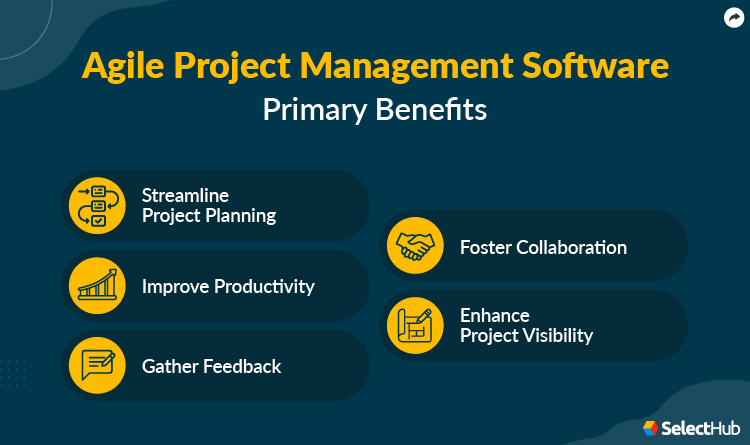
Implementing agile project management software can benefit your business in the following ways.
Streamline Project Planning
Agile projects don't adhere to conventional project plans. Agile project management software simplifies complex tasks, organizes resources and identifies dependencies.
Improve Productivity
Accessibility to all project-related information improves project progress. These solutions centralize all project information, including modifications, pertinent tasks and stakeholder feedback.
Gather Feedback
Gathering stakeholder feedback at every stage is crucial to agile projects. The process gets complicated as the number of parties involved increases. Agile applications integrate with existing modules like data collection to organize stakeholder inputs with project information.
Foster Collaboration
Agile systems foster collaboration through modules like instant chats, comments and tags in one place.
Enhance Project Visibility
These systems offer capabilities like Kanban boards and dashboards to visualize projects in real time. They adapt to organizational workflows while providing complete visibility of sprints.
You can also use hybrid Agile methodologies like Scrumban, a mix of Scrum and Kanban.
Key Features & Functionality
Sprint Management
Agile project management software helps manage sprints and accompanying tasks, assignees and issues in one place.
They offer Gantt charts and Kanban boards to visualize project status. Gantt charts are horizontal bar charts, while Kanban boards resemble sticky whiteboard notes.
Resource Management
Using resource management modules, teams can budget people, time and cash. Doing this ensures adequate resource availability to complete projects on time.
Dashboards
Agile project management needs real-time visibility into task progress. Reporting dashboards improve accessibility by aggregating reports into a single view.
Issue Tracking
Issue tracking is crucial for software development teams. Agile systems track software bugs for teams to resolve them on time.
Integrations
These applications seamlessly integrate with other modules in your tech stack like CRM, marketing automation, ERP and BI. Advanced systems offer built-in integrations and open APIs for third-party integrations.
Mobility
These solutions improve accessibility via mobile project management. Teams can complete tasks, manage projects and report progress using mobile apps.
Software Comparison Strategy
With the global Agile project management software market growing at a CAGR of 18%, finding the right fit for your organization will take time. Start by considering the agile framework you intend to use.
Apart from Scrum and Kanban, you can look for additional frameworks like Extreme Programming (XP). Your chosen application should be compatible with the framework you pick. For instance, you'll need burndown charts for Scrum.
Gather feedback to consider additional features like time tracking, resource planning and team collaboration. Include managers and employees who will use the new application daily in your decision-making process.
Ensure that your current CRM and engineering software integrate with your chosen Agile project management solution. Once you gain clarity about your requirements, you can also use free trials to gauge your chosen application's performance within your workflow.
Cost & Pricing Considerations
Software implementation is a long-term investment. Implementing Agile project management software that is scalable and supports your long-term goals is crucial.
You also need to consider differential price points for different products on the market. Since most solutions offer subscription-based pricing, earmark a budget for the new system while paying close attention to what your company can spend every month.
Questions To Ask
Use the questions below to prompt internal discussions about fast-tracking your projects:
What challenges do I currently face with my software development projects?
Are my projects on schedule?
What are my existing future requirements?
Who will use the new system?
How much budget can I set aside?
Once you know your organizational requirements, you can ask vendors the following questions:
Will the system organize my software development workflows?
Is it flexible and scalable?
How steep is the learning curve?
What pricing tiers do you offer?
What are your training and support plans?
In Conclusion
Agile project management software boosts team efficiency, customer satisfaction and financial performance. It fast-tracks increment project advancements by dividing projects into smaller builds.
These systems help software development teams balance development and testing. Teams can collaborate, concentrate on quick-fix tasks and track progress. The best way to organize software releases is to shortlist systems from the above list before selecting the one that meets all your requirements.
Kriti Sahay is a Technical Content Writer at SelectHub, writing content for Help Desk and Call Center Software. Kriti is based out of New Delhi, India. When she's not handling Buyer's Guides and other informational articles, she can be found experimenting in her kitchen, street shopping, or painting!
Joan Akash, a Senior Research Analyst at SelectHub, holds a Post-Graduate Diploma in Management with a specialization in Marketing. Her expertise as a researcher and reviewer spans diverse software categories, including Project Management, Customer Relationship Management, Live Chat, and Help Desk. Beyond her professional pursuits, Joan is spiritually driven, with a passion for teaching children and a penchant for reading biblical blogs and crafting poetry.
Manan is a native of Tezpur, Assam (India), who currently lives in Kolkata, West Bengal (India). At SelectHub, he works on categories like CRM, HR, PPM, BI, and EHR. He has a Bachelor of Technology in CSE from The Gandhi Institute of Engineering and Technology, a Master of Technology from The Institute of Engineering and Management IT, and an MBA in Finance from St. Xavier's College. He's published two research papers, one in a conference and the other in a journal, during his Master of Technology.
Alan Zucker has over 25 years of experience working in Fortune 100 companies leading projects and large organizations. He has delivered thousands of successful projects and managed major strategic initiatives. Alan has led large organizations and managed multi-million-dollar programs with hundreds of resources. In 2016, he founded Project Management Essentials to provide training and advisory services. His areas of expertise are project management, Agile, and leadership. He is a keynote speaker and provides customized training. He is also an Adjunct College Instructor.
Shane Anastasi has 20 years experience in the delivery of enterprise professional services and founded PS Principles in 2014 after publishing his groundbreaking book, The Seven Principles of Professional Services, which has become the standard orientation guide for customer-facing consultants. The goal of PS Principles was to help customer-facing project teams deliver their projects more successfully. Shortly after founding the company, he put the theories to the ultimate test by becoming the CEO of CirrusOne, a CPQ implementation start-up.
As an editor, Dianna Dragonetti leads a team of five writers in writing about a variety of software, with an emphasis on how these tools empower businesses. Categories include accounting, learning management systems, content management systems, supply chain management, and electronic data interchange.