HOA Software is All About Streamlining Homeowners Associations’ Operations By Riddhiman Roy, Market Analyst at SelectHub

With the growth of condominium and homeowners associations in the US, there’s a considerable scope for businesses to scale operations, expand portfolios and standardize business processes. This is why association managers have recognized the role of reliable homeowners association (HOA) software in accelerating growth and maximizing profitability. However, finding the perfect HOA software to power the long-term growth of your business can be overwhelming.
To help you with your selection process, we’ve prepared this comprehensive HOA software buyer’s guide — starting with a rundown of benefits and basic features, followed by comparison strategies and pricing considerations. Finally, we’ve listed some popular products in the market and a few questions to kickstart your conversations with team members and vendors. Let’s get started.
Executive Summary
- HOA software is a property management solution specifically designed to handle large communities and condominiums.
- It provides a unified platform for managers, owners and board members to communicate and track every property management workflow.
- It offers automated accounting, native payment processors, individual communication portals, centralized document library, violation tracking and event management capabilities.
- With a lot of options available in the industry, having a well-defined comparison strategy and company requirements list is imperative during the selection process.
What This Guide Covers: Primary Benefits
To make your HOA business profitable, you should rent common spaces, streamline communications, market efficiently and build a feeling of community among residents. This can sound like a lot, but HOA software can efficiently handle all these aspects. In this section, we’ll talk about the primary benefits of deploying the solution:
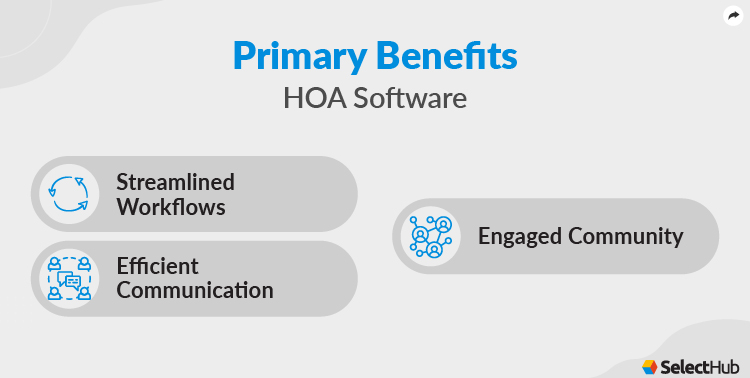
Streamline Workflow
Due to the demanding job of an HOA manager, it gets tough to focus on problem-solving and building an engaged community. Chasing down payments, dealing with paperwork, handling marketing, tracking issues and scheduling maintenance are some of the many processes bogging down an HOA manager.
HOA software can automate major administrative processes, allowing managers and owners to enhance and scale operations. You can automatically collect rent and utility bills, store unlimited documents digitally, consolidate every marketing channel in one platform and track maintenance issues. Businesses can organize board meetings, maintain a community calendar and manage staff.
Efficient Communication
You can provide unique portals to tenants and residents to pay rent and utility bills, submit maintenance issues and interact with owners and managers. Owners can use separate portals to track property profitability, receive payments and download reports and documents.
Most solutions provide a mobile app to streamline communications further and support remote workflows.
Engaged Community
Build a sense of community among your residents and tenants by organizing activities and events and maintaining common community calendars. Residents can participate in the association’s decision-making through online polls, emails, discussion forums and surveys. Keep the community up-to-date and engaged with timely announcements, reminders and content display on individual web portals.
Another popular way to increase engagement is to provide common spaces to the entire community. You can hold everyone responsible for maintenance and safekeeping by charging common area maintenance fees. This level of engagement helps alleviate resident experience and build brand awareness and goodwill.
Key Features & Functionality
| Accounting | One of the critical aspects of association management is ensuring boards uphold fiduciary responsibilities to homeowners who elected them. Your solution should help you generate reports, automate bookkeeping, bill residents for utilities and amenities, collect payments, and create budgets. Most solutions offer banking integrations to reduce the number of platforms you have to log into for bookkeeping, increasing the speed and accuracy of accounting workflows. Your HOA solution should also facilitate invoice imaging, digital approvals and recurring payments to handle accounts payable. |
| Homeowner Portals | Homeowners can access their accounts to track assessments and overdue payments, view the community’s governing documents, make amenity reservations and generate property reports. Essentially, these portals are information-rich self-help kiosks for property owners. With everything stored in a central repository, homeowners are less likely to call the HOA office, freeing up the board’s time for other pressing issues. It also facilitates two-way conversations between owners and the management board for increased transparency and faster issue resolution. |
| Centralized Database | This must-have feature keeps track of every homeowner and tenant’s personal information. Board members can easily pull up information as needed and make quick time-sensitive decisions. It’s helpful for month-end reporting and ad-hoc report requests. |
| Payment Processing | You can accept credit and debit cards, ACH bank transfers, and electronic checks. Set up utility fees, track and bill residents for the amenities used, charge late fees and allow residents to make automatic recurring payments. Managers can also automate invoice sending and accounts payable handling, as discussed earlier. With a convenient payment process, you can reduce delinquencies in your community. |
| Maintenance Management | Choose an HOA solution with a built-in maintenance module that can help track maintenance requests, issue tasks to vendors, monitor progress and pay vendors from a dashboard. Residents can submit maintenance tickets coupled with photos and videos and track work progress. |
| CC&R and Violation Tracking | Board members can create personalized covenants, conditions and restrictions (CC&R) documents. It lets you track violations, send violation letters to certified mails and receive penalty fees. You can also track homeowners with or without notices and flag recurring offenders. |
| Event Management | You can easily organize events for the community. Send newsletters and post announcements to update homeowners on upcoming events like social gatherings or board meetings, increasing attendance and participation. Many HOA solutions allow associations to conduct quick elections through online polling, record meeting procedures and maintain transparency with community calendars. |
Software Comparison Strategy
Due to the many options available, we can’t suggest an ideal solution for every business. Depending on your business’s nature, size and scale, devise a personalized comparison strategy to find the right system. Begin with an internal discussion with your team to identify essential features required and strike out every solution not meeting your requirements checklist.
Secondly, it’s important to check the deployment options. You need to identify if your business would benefit from a browser-based SaaS model that has no added infrastructure and IT cost but would probably charge more for future scaling. Or, you can deploy the software on-site and gain complete control over data and systems, allowing you to scale at will. But this on-premise option costs extra and requires an additional IT workforce and infrastructure.
After filtering out an ideal deployment strategy, you should search for a solution that integrates easily with your existing software stack. Lastly, we recommend consulting local HOAs and housing societies and finding their preferred solutions to get a reference point. Existing users can also inform you about the vendor’s post-sale support services.
Cost & Pricing Considerations
An HOA solution can range from free to a few thousand dollars. Find a solution with all the required features that will not cost you an arm or a leg. There are several cost and pricing considerations to mull over before making the final purchase. Here are some pointers to keep in mind:
- It’s better to opt for a monthly subscription-based SaaS deployment model if you are a small or growing business.
- Consider the number of team members to onboard because some vendors charge extra for additional team onboarding.
- Find out the amount of storage you would need to house your data, which might impact the overall cost.
- Additional marketing, reporting and management tools incur extra charges.
Questions To Ask
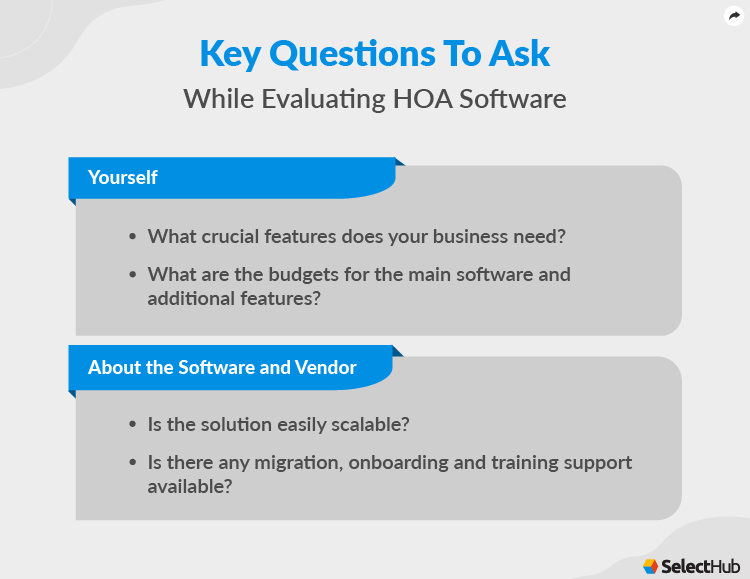
Use these questions as a starting point for internal conversations:
- What is your desired deployment method?
- What crucial features does your business need?
- How many members would need onboarding?
- What level of reportage does your company require?
- What are the budgets for the main software and additional features?
- Do you need a mobile app for remote workflows?
- Which existing software would need integration with your HOA management software?
Use these questions as a starting point for conversations with vendors:
- Is the brand established or growing in the real estate industry?
- Is the solution easily scalable?
- Does it offer all required integrations?
- What type of technical support does the vendor provide?
- Is there any migration, onboarding and training support available?
- What are the unique features of the software?
- How secure is data stored with the vendor?
- Are there any unique partnerships that add value to the software?
In Conclusion
In this digital era, it’s illogical to take up the mammoth task of managing a community manually. With HOA software, businesses can streamline their workflows, communicate efficiently with homeowners and build an engaged community that improves the resident experience and builds brand goodwill. We hope this buyer’s guide helps concerned professionals understand the nitty-gritty of the software and directs them towards a suitable solution that adds value to their community and organization.