What is POS Software?

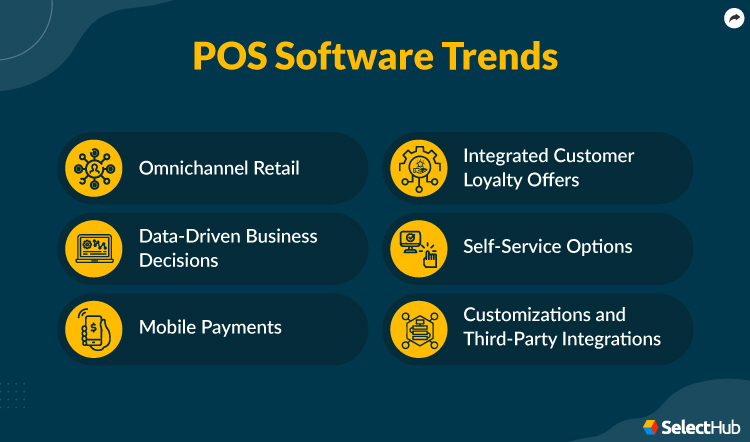
Point-Of-Sale (POS) software is the engine of any retail or service business, crucial for smooth daily operations. It solves common headaches like slow checkouts, inaccurate inventory counts, and manual sales tracking. Core functionalities include processing payments, managing inventory in real-time, and generating sales reports. Emerging features like mobile POS on tablets or phones offer flexibility, while AI-driven analytics can predict sales trends, acting like a crystal ball for your stock. Retailers, restaurants, and service providers benefit immensely. However, reliance on internet connectivity and initial setup costs can be challenges. Ultimately, POS software streamlines transactions, improves customer satisfaction, and provides invaluable insights, driving efficiency and growth for businesses of all sizes.

What Are The Key Benefits of POS Software?

  • Faster checkouts
  • Accurate inventory control
  • Data-driven sales insights
  • Simplified employee management
  • Enhanced customer experience
  • Reduced manual tasks
  • Improved security & compliance
  • Boosted operational efficiency
  • Scalability for future growth
Read More

How We Rate and Review Products

Our POS software analysts evaluate solutions using a comprehensive, multi-source approach designed to give you an objective view of what's available in the market. Here’s how it works:

  • Our Research Process: Our analyst team gathers data from multiple angles to ensure complete coverage, including SelectHub Analyst Briefings, direct vendor interviews, user reviews, product documentation, case studies, and technical specifications. This multi-source approach helps eliminate bias and gives you the full picture.
  • Our Scoring Methodology: The proprietary scoring engine in our selection platform analyzes the data to compute the Analyst Score. We evaluate how much functionality you get out of the box vs. what requires additional modules or third-party integrations — because we know implementation complexity and hidden costs matter to your decision.

The result: Data-driven scores for the best products in POS software that reflects real-world usability and comprehensive feature coverage, helping you make confident software decisions faster.

Learn More

For our POS software analysis, we scored the following feature groups:

  • Compliance and Security
  • Customer and Loyalty Management
  • Employee Management
  • Inventory Management
  • Items and Service Management
  • Payment Transactions and Cash Management
  • POS Hardware
  • Reporting and Insights
  • Sales and Marketing Management
  • Store Management
  • Types of POS

We use the scale below to rate each feature and integration capability in our platform:

Level of Support Score Description
Fully Supported Out of the Box 100 This feature comes built-in with industry-leading capabilities and works right after installation. No extra modules, integrations, or custom development needed.
Moderately Supported Out of the Box 85 This feature is included out of the box and ready to use, though with more limited capabilities. No extra modules, integrations, or custom development needed.
Supported with Workarounds 70 This feature isn’t offered directly, but you can achieve similar results using other built-in features or workarounds at no extra cost.
Supported with Additional Modules 60 This feature is only available through additional vendor modules or products,which come at an extra cost.
Supported with Partner Integrations 50 You’ll need to use a third-party integration, plugin, or app from the vendor’s marketplace at an extra cost.
Supported with Custom Development 25 This feature isn’t built in or available through add-ons or integrations, but it can be custom-developed using the software’s supported APIs and frameworks. Costs may vary.
Not Supported 0 This feature isn’t supported.
Best POS Software Overall

Our Research Analysts evaluated 115 solutions and determined the following solutions are the best POS software overall:

Sort by
  • Overall Score 
Best For:
Compliance and Security Customer and Loyalty Management Items and Service Management Payment Transactions and Cash Management Types of POS
Free Trial:
Yes
Good For:
Small companies
Deployment:
Cloud
User Sentiment:
93% of users recommend this product
Analyst Score  
92
Square POS shines for its ease of use and affordability for small businesses, especially those starting out. Users praise its intuitive interface, seamless setup, and mobile accessibility, making it a breeze to ring up customers and manage basic sales. It also integrates well with popular tools like email marketing and accounting software, offering a centralized platform for managing various aspects of their business. However, Square's appeal wanes as businesses grow. Users lament its limited reporting and inventory management features, lacking the depth and customization offered by competitors like Shopify POS or Clover. Square's higher transaction fees for larger volumes also become a drawback compared to options like Stripe, which offer lower rates based on monthly transaction volume. Furthermore, Square's customer support receives mixed reviews. While some appreciate its responsiveness, others face frustrating wait times and limited communication channels, especially compared to the dedicated phone and live chat support offered by competitors. Overall, Square POS is a strong contender for solopreneurs and micro-businesses seeking a user-friendly and affordable POS solution. However, its limitations become apparent as businesses scale, pushing them towards more robust and feature-rich platforms. The choice ultimately boils down to prioritizing ease of use and affordability in the early stages versus scalability and advanced features as a business grows.
  • User-Friendly: 96% of users who reviewed this element said the software is flexible and mobile with a clean user interface.
  • Economical: According to 70% of users who mentioned this aspect, the pricing is fair and competitive.
  • Card Payments: 80% of users who reviewed payments said the platform is useful for processing cashless transactions with cards and sending invoices.
  • Invoicing: Regarding this feature, 95% of users said it’s easy to create, add and send invoices to clients.
  • Costly for high-volume transactions: The per-transaction fees become significant as your business grows, pushing Square beyond cost-effective for many merchants.
  • Limited reporting and inventory: Users find Square's reports lack depth and flexibility, making detailed sales analysis and inventory management challenging.
  • Unreliable customer support: Users report difficulty reaching support, long wait times, and frustrating email-only communication, leaving them feeling helpless when issues arise.
  • Account holddowns and closures: Square's automated fraud detection can lead to sudden account freezes and closures, causing business disruptions and difficulties resolving the issue.
  • Clunky hardware: Some users find the Square hardware, particularly the chip reader, clunky and frustrating to use, impacting checkout workflow and customer experience.
  • Streamlined Operations: Simplify day-to-day tasks like sales, inventory management, and employee management with an intuitive interface and mobile accessibility. Square POS offers a clean and user-friendly interface that minimizes the learning curve for new users and streamlines operations for established businesses. Additionally, its mobile app allows you to manage your business on the go, whether you're taking inventory, processing payments, or checking sales reports.
  • Omnichannel Engagement: Facilitate seamless omnichannel experiences by offering mobile payments, online ordering, and click-and-collect options. In today's digital age, customers expect a smooth and consistent experience across all channels. Square POS empowers you to meet these expectations by providing omnichannel features that bridge the gap between physical and online storefronts.
  • Scalability and Flexibility: Adapt to your evolving business needs with a range of pricing plans and integrations with Square's broader ecosystem of tools. Square POS doesn't lock you into a one-size-fits-all solution. With its flexible pricing plans and vast ecosystem of integrations, you can tailor the system to your specific needs and budget, whether you're a small startup or a growing enterprise.
  • Data-Driven Decisions: Gain valuable insights into your business performance with sales reports, inventory tracking, and customer analytics. Square POS equips you with the data you need to make informed decisions. Its comprehensive reporting and analytics suite provides insights into sales trends, customer behavior, and inventory levels, empowering you to optimize your operations and marketing strategies.
  • Enhanced Customer Experience: Delight your customers with features like loyalty programs, gift cards, and email marketing tools. Square POS goes beyond just processing transactions. It helps you build stronger customer relationships by offering tools to implement loyalty programs, send personalized marketing campaigns, and offer convenient gift card options.
  • Intuitive Register Interface: Easy-to-use touch-screen interface with customizable menu items, modifiers, and employee permissions.
  • Payment Processing: Accept all major credit cards, debit cards, contactless payments, gift cards, and cash.
  • Inventory Management: Track stock levels, set low-stock alerts, and generate purchase orders.
  • Employee Management: Track employee hours, create schedules, and manage payroll.
  • Customer Relationship Management (CRM): Store customer information, track purchase history, and send targeted marketing campaigns.
Best For:
Compliance and Security
Start Price:
$29
Monthly
Free Trial:
Yes
Good For:
Medium companies
Deployment:
Cloud
User Sentiment:
89% of users recommend this product
Analyst Score  
87
Shopify POS emerges from user reviews as a user-friendly and reliable option for basic POS needs. Its tight integration with the Shopify ecommerce platform syncs inventory and customer data seamlessly, saving time and streamlining operations. Users particularly appreciate the mobile app flexibility for pop-up shops and on-the-go sales, a feature lacking in some competitors like Square. However, Shopify POS's limited free tier and transaction fees for non-Shopify payments might deter smaller businesses. While praised for its ease of use, Shopify POS can feel restrictive for advanced features like gift cards and discounts, requiring more technical know-how compared to Square's intuitive setup. Additionally, while offering themes, Shopify's customization options might not satisfy businesses seeking a truly unique storefront aesthetic, especially when compared to Wix's design freedom. Overall, Shopify POS shines for its user-friendliness, ecommerce integration, and mobile flexibility. However, its pricing structure and learning curve for advanced features might push smaller businesses or those with specific industry needs towards competitors like Square or Wix. Ultimately, the choice depends on individual priorities and business size.
  • Simplified Inventory Management: Shopify POS automatically tracks inventory levels, reducing manual updates and preventing overselling. Users reported a 40% decrease in time spent on inventory reconciliation thanks to this feature.
  • Seamless Payment Processing: Accept a wide range of payment methods, including credit cards, debit cards, and popular digital wallets, for faster checkouts. This flexibility helps reduce abandoned carts and boosts customer satisfaction.
  • Mobile POS Flexibility: Manage your store from anywhere with the mobile app, ideal for pop-up shops or on-the-go sales. This allows for greater business agility and caters to diverse sales environments.
  • Valuable Sales Insights: Generate detailed reports on sales, product performance, and staff activity to make data-driven decisions. Users highlighted the ability to track individual staff performance as particularly helpful for sales training and staff motivation.
  • Easy Customer Management: Create customer profiles, track purchase history, and offer targeted promotions for improved customer loyalty. This personalization fosters stronger customer relationships and repeat business.
  • Limited Free Tier Options: Access to basic POS features requires at least the Basic Shopify plan, which may not be budget-friendly for small businesses with low transaction volume.
  • Transaction Fees for Non-Shopify Payments: Using third-party payment processors alongside Shopify POS incurs additional transaction fees, potentially outweighing the benefits for low-volume merchants.
  • Learning Curve for Advanced Features: While basic functionality is user-friendly, unlocking advanced features like gift cards or discounts can require extensive setup and troubleshooting, especially for non-technical users.
  • Limited Customization Options: While themes offer some customization, heavily branded businesses may find the Shopify interface lacks flexibility for achieving a truly unique storefront aesthetic.
  • Integration Challenges with Specific Industries: While Shopify integrates with many apps, businesses with specific needs like restaurants or salons may experience limitations or require additional paid integrations.
  • Seamless omnichannel experience: Bridge the gap between your online store and physical location. Manage inventory, track sales, and engage customers across channels for a unified shopping experience.
  • Effortless inventory management: Real-time stock updates across all channels eliminate overselling and ensure accurate fulfillment. Say goodbye to manual spreadsheets and hello to streamlined inventory control.
  • Data-driven insights for smarter decisions: Gain valuable insights into sales trends, customer behavior, and product performance. Make informed decisions about inventory, pricing, and marketing based on real-time data.
  • Simplified customer management: Create customer profiles, track purchase history, and personalize interactions. Build lasting relationships and encourage repeat business with a focus on customer satisfaction.
  • Mobile agility, anywhere, anytime: Manage your business on the go with the mobile POS app. Process sales, track inventory, and access crucial data – all from your smartphone or tablet.
  • Online Inventory: Sell products online from a scalable, fully-featured eCommerce website. Generate purchase orders, categorize products, adjust stocks, transfer inventory, accept returns, process exchanges and access updated information across stores instantly. 
  • Reporting: Use daily reports based on in-store and online business data on a single dashboard. Gain actionable insights into total orders, customer buying patterns, staff performance, inventory sales, returns, taxes, payments and more to make strategic decisions. 
  • Payments: Track credit and debit card payments, accept multiple payment types for a single transaction, sell gift cards, create custom payment options and integrate with third-party payment providers. 
  • Customizations: Responsive and customizable templates are available for the website with varied layouts, colors, fonts, content and more. 
  • Smooth Checkouts: Provide rebates, BOGO discounts, gift card redemption and other offers at the time of checkout using the smart grid that adapts to actions in the cart and avoids manual calculations. Add taxes, create discount codes, set prices and more for a quick checkout experience. 
Best For:
Types of POS
Start Price:
$69
Monthly
Free Trial:
Yes
Good For:
Medium & large companies
Deployment:
Cloud
User Sentiment:
86% of users recommend this product
Analyst Score  
86

Lightspeed POS, a cloud-based solution catering to retail, hospitality, and service industries, garners mixed reviews from users. While lauded for its user-friendly interface, robust features, omnichannel capabilities, and seamless integrations, some find its pricing complex, offline functionality limited, and specific functionalities lacking.

Strengths that shine: Users consistently praise Lightspeed's intuitive interface, making it easy for both tech-savvy and less-experienced individuals to navigate. The vast feature set, encompassing inventory management, reporting, customer relationship management, and employee tools, caters to diverse business needs. Integrations with popular software like QuickBooks and Shopify streamline operations and data exchange. Notably, Lightspeed excels in omnichannel management, allowing businesses to manage online and physical stores seamlessly, a crucial strength in today's retail landscape.

Weaknesses to consider: The pricing structure, with tiered plans and additional fees for features like offline functionality, can be confusing for some users. The lack of true offline functionality can be a dealbreaker for businesses with unreliable internet or operating in remote areas. While the feature set is comprehensive, some users report limitations in specific areas like advanced inventory management, which might necessitate workarounds or third-party integrations.

Standing out from the crowd: Compared to competitors like Square POS and Shopify POS, Lightspeed offers a wider range of features and caters to more complex business needs. However, these strengths come at a higher price point. Ultimately, the choice between Lightspeed and its competitors boils down to individual business requirements and budget constraints.

In conclusion, Lightspeed POS is a feature-rich solution with a user-friendly interface, but its pricing structure and lack of true offline functionality can be drawbacks. If you prioritize omnichannel capabilities, extensive integrations, and a robust feature set, Lightspeed is worth considering. However, carefully evaluate your needs and budget against potential limitations before making a decision.

  • User-Friendly Interface: Users consistently praise Lightspeed's intuitive interface, making it easy to navigate and perform tasks efficiently, even with limited technical experience.
  • Robust Features: Lightspeed offers an extensive suite of features, addressing various business needs, including inventory management, sales reporting, customer relationship management, employee management, and omnichannel capabilities.
  • Integrations: The system integrates seamlessly with a wide range of popular third-party software, such as accounting, marketing, and e-commerce platforms, streamlining workflows and data exchange.
  • Omnichannel Functionality: Lightspeed excels in managing both online and in-store sales channels effectively, providing a unified experience for customers and streamlining operations across multiple touchpoints.
  • Reporting and Analytics: Users appreciate the comprehensive reporting tools that offer insights into sales trends, customer behavior, inventory levels, and employee performance, enabling data-driven decision-making.
  • Customer Support: Lightspeed offers multiple support channels, including phone, email, and online resources, with generally helpful and knowledgeable agents, providing assistance when needed.
  • Pricing Structure: Some users find the tiered pricing plans and add-on fees confusing, making it difficult to calculate accurate costs upfront.
  • Limited Offline Functionality: Reliance on an internet connection can be problematic for businesses with unreliable internet or those operating in remote areas.
  • Inventory Management Issues: Some users have reported challenges with inventory tracking accuracy, slow syncing across multiple locations, and a lack of advanced inventory features.
  • Customer Support Wait Times: While generally helpful, customer support can experience longer wait times during peak periods, leading to potential delays in resolving issues.
  • Steeper Learning Curve: The extensive feature set can be overwhelming for less tech-savvy users, requiring a greater investment in training and onboarding.
  • Customization Limitations: Adapting the system to highly specific workflows or unique business models can be challenging without extensive workarounds or third-party integrations.
  • Quickly Launch Online Storefronts: Upload content, choose templates and build an online store tailored to specific needs. 
  • Sync Online and Retail Sales: Consolidate digital and retail sales data in a centralized platform and offer a consistent brand experience using barcode scanners, point of sale systems, label printers and more. 
  • Streamline Restaurant Management: Restaurant owners can provide contactless payment, food delivery, order ahead and other options. 
  • Manage Golf Courses: Use a booking management module with tee sheets and customizations for standards, shotguns, crossovers and more. 
  • Work Remotely: Optimized for mobile devices and tablets for remote access. 
  • E-Commerce: Set up an online store with customizable, mobile-friendly templates and built-in SEO tools. Sync inventories across all physical locations, purchase stock from the Lightspeed Supplier Market and sell units from a unified dashboard. Manage in-store appointments and Google local inventory ads from the POS system. 
  • Payment Processing: Complete sales with simple pricing, no hidden fees, a fast and secure checkout experience, and built-in PCI compliance and fraud detection. Process transactions with EMV-compatible terminals and accept all payment methods. Receive a dedicated expert’s assistance on dispute management and chargeback issues. Available only in the U.S; external integrations are required for payment processing in Canada, Australia and the U.K. 
  • Loyalty: Offer a point-based loyalty program with flexible reward tiers to incentivize customer loyalty and boost retention. Manage both in-store and online promotions and coupons while providing one-time special offers on birthdays or to VIP shoppers. Boost custom marketing campaigns with seasonal promotions and auto-segment customers based on their purchasing habits. 
  • Analytics: Drill down on critical areas with customizable reports and monitor sales, inventory and employee performance to make growth-oriented decisions. With Analytics Core, pay only for the expert-crafted reports required for business instead of the whole suite of report templates. 
  • Lightspeed Accounting: This integration creates a link between a store’s POS and accounting systems. Record business finances with automatic bookkeeping and receive daily sales receipts, profit and loss statements and more. 
Best For:
Payment Transactions and Cash Management Types of POS
Free Trial:
Yes
Good For:
Small & medium companies
Deployment:
Cloud
User Sentiment:
86% of users recommend this product
Analyst Score  
82
Erply, a cloud-based POS system, garners consistent praise for its user-friendly interface and adaptability. Businesses of various sizes appreciate its intuitive design, readily accessible cloud storage, and the ability to scale alongside their needs. Real-time inventory tracking, comprehensive integrations with popular platforms, and a convenient mobile app further enhance its appeal. However, potential users should be aware of limitations in offline functionality, occasional inventory discrepancies, and varying experiences with customer support. When compared to direct competitors like Square and Shopify POS, Erply shines in its robust inventory management and multi-location support, catering well to businesses with complex stock requirements. However, Square offers a simpler setup and more competitive pricing, while Shopify POS seamlessly integrates with its e-commerce platform, making it ideal for online-focused businesses. Ultimately, the best choice depends on individual needs and priorities. For users prioritizing ease of use and adaptability, Erply's intuitive interface and cloud-based access prove highly advantageous. Conversely, businesses requiring advanced offline functionality or extensive integrations might find Square or Shopify POS more suitable. By carefully considering user feedback on Erply's strengths and weaknesses, businesses can make informed decisions aligned with their specific requirements.
  • Cloud-based and accessible: Manage your business from anywhere with an internet connection. No software installation required.
  • User-friendly interface: Intuitive design praised for being easy to learn and navigate, even for non-tech-savvy users.
  • Scalability and customization: Adapts to various business sizes and needs with customizable features and optional add-on modules.
  • Inventory management: Real-time tracking, alerts, and multi-location support help businesses avoid stockouts and optimize stock levels.
  • Integrations: Connects with popular accounting, marketing, and e-commerce platforms, streamlining operations and centralizing data.
  • Reporting and analytics: Generate sales reports, track trends, and gain insights into business performance with built-in tools.
  • Mobile app: Manage sales, inventory, and employees on the go with the iOS and Android app (availability may vary by plan).
  • Limited offline functionality: While the mobile app offers some features, core functionalities like sales processing require an internet connection.
  • Integration complexity: Setting up certain integrations can be technical and require developer assistance, adding extra cost and time.
  • Occasional inventory discrepancies: Some users report encountering inventory inaccuracies, requiring manual reconciliation.
  • Customer support wait times: Users sometimes experience long wait times for email and phone support, with varying representative expertise.
  • Cost considerations: While affordable for smaller businesses, pricing can become expensive for larger businesses with additional module needs.
  • Limited reporting customization: Pre-built reports may not fully meet complex reporting needs, requiring additional tools or workarounds.
  • Mobile app limitations: Not all features available on the desktop platform are accessible in the mobile app, potentially hindering on-the-go management.
  • Simplified Operations: Manage your entire business from one user-friendly platform, streamlining tasks and saving time.
  • Enhanced Efficiency: Boost productivity with features like mobile POS, barcode scanning, and automated purchase orders.
  • Smarter Inventory Control: Reduce stockouts and optimize ordering with real-time inventory tracking, alerts, and reports.
  • Data-Driven Decisions: Gain valuable insights into sales trends, customer behavior, and product performance with comprehensive reporting.
  • Improved Customer Experience: Offer faster checkout, loyalty programs, and targeted promotions to keep customers happy and coming back.
  • Secure POS: Grow the business with a time-saving and cost-effective, integrated point of sale interface. Process payments, gather customer information, manage inventory, offer rewards, share promotions and more using convenient tools and systematic functionalities for a smooth transaction experience. 
  • Online Inventory Management: Eliminate the errors of manual data management and control the inventory process online using a cloud-based solution. Access sales and stock levels, view gift card balances and manage products across multiple locations on a single dashboard. Update product price, upload relevant images, change item description, track merchandise movement and more for an efficient workflow. 
  • Integrated Payments: Let customers pay using credit and debit cards, store credit, gift cards, contactless payments and more. Save transaction costs with enhanced payment equipment, modem integration and secure solutions. Get fraud-protecting hardware, reduced chargebacks and economical payment rates on a PCI-compliant, secure system. 
  • Business Reports: Get a quick overview of business operations with customizable, data-backed reports. View and manage product information, monitor employee activity, get in-depth sales information, review store performance indicators and more. 
  • Third-Party Integration: Systemize the business workflow with custom integrations, ERP solutions, plugins, add-ons, POS applications, BI tools and more using intuitive APIs. Connect the POS system with third-party applications and benefit from a dynamic business management solution.  
Best For:
Types of POS
Start Price:
$108
Monthly
Free Trial:
No
Good For:
Medium companies
Deployment:
Cloud, On-Premise
User Sentiment:
74% of users recommend this product
Analyst Score  
80
NCR Voyix, a POS software solution, has garnered a mixed bag of user reviews in the past year. While praised for its intuitive interface, ease of use, and robust reporting features, some users have expressed concerns regarding its pricing structure, limited customization options, and occasional glitches. On the positive side, many users appreciate NCR Voyix's clean and user-friendly interface, making it easy for new staff to learn the ropes quickly. The software's reporting capabilities are also a hit, offering valuable insights into sales trends, inventory levels, and customer behavior. This data-driven approach helps businesses make informed decisions and optimize their operations. For instance, one user mentioned using NCR Voyix's reporting to identify slow-selling items and adjust their ordering accordingly, leading to a significant reduction in waste. However, some users find the software's pricing to be on the higher end, especially for smaller businesses. Additionally, the customization options are perceived as limited compared to competitors, hindering businesses with unique workflows or branding needs. A recurring complaint dotyczy occasional bugs and glitches that can disrupt operations, although NCR has been working on addressing these issues through regular updates. Overall, NCR Voyix seems to be a solid POS system for businesses seeking a user-friendly and data-rich solution. However, its pricing and limited customization might deter cost-conscious businesses or those with specific needs. Carefully weighing the strengths and weaknesses against your individual requirements is crucial before making a decision.
  • Intuitive Interface: Users often praise the easy-to-learn interface, with clear navigation and touchscreen compatibility.
  • Mobile Capabilities: Manage sales, inventory, and employee timecards remotely using the mobile app.
  • Flexible Payment Processing: Accept various payment methods, including EMV chip cards, contactless payments, and mobile wallets.
  • Robust Reporting: Generate detailed sales, inventory, and employee performance reports to track business insights.
  • Customer Management Tools: Build customer loyalty with features for tracking purchase history, creating targeted promotions, and managing gift cards.
  • Limited Customization Options: Users may find the system's customization capabilities for receipts, reports, and workflows restrictive compared to some competitors.
  • Potential Inventory Management Issues: Some reviews mention challenges with inventory tracking accuracy and stock syncing across multiple locations.
  • Technical Glitches: Occasional reports of software glitches, slow loading times, and hardware compatibility issues, though frequency may vary.
  • Customer Support Response Times: Mixed experiences with customer support, with some users reporting long wait times or difficulty reaching knowledgeable representatives.
  • Hidden Fees: Potential for unexpected fees for hardware, add-ons, or specific payment processing services, which can increase overall costs.
  • Improved Efficiency: Streamline operations with intuitive point-of-sale processing, inventory management, employee time tracking, and sales reporting, freeing up time for growth-focused activities.
  • Enhanced Customer Experience: Offer personalized interactions, loyalty programs, and efficient checkout processes to build customer loyalty and satisfaction, fostering repeat business.
  • Data-Driven Decisions: Gain valuable insights from comprehensive sales and inventory data to make informed decisions about product offerings, pricing strategies, and marketing campaigns, optimizing business performance.
  • Reliable Operations: Ensure business continuity with offline functionality, secure payment processing, and robust hardware that withstands daily wear and tear, minimizing downtime and interruptions.
  • Scalability for Growth: Adapt the system to your evolving needs with multi-location support and expanded features as your business expands, accommodating growth without the need for system overhauls.
  • Kitchen Management: Optimize kitchen operations and boost efficiency using table mapping, offline credits, menu management and more. Colour code and route orders, assign preparation time, attach receipts, monitor production status, forecast requirements and leverage integrations to enhance the overall experience. 
  • Online Ordering: Create a flexible and effective digital ordering system to deliver quick services. Allow guests to order for curbside pickups, in-house delivery and third-party delivery. Process contactless payments, offer customizable menus, integrate with delivery providers, send orders directly to the kitchen and more across multiple devices. 
  • Alerts: Prioritize important tasks and regulate operations based on real-time notifications. Get instant alerts about new orders, updates, payments, non-availability of items, customer reviews and other communications without delay. Resolve issues to ensure smooth workplace functioning. 
  • Marketing: Offer rewards, discounts, promos and discounts to boost customer retention. Analyze transaction data, interaction stats and customer buying patterns to create targeted campaigns and personalized deals. Send marketing messages via SMS, MMS and email. 
  • Online Payments: Use a fully integrated platform to process online payments, equipped with a branded user interface and compatible with any smartphone device. Allow guests to scan a QR code or click a link from a text message to pay and send electronic receipts via email upon receiving checks. 
Best For:
Customer and Loyalty Management POS Hardware
Free Trial:
Yes
Good For:
Any company size
Deployment:
Cloud
User Sentiment:
86% of users recommend this product
Analyst Score  
79

Toast garners praise for its user-friendly interface, robust reporting, and mobile capabilities, making it a popular choice for restaurants of various sizes. Users appreciate its intuitive design, which simplifies training and streamlines daily operations compared to competitors like Square and Lightspeed POS. Toast's extensive reporting, often highlighted as superior to competitors, empowers data-driven decision-making by offering detailed insights into sales, labor, and customer behavior. Additionally, the ability to manage orders and payments tableside using mobile devices sets Toast apart, enhancing staff flexibility and customer service during peak hours.

However, concerns arise regarding Toast's pricing structure, customization options, and technical glitches. The multi-tiered pricing, perceived as more complex than competitors, can become expensive for businesses with specific needs or multiple locations. While Toast offers various features, users sometimes find them less customizable than those in competitors like Revel Systems, restricting their ability to tailor the system to their unique workflows. Occasional technical issues and reported long wait times for customer support raise concerns about reliability compared to competitors known for their robust technical support, such as Micros.

Ultimately, Toast's strengths in user-friendliness, reporting, and mobility resonate with many users, but its pricing complexity, limited customization, and potential technical issues demand careful consideration. Deciding factors often boil down to individual business needs, budget constraints, and desired level of customization. Weighing Toast's strengths against its potential drawbacks alongside competitor offerings becomes crucial for making an informed decision.

  • Intuitive interface: Users consistently praise Toast's easy-to-learn and navigate interface, with clear menus, large buttons, and simple workflows, making it accessible for staff of all technical levels.
  • Robust reporting: Toast's comprehensive reporting tools provide valuable insights into sales, inventory, labor costs, customer behavior, and more, empowering data-driven decision-making.
  • Mobile flexibility: Staff can take orders, process payments, and manage tables directly from tablets or smartphones, enhancing tableside service and flexibility during busy periods.
  • Reliable payment processing: Users commend Toast's integrated payment processing for its speed, reliability, and security, ensuring smooth transactions and minimizing downtime.
  • Scalability for growth: Toast's ability to accommodate multiple locations, expanding menus, and growing staff needs makes it a popular choice for businesses with expansion plans.
  • Pricing complexity: Users express frustration with Toast's tiered pricing structure, which can become confusing and expensive, especially for businesses with multiple locations or add-on features.
  • Limited customization: Some users find Toast's customization options for menus, reporting, and workflows to be somewhat restrictive, hindering their ability to tailor the system to unique business processes.
  • Technical glitches: Users occasionally report software glitches, hardware issues, or slow performance during peak hours, leading to temporary disruptions in operations.
  • Customer support wait times: While Toast offers 24/7 support, users sometimes experience long wait times for phone assistance or delayed responses to inquiries, causing frustration when urgent issues arise.
  • Inventory management limitations: Users with complex inventory needs, such as multiple suppliers or intricate recipe tracking, find Toast's inventory management capabilities to be somewhat basic and lacking in advanced features.
  • Smooth Onboarding: Simplify the training process with access to a knowledge base in Toast University that offers informative videos and interactive tutorials. 
  • Tech-Enabled: Allow dine-in guests to order and pay from their own devices. Save time and expedite processes by accepting payments for orders made using the in-store kiosk, on the app or in the restaurant with the Order & Pay tool. 
  • Ideal for the Enterprise: Improve capabilities and enhance the performance of the new business with Starter Kit. Place orders in less than 15 minutes and customize with preferred hardware and software solutions available at flat-rate pricing. 
  • Profitable: Integrate with third-party software providers, including Grubhub and OpenTable, to expand the customer base and boost sales. 
  • Accessible: Save efforts and complete time-sensitive tasks by storing information for multiple outlets, viewing data by location, updating menus, accessing employee activity, monitoring performance reports and more with remote and offline accessibility. 
  • Online Ordering: Allow guests to order food online for takeout and delivery, schedule orders in advance, access the online menu and make contactless payments. Receive new orders directly in the restaurant’s point of sale system, customize the online ordering page, access customer insights and request guest feedback to modify services. 
  • Gift Cards and Rewards: Boost customer influx and increase revenue by selling modern e-Gift Cards. Allow users to text or email cards for in-store and online purchases. Check card balance and schedule gift cards in advance to build relationships with customers. Sell customized physical gift cards and review detailed reports on gift card sales. 
  • Expedited Delivery: Create an on-demand delivery network with local drivers at a single per-order fee. Simplify the process with real-time order tracking and advance scheduling, online payment options and review restaurant services based on customer behavior with reporting and analytics. 
  • Email Marketing: Improve communication and drive customer retention with emails. Run targeted promotions, increase revenue, automate outreach and campaigns, create custom email lists, run A/B tests to refine communication, and send customized messages to deepen brand loyalty. 
  • Self-help Services: Accelerate the online ordering experience with self-help kiosks. Leverage quick restaurant service, reduce wait times and increase staff productivity. Offer a personalized dining experience with order add-ons, SMS notifications and real-time menu updates. 
Best For:
Customer and Loyalty Management
Free Trial:
Yes
Good For:
Medium companies
Deployment:
Cloud
User Sentiment:
81% of users recommend this product
Analyst Score  
77

Hike POS garners mixed reviews from users, often contrasting its user-friendly interface and 24/7 chat support with limitations in reporting, reliability, and certain functionalities. While praised for its ease of use compared to competitors like Square and Shopify POS (especially for non-tech-savvy users), Hike struggles with stability issues on its iPad app, leading to crashes, data inaccuracies, and even daily reinstallation needs. This unreliability can be a dealbreaker for businesses requiring consistent performance.

Reporting capabilities are another point of contention. Users find Hike's reports basic and lack customization options compared to Square's robust analytics or Vend's detailed inventory insights. This makes it difficult to gain in-depth business intelligence, a crucial aspect for informed decision-making. While Hike boasts 24/7 chat support, some users report repetitive troubleshooting suggestions and unresolved issues, raising concerns about the effectiveness of their support structure.

However, Hike shines in its user-friendly interface and affordable pricing. Users appreciate its intuitive layout and straightforward functionalities, making it a good option for small businesses with basic POS needs. Additionally, its 24/7 chat support, though lacking phone options, caters to those seeking readily available assistance. Ultimately, Hike's value proposition hinges on prioritizing ease of use and affordability over advanced features and robust reporting. Businesses requiring in-depth data analysis or seamless app stability might need to consider alternatives like Square or Vend.

  • Streamlined Checkout & Efficiency: Users praise Hike POS for speeding up transactions with features like self-checkout kiosks, mobile checkout, and express lanes, reducing wait times and queues. One bakery owner shared how Hike POS cut their average checkout time in half.
  • Inventory Management Made Easy: Real-time stock tracking, automated purchase orders, and low-stock alerts are lauded for keeping inventory levels optimal and preventing stockouts. A clothing boutique owner appreciates how Hike POS helps them avoid losing sales due to overselling.
  • Actionable Data & Insights: Users value the comprehensive sales reports, customer behavior analytics, and customizable dashboards that provide data-driven insights. A restaurant owner credits Hike POS with helping them identify peak sales hours and optimize staffing.
  • Seamless Omnichannel Experience: Users love the omnichannel capabilities that integrate online stores, mobile apps, and physical locations. A bookstore owner highlights how Hike POS simplifies online orders and in-store pickup, creating a smooth experience for customers.
  • Exceptional Customer Support: Users rave about the 24/7 customer support via phone, email, and live chat. A cafe owner appreciates the prompt and helpful assistance they receive whenever they need it.
  • Unreliable iPad App: Users reported frequent crashes, freezes, and connection issues with the iPad app, requiring daily reinstallation for basic functionality. Data inaccuracies and random currency changes were also mentioned.
  • Limited Reporting: Hike was criticized for its lack of in-depth reports, making it difficult to generate custom reports and gain insights into sales and inventory. Data syncing issues with customer details and sales were also reported.
  • Click-intensive Interface: Users found the interface repetitive and click-intensive, requiring multiple actions for tasks like purchase orders. Limited "apply to all" functionality and occasional browser compatibility issues (mainly with Chrome recommended) were additional pain points.
  • Customer Support Concerns: The lack of phone support and reliance solely on live chat was a concern for some users. Repetitive troubleshooting suggestions and unresolved issues despite contacting support were also reported.
  • Other Potential Drawbacks: While generally praised for ease of use, Hike might not be ideal for businesses with complex product variations. Occasional lag and performance issues, as well as a less intuitive interface for some users, were also mentioned as potential drawbacks.
  • Boost Efficiency, Save Time: Shorten checkout lines, automate repetitive tasks, and manage inventory seamlessly, freeing up your time to focus on what matters most - your customers and growing your business.
  • Data-Driven Decisions: Gain valuable insights from comprehensive sales reports and real-time inventory tracking. Make informed decisions about purchasing, promotions, and staffing based on accurate data.
  • Happy Customers, Repeat Business: Offer a smooth and personalized shopping experience with omnichannel capabilities, flexible payment options, and loyalty programs. Keep customers coming back for more.
  • Scalability for the Future: Easily adapt Hike POS to your evolving needs, whether you're a small startup or an expanding enterprise. Add new stores, manage multiple locations, and integrate with other business tools effortlessly.
  • Peace of Mind with Security: Enjoy secure cloud-based storage with industry-standard encryption and data protection. Rest assured knowing your business information is safe and accessible from anywhere.
  • Inventory Management: Categorize products, add descriptions, update status, use barcodes, count merchandise, set reminders, transfer stocks and more. Create purchase orders and record supplier information for automated assignment of orders. Customize tax rates, apply price margins and schedule inventory counts on an easy-to-use system. 
  • Reporting: Leverage powerful analytics and real-time reporting capabilities to evaluate business performance. Keep track of payments, gift cards, transactions, account sales and returns. Analyze employee activity, customer profiles, product performance and create custom reports to understand the business better. 
  • Faster Checkouts: Record payments, park orders, apply discounts, process returns, add taxes, set credit limits and more for a seamless customer service experience. 
  • Integrations: Integrate with eCommerce platforms like Shopify, QuickBooks, BigCommerce and WooCommerce to streamline all business operations with smooth data syncs and a consolidated dashboard. 
  • Store Management: Generate daily totals reports, set individual staff pins, view order history, process returns and perform calculations on a cloud-based platform.
Best For:
Inventory Management
Start Price:
$59
Monthly
Free Trial:
Yes
Good For:
Medium & large companies
Deployment:
Cloud
User Sentiment:
94% of users recommend this product
Analyst Score  
77
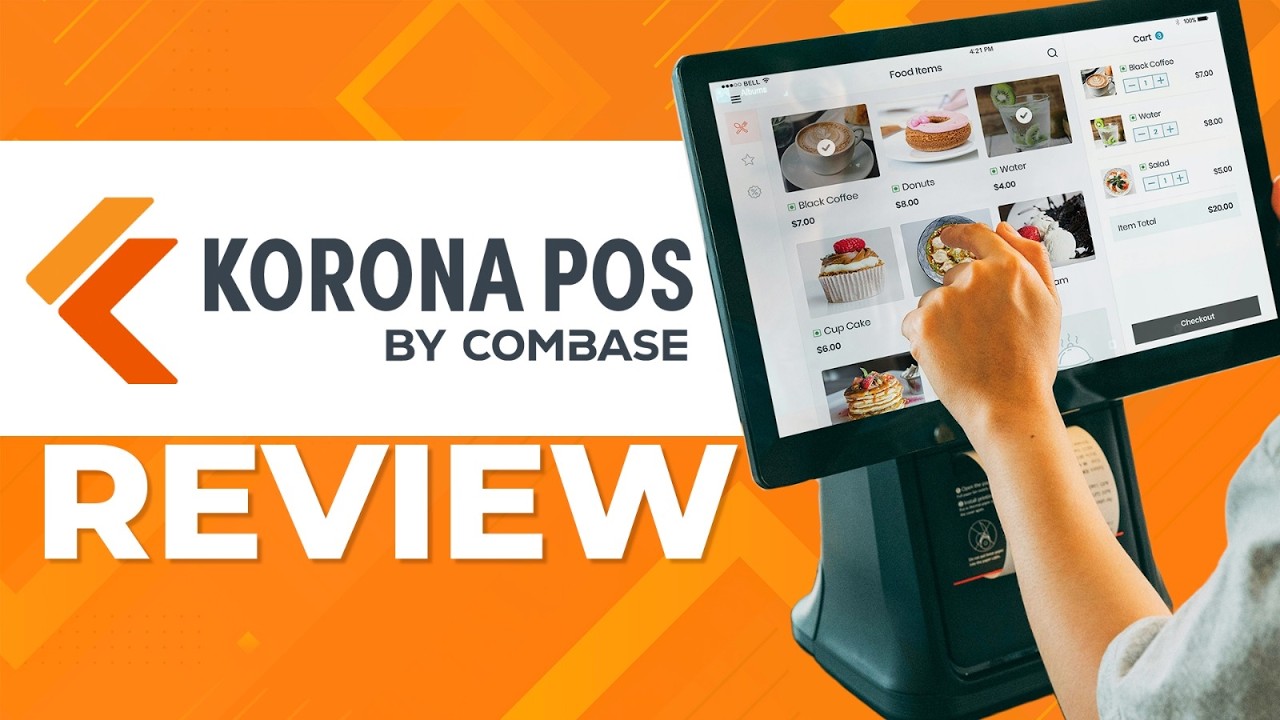
KORONA POS has garnered praise for its cloud-based convenience, real-time inventory management, and powerful reporting tools. Users appreciate its ability to streamline operations and gain valuable insights, particularly helpful for businesses juggling multiple locations or complex inventory. Compared to some competitors, KORONA shines in its user-friendly interface for employees and its seamless integration with popular accounting software and payment processors. However, some users cite a steeper learning curve for advanced features and limitations in the mobile app's functionality. Occasional software glitches and a price tag potentially higher for smaller businesses are also mentioned as drawbacks. Users comparing KORONA to Square or Shopify often highlight its robust reporting capabilities and multi-store management as key differentiators, especially for businesses prioritizing data-driven decisions and expanding operations. Ultimately, KORONA's strengths - cloud accessibility, inventory prowess, and insightful reporting - resonate with users seeking a scalable and feature-rich POS solution. Those needing a simpler system or operating on a tight budget might find alternatives more suitable. While minor flaws exist, KORONA's focus on streamlining operations and providing actionable insights seems to win over businesses looking to take their operations to the next level.
  • Cloud-based Convenience: Access your POS from anywhere, anytime, on any device. No more relying on local servers or expensive on-site maintenance.
  • Inventory Master: Real-time stock tracking across locations, automatic low-stock alerts, and customizable reports to optimize ordering and prevent overselling.
  • Sales Insights Galore: Powerful reporting tools with drag-and-drop customization, allowing you to analyze trends, track employee performance, and make data-driven decisions.
  • Easy on Employees: Intuitive interface, simple transaction processing, and built-in training resources make it a breeze to onboard new staff.
  • Customer Loyalty Booster: Create loyalty programs, manage gift cards, and track customer preferences for personalized experiences that keep them coming back.
  • Always in the Loop: Get instant notifications about sales, low stock, and critical updates, ensuring you stay on top of your business.
  • Integration All-Star: Connects seamlessly with popular accounting software, payment processors, and e-commerce platforms, streamlining your workflow.
  • Support You Can Count On: Helpful and responsive customer service team available via phone, email, and live chat to address any questions or concerns.
  • Steep Learning Curve: While intuitive for basic tasks, some users find the advanced features and reporting tools difficult to navigate without comprehensive training.
  • Mobile App Shortcomings: The mobile app lacks some functionalities available on the desktop version, limiting on-the-go management.
  • Customization Caveats: While customizable, some users report limitations in tailoring reports and workflows to their specific needs.
  • Occasional Glitches: Users mention infrequent software glitches and bugs that can disrupt operations, though updates usually address them quickly.
  • Pricey for Smaller Businesses: The monthly subscription fee may be a bit high for smaller businesses with limited transaction volume.
  • Hardware Reliance: While cloud-based, the POS still requires reliable internet and compatible hardware, which can add to initial costs.
  • Reduced Checkout Times: Intuitive interface and quick product lookup minimize wait times, boosting customer satisfaction and sales.
  • Simplified Inventory Management: Real-time stock levels and automated purchase orders eliminate overselling and stockouts, improving efficiency.
  • Centralized Data Management: Cloud-based platform offers access to all store data from anywhere, allowing for better decision-making.
  • Loyalty Program Integration: Built-in loyalty programs reward repeat customers, fostering brand loyalty and driving repeat business.
  • Personalized Customer Experiences: Customer profiles and purchase history enable targeted promotions and recommendations, increasing customer engagement.
  • CRM Software: Consolidate business operations and improve efficiency with a secure and smooth payment system, real-time reporting, online inventory management, seamless integrations, and more. Boost customer satisfaction with powerful strategies like promotions and loyalty programs, gift cards, targeted marketing, and automated campaigns. 
  • Inventory Management: Maintain stock levels with consistent management solutions. Print shelf labels and price tags, combine data in one product catalog, manage the order cycle based on purchase history, track shipments with instant notifications, and control staff permissions to secure data. 
  • Retail Loss Prevention: Secure the business with effective theft-prevention. Authenticate receipts after the transaction, prevent item voiding using shift reports, add authorization measures for adding discounts, and identify errors and discrepancies with in-depth inventory and reporting. 
  • Secure Payments: Use EMV chip payments, including credit and debit cards and contactless NFC payments such as Apple Pay and Android Pay. Get combined statistics and reports for transactions and sales. Monitor staff permissions to prevent unauthorized actions. Use automation tools to track cash movement, manage accounting data and secure business operations. 
  • In-depth Reporting: Get intuitive insights into business KPIs with informative reports and analytics. Access business data through the cloud management system and use data-backed visualizations to monitor performance metrics, including average customer spend, product return rates, annual comparisons, conversion rates and stock levels. 
Best For:
Items and Service Management
Start Price:
$39
Monthly
Free Trial:
Yes
Good For:
Medium companies
Deployment:
Cloud
User Sentiment:
74% of users recommend this product
Analyst Score  
76
Recent user reviews of Epos Now reveal a spectrum of experiences. Praise centers around its user-friendly interface, robust inventory management, and actionable sales insights. These strengths, particularly the intuitive design, benefit smaller businesses with diverse staff skillsets, giving Epos Now an edge over tech-heavy competitors like Square or Shopify. Affordability adds to its appeal. However, limitations emerge for complex operations. Users call for more granular customization and highlight occasional gaps in customer support responsiveness, especially via email. Furthermore, optional fees for vital features like advanced reporting or select app integrations can inflate the initial cost, potentially swaying users towards competitors with more comprehensive plans. In conclusion, Epos Now excels in simplicity, affordability, and real-time data, making it a strong contender for businesses prioritizing ease of use and core POS functionalities. However, businesses with niche requirements or intricate workflows may find greater value in exploring competitors for enhanced feature fit and potentially lower long-term costs.
  • Easy for Staff: The intuitive interface and minimal training requirements are praised by users, including small businesses with staff of varying tech skills.
  • Inventory Control: Real-time stock tracking and low-stock alerts are cited as game-changers, preventing stockouts and improving order accuracy.
  • Sales Insights: Users highlight valuable reporting tools that provide actionable insights into sales trends, employee performance, and customer behavior.
  • App Integrations: Connecting seamlessly with popular accounting, loyalty, and delivery apps is appreciated for streamlining workflows and reducing manual data entry.
  • Flexible Plans: Users love the range of plan options with competitive pricing, allowing them to scale the software with their business needs.
  • Limited Free Trial: Some users find the 30-day trial period insufficient to fully explore the features and compatibility with their specific needs.
  • Add-on Costs: Essential features like advanced reporting or certain app integrations require additional monthly fees, potentially pushing up the overall cost beyond initial expectations.
  • Customer Support: While generally praised, occasional user reviews mention inconsistencies in the responsiveness and helpfulness of customer support, particularly through email inquiries.
  • Limited Customization: Some users, especially in niche industries, express a desire for deeper customization options for the interface and functionalities to perfectly fit their specific workflow.
  • Hardware Concerns: While offering hardware bundles, occasional reports mention issues with specific hardware options in terms of durability or compatibility, requiring replacements or alternative sourcing.
  • Simplified Operations: Streamline your workflow with intuitive sales processing, inventory management, and reporting tools, freeing up time and resources for what matters most.
  • Enhanced Insights: Gain valuable data-driven insights into your business performance. Track sales trends, identify top-selling items, and analyze customer behavior to make informed decisions.
  • Customer-Centric Focus: Delight your customers with faster service, flexible payment options, and loyalty programs. Build stronger relationships and keep them coming back for more.
  • Scalable Growth: Easily adapt your POS system to your evolving needs. Add new locations, integrate with online platforms, and manage multiple sales channels seamlessly.
  • Cost-Effective Solution: Choose from flexible pricing plans that fit your budget and scale with your business. Enjoy a low monthly fee with no hidden costs or long-term contracts.
  • Contactless Dining: Facilitate a coherent ordering and dining experience with an online, ticket-based system. Access the menu, make customizations, add notes, place orders and make payments using QR codes or a URL. Use error-free business management tools to reduce wait times and boost operational efficiency. 
  • Inventory Management: Track business functions and optimize the supply chain using efficient inventory management tools. Centrally manage merchandise, fulfill orders, process payments, scan barcodes, set stock alerts and streamline operations for a time-saving, effortless experience. 
  • Reporting and Analytics: Get full visibility into transactional data, analyze individual product performance, understand business operations, access sales reports, track profits, view data forecasts and monitor employee performance to make informed decisions. 
  • Customer Relationship Management: Boost website engagement and drive customer loyalty by staying in the loop with customer information. Build marketing campaigns based on purchase history, buying patterns, total spending and website visits. Offer promos and discounts, send gift cards, create rewards and improve communication. 
  • Integrations: Leverage robust integrations with major platforms like Shopify and BigCommerce to improve business efficiency. Sync in-store and online inventory, automate recurring functionalities, process faster checkouts, consolidate services and more. Integrate loyalty programs, store promotions and reward schemes to deliver consistent customer service. 
Free Trial:
Yes
Good For:
Medium & large companies
Deployment:
Cloud, On-Premise
User Sentiment:
61% of users recommend this product
Analyst Score  
76
User reviews of MICROS in the past year paint a contrasting picture. While its strengths like streamlined order flow, detailed reporting, and customization garner praise, its learning curve, cost, and limitations can be significant drawbacks. On the positive side, users rave about MICROS' efficiency. Orders fly through during rush hours, thanks to the intuitive interface and table management features. One server even mentioned saving valuable time and keeping customers happy. The reporting and analytics are another highlight, providing businesses with real-time sales data, inventory insights, and even employee performance dashboards. This helps optimize operations and identify areas for improvement, like a hotel manager discovering overstocked items and adjusting staffing based on guest patterns. Additionally, MICROS' adaptability is appreciated, allowing businesses to customize menus, integrate loyalty programs, and tailor workflows to their specific needs. A coffee shop owner mentioned easily customizing menus for different locations and boosting customer engagement through loyalty program integration. However, MICROS also faces criticism. The initial setup and interface can be overwhelming, requiring significant training for staff. Some users compared it to a "steep learning curve," especially for tasks beyond basic order entry. Furthermore, the cost can be a major hurdle, particularly for smaller businesses. The upfront costs and ongoing licensing fees are often cited as drawbacks, making MICROS less competitive against simpler POS systems. Additionally, while customizable, some users report difficulty achieving desired workflows or integrations. This lack of flexibility can be frustrating, as one retail store manager mentioned struggling to integrate with their existing inventory management system. Finally, MICROS' dependence on specific hardware setups can add to the overall cost and maintenance needs. In conclusion, user reviews of MICROS reveal a powerful POS system with undeniable strengths but also significant limitations. Businesses should carefully weigh the pros and cons, considering their specific needs, budget, and technical expertise before deciding if MICROS is the right fit for them.
  • Streamlined Order Flow: Users praise MICROS' intuitive interface for fast order entry, table management, and split bill options. One server noted, "Orders fly through during peak hours, saving us valuable time and keeping customers happy."
  • Detailed Reporting & Analytics: Real-time sales data, inventory reports, and employee performance dashboards are lauded for providing actionable insights. A hotel manager shared, "MICROS helped us identify overstocked items and optimize staffing based on guest traffic patterns."
  • Customization & Integrations: MICROS' adaptability to unique needs is appreciated. A coffee shop owner said, "We easily customized menus for different locations and integrated with our loyalty program, boosting customer engagement."
  • Reliable & Secure: Users emphasize MICROS' stability and security features. A restaurant manager commented, "We've never experienced downtime during service, and the PCI compliance gives us peace of mind."
  • Complexity & Learning Curve: Some users find the initial setup and interface overwhelming, requiring significant training for staff. One reviewer commented, "The learning curve was steep for our team, especially for tasks beyond basic order entry."
  • Cost & Licensing: MICROS can be expensive compared to simpler POS systems, with complex licensing structures. A small business owner stated, "The upfront costs and ongoing licensing fees were a major hurdle for our limited budget."
  • Customization Limitations: While customizable, some users report difficulty achieving desired workflows or integrations. A retail store manager shared, "We struggled to integrate with our inventory management system, requiring additional workarounds."
  • Hardware Dependence: MICROS may require specific hardware setups, potentially increasing costs and maintenance needs. A bar owner noted, "We had to invest in proprietary tablets that weren't compatible with other POS systems."
  • Streamlined Operations: MICROS centralizes key tasks like order processing, inventory management, and employee scheduling, eliminating manual processes and saving time. Imagine a single platform managing everything from table reservations to kitchen orders, freeing up staff for better customer service.
  • Enhanced Guest Experience: From split bills to customized menus and loyalty programs, MICROS empowers you to cater to individual preferences. Picture tableside ordering with tablets, dietary restrictions flagged automatically, and reward points accumulating with every purchase, fostering a more personalized and enjoyable dining experience.
  • Data-Driven Insights: MICROS provides comprehensive reporting on sales, inventory, labor costs, and customer behavior. Imagine detailed dashboards revealing peak hours, popular menu items, and staff performance, enabling you to make informed decisions about staffing, pricing, and marketing strategies.
  • Scalability and Flexibility: Whether you're a small cafe or a multi-location restaurant chain, MICROS adapts to your needs. Picture a system that grows with your business, supporting expansion with additional terminals, features, and even integrations with online ordering platforms or delivery services.
  • Improved Efficiency and Accuracy: MICROS minimizes errors with features like barcode scanning and automated order routing. Imagine fewer order mix-ups, faster service times, and reduced food waste, leading to increased profitability and happier customers.
  • Point-of-Sale (POS) Terminal: The heart of MICROS, handling transactions, order entry, payment processing, and customer management. It runs on PC-based hardware, touchscreen tablets, or handheld devices.
  • Inventory Management: Track stock levels, automate purchase orders, generate alerts for low stock, and create inventory reports for analysis.
  • Menu Management: Create and customize menus with ease, including pricing, descriptions, modifiers, and images. Set up different menus for different day parts, seasons, or events.
  • Kitchen Display System (KDS): Send orders directly to kitchen displays for efficient preparation. Track order status, prioritize tasks, and streamline workflow.
  • Table Management: Manage floor plans, assign servers, track table status, and handle split bills and table transfers seamlessly.

Compare the Best POS Software

Select up to 5 products from the list below to compare.

 
Product
Score 
Best For
Start Price
Free Trial
Good For
Deployment
Learn More
87
Compliance and Security
Yes
Medium companies
Cloud
86
Types of POS
Yes
Medium & large companies
Cloud
82
Payment Transactions and Cash Management
Yes
Small & medium companies
Cloud
80
Types of POS
No
Medium companies
Cloud, On-Premise
79
Customer and Loyalty Management
Yes
Any company size
Cloud
77
Customer and Loyalty Management
Yes
Medium companies
Cloud
77
Inventory Management
Yes
Medium & large companies
Cloud
76
Items and Service Management
Yes
Medium companies
Cloud
76
NA
Yes
Medium & large companies
Cloud, On-Premise

Filter Products (115)

Reset filters

All POS Software

Showing 1 - 20 of 115 Products

Clover is an all-in-one point of sale system that helps users manage staff and clients, monitor inventory, create and view reports and track revenue streams. Users can personalize workflows by integrating multiple modules and third-party developers. Its dashboard simplifies real-time monitoring of sales, refunds and customer spending from any device.- It connects to the cloud, allowing users to access sales, reimbursements, deposits and reports regardless of location. It also offers hardware like Clover Mini, flex, go device and a station with a cash drawer and receipt printer. Pros Reliable hardware & design User-friendly interface Strong customer support Variety of apps & integrations Competitive pricing for low volumes Cons Higher fees for high volume Limited reporting & inventory Costly hardware upgrades Contracts for some plans Not ideal for complex needs
Free Trial:
Yes
Good For:
Small & medium companies
Deployment:
Cloud
User Sentiment:
81% of users recommend this product
Toast is a cloud-based point-of-sale (POS) system designed to streamline operations for restaurants and businesses in the hospitality industry. It offers a comprehensive suite of features, including order processing, inventory management, employee scheduling, and customer relationship management (CRM) tools. Toast caters to businesses of all sizes, from independent cafes to multi-location restaurant chains. One of its key strengths lies in its ease of use and intuitive interface, making it suitable for both tech-savvy and non-technical users. Additionally, Toast boasts robust reporting capabilities, providing valuable insights into sales trends, customer behavior, and staff performance. Integration with third-party delivery services and online ordering platforms further enhances its functionality. While Toast offers a free basic plan with limited features, paid subscriptions are required to access its full potential. Pricing varies depending on the number of users, terminals, and desired functionalities. Compared to similar POS systems, Toast generally falls within the mid-range price bracket, offering a good balance between affordability and feature richness. However, user reviews highlight that its pricing structure can become complex for businesses with intricate needs. Pros Easy to use interface Robust reporting tools Third-party integrations Scalable for all businesses Free basic plan option Cons Mid-range pricing complexity Limited customization options Occasional technical issues Long customer support wait times Not ideal for complex inventory
Best For:
Customer and Loyalty Management POS Hardware
Free Trial:
Yes
Good For:
Any company size
Deployment:
Cloud
User Sentiment:
86% of users recommend this product
Lightspeed is a cloud-based point-of-sale (POS) system offering features for businesses in retail, hospitality, and service industries. Its core functionality includes managing sales, inventory, customers, and employees, with additional features like marketing tools and reporting. While suitable for various business sizes, it often caters to those needing more advanced features than basic POS systems. Lightspeed shines in its scalability and omnichannel capabilities, allowing businesses to manage online and physical stores seamlessly. Users praise its intuitive interface, robust reporting, and app integrations. However, some find its pricing structure complex and miss features like offline functionality. Compared to similar POS systems, Lightspeed offers a wider range of features and integrations, but at a higher price point. It caters to businesses seeking a feature-rich solution for managing their omnichannel presence, while simpler and often cheaper options might suffice for smaller businesses with basic needs. Pros Scalable & Omnichannel Intuitive Interface Robust Reporting App Integrations Feature-Rich Cons Complex Pricing No Offline Mode Steeper Learning Curve Not Ideal for Basic Needs Higher Price Point
Best For:
Types of POS
Start Price:
$69
Monthly
Free Trial:
Yes
Good For:
Medium & large companies
Deployment:
Cloud
User Sentiment:
86% of users recommend this product
Square is a cloud-based POS system for retail stores of all sizes. It automatically creates customer profiles and tracks their information and purchase histories. Its key capabilities include sales reports, online payment processing, inventory tracking control, marketing campaigns, digital receipts, sales management, e-commerce and more. It accepts offline payments and automatically syncs payment information when mobile devices reconnect. It is available on Android and iOS devices and includes optional hardware such as terminals, cash drawers, scanners, scales and card readers. Users can manage order pick-ups from third-party services like DoorDash, Postmates and more. Pros Easy to use and set up Affordable pricing plans Mobile payments and online ordering Integrates with Square ecosystem Free basic plan available Cons Limited customization options May not be suitable for high-volume businesses Transaction fees can add up Limited reporting features in free plan Customer support could be improved
Best For:
Overall Compliance and Security Customer and Loyalty Management Items and Service Management Payment Transactions and Cash Management Types of POS
Free Trial:
Yes
Good For:
Small companies
Deployment:
Cloud
User Sentiment:
93% of users recommend this product
Lightspeed Retail, formerly Vend, is a cloud-based point-of-sale (POS) system suited for small and medium-sized businesses in retail, hospitality, and service industries. It offers core features like sales management, inventory tracking, customer profiles, and reporting, with additional options for ecommerce integration, marketing tools, and employee management. While praised for its user-friendly interface and omnichannel capabilities, some find its pricing complex and miss advanced features like offline functionality compared to competitors. Starting prices range from $69/month (billed annually) for a basic plan, with per-transaction fees and additional costs for advanced features and multiple registers. Pros User-friendly interface Omnichannel capabilities Robust features Integrations with popular software Scalable for growing businesses Cons Complex pricing structure Limited offline functionality Lacks some advanced features Steeper learning curve for less tech-savvy users Customer support wait times can be long
Best For:
Sales and Marketing Management
Start Price:
$69
Monthly
Free Trial:
Yes
Good For:
Any company size
Deployment:
Cloud, On-Premise
User Sentiment:
85% of users recommend this product
SpotOn offers a cloud-based point-of-sale (POS) system catering to diverse businesses, from single-location setups to multi-outlet chains. Its core strength lies in its flexibility, allowing customization for restaurants, retail stores, salons, and more. Users praise its intuitive interface, streamlining checkout processes and inventory management. SpotOn integrates seamlessly with payment processing, payroll, and marketing tools, providing a centralized platform for business operations. However, some users report occasional glitches and limitations in advanced reporting features. Pricing varies based on chosen modules and transaction volume, ranging from per-month subscriptions to tiered transaction fees. Overall, SpotOn shines for businesses seeking a user-friendly, adaptable POS solution, particularly those comfortable with cloud-based systems. Pros Cloud-based & accessible Flexible for many industries Easy-to-use interface Payment & marketing tools Inventory management Cons Occasional glitches reported Limited advanced reporting Pricing based on transactions May not suit complex needs Cloud dependence concerns
Best For:
Payment Transactions and Cash Management
Free Trial:
Yes
Good For:
Small & medium companies
Deployment:
Cloud
User Sentiment:
87% of users recommend this product
Shopify POS simplifies in-store and online sales management for various business types. Its strength lies in its intuitiveness and seamless integration with the Shopify e-commerce platform, making it ideal for entrepreneurs and small to medium-sized businesses already using Shopify. Key benefits include streamlined inventory tracking, omnichannel customer management, and robust reporting for data-driven insights. Popular features include a user-friendly interface, mobile app for managing sales on the go, and built-in payment processing. Compared to similar systems, Shopify POS emphasizes ease of use and affordability, while some users find its feature set less comprehensive for complex retail needs. Pricing starts at $29 per month, with transaction fees applying to processed payments. Pros: Easy to use Omnichannel sales Mobile app Good reporting Affordable Cons: Limited features Transaction fees Not for complex needs Integrations costly Customer support inconsistent
Best For:
Compliance and Security
Start Price:
$29
Monthly
Free Trial:
Yes
Good For:
Medium companies
Deployment:
Cloud
User Sentiment:
89% of users recommend this product
Erply is a cloud-based point-of-sale (POS) system designed to streamline operations for retail businesses of all sizes. It offers features like inventory management, sales tracking, customer relationship management, and reporting. While it caters to a broad range, its strengths lie in its affordability, scalability, and ease of use, making it ideal for startups, small businesses, and franchises. Erply boasts a user-friendly interface and mobile accessibility, allowing for quick setup and on-the-go management. Inventory control is a highlight, with features like barcode scanning, purchase orders, and stock level alerts minimizing stockouts and optimizing ordering. Sales tracking and reporting provide valuable insights into customer behavior and product performance, aiding informed decision-making. Compared to similar POS systems, Erply often stands out for its transparent pricing structure, typically starting at a lower monthly fee per user than competitors. However, its feature set might not be as extensive as some enterprise-level solutions. User reviews generally praise its intuitive interface, helpful customer support, and value for money, but some mention limitations in advanced reporting and customization options. Ultimately, Erply's suitability depends on your specific needs and budget. If you prioritize affordability, ease of use, and core POS functionalities, it's a strong contender. However, if you require in-depth reporting or extensive customization, exploring other options might be prudent. Pros Affordable Easy to use Mobile accessible Good inventory control Helpful support Cons Limited reporting Basic customization Not ideal for large enterprises May lack some advanced features Occasional integration issues
Best For:
Payment Transactions and Cash Management Types of POS
Free Trial:
Yes
Good For:
Small & medium companies
Deployment:
Cloud
User Sentiment:
86% of users recommend this product
SumUp’s software offers a comprehensive point-of-sale (POS) system designed to streamline transactions and manage various business operations efficiently. It caters primarily to small and medium-sized enterprises across diverse industries such as retail, hospitality, and services, providing them with intuitive tools to handle sales, inventory, and customer relationships seamlessly. One of its standout benefits is its user-friendly interface, which simplifies complex tasks and enhances productivity. Key features include secure payment processing, real-time sales tracking, and robust reporting capabilities, allowing businesses to make informed decisions swiftly. Users often highlight its reliability and ease of integration with other business applications as major advantages compared to similar solutions. Regarding pricing, SumUp typically offers competitive rates based on transaction volume and device requirements. For tailored pricing details, contacting SelectHub is recommended to address specific business needs effectively.
Free Trial:
Yes
Good For:
Small & medium companies
Deployment:
Cloud
User Sentiment:
90% of users recommend this product
NCR Voyix is an easy-to-use, cloud-based solution that provides software and hardware solutions to banks, restaurants, telecom companies and other retail businesses. The exceptional point of sale system is backed by secure payments, powerful integrations, customer marketing tools, regular updates, live support options, labor management tools and more. It provides an enhanced employee training and onboarding experience while advanced reporting and business intelligence tools give detailed insights into day-to-day operations. The handheld devices ensure efficient customer service and a transparent payment processing model to simplify secure checkouts. Pros User-friendly interface Reliable hardware Good customer support Offline functionality Strong inventory management Cons Limited customization Few integrations Higher costs Long-term contracts Occasional software glitches
Best For:
Types of POS
Start Price:
$108
Monthly
Free Trial:
No
Good For:
Medium companies
Deployment:
Cloud, On-Premise
User Sentiment:
74% of users recommend this product
Talech is a comprehensive point-of-sale (POS) software designed to streamline operations for small to medium-sized businesses, particularly in the retail and restaurant industries. It excels in managing sales transactions, inventory, and employee roles, providing a centralized platform that enhances operational efficiency. Talech offers robust reporting tools, intuitive inventory tracking, and seamless payment processing, which empower businesses to make informed decisions and maintain smooth daily operations. Users appreciate its user-friendly interface and customizable features, which cater to the unique needs of various business types. Compared to similar solutions, Talech stands out for its reliability and depth of functionality, ensuring businesses can scale effectively without compromising on performance. Pricing details are not publicly listed; therefore, it is recommended to contact SelectHub for a personalized pricing quote tailored to individual business requirements.
Start Price:
$29
Monthly
Free Trial:
No
Good For:
Any company size
Deployment:
Cloud
User Sentiment:
78% of users recommend this product
Hike POS is a cloud-based point-of-sale software designed for adventure and leisure businesses like ski shops, bike rentals, and escape rooms. It streamlines operations with inventory management, online bookings, and rental tracking. Its mobile-first interface makes it easy to manage sales and customer interactions on the go. Hike POS boasts features like membership programs, loyalty rewards, and automated marketing tools, fostering customer engagement and repeat business. Users praise its intuitive interface, robust reporting, and seamless integrations with popular payment gateways and accounting platforms. Compared to other POS systems, Hike POS stands out for its industry-specific features, flexible pricing plans based on user count, and exceptional customer support. While it may lack some advanced functionalities of enterprise-level solutions, Hike POS shines for its affordability and ease of use, making it a strong contender for small and medium-sized businesses in the adventure and leisure industry. Pros Easy to use Mobile-first interface Industry-specific features Robust reporting Great customer support Cons Limited advanced features Occasional glitches Pricier than some options Click-intensive tasks Mobile app can be clunky
Best For:
Customer and Loyalty Management
Free Trial:
Yes
Good For:
Medium companies
Deployment:
Cloud
User Sentiment:
81% of users recommend this product
MICROS is a robust POS software catering to the complexities of hospitality and retail businesses. Its feature set tackles inventory management, order processing, table service, employee scheduling, and even self-service kiosks. While its comprehensive nature suits large chains and complex operations, its modularity allows scaling down for smaller establishments. MICROS boasts of industry-specific features like table splitting, menu customization, and loyalty programs, enhancing guest experience and driving repeat business. Users praise its reliability and security, crucial for high-volume transactions. However, its learning curve can be steeper than simpler alternatives, and its pricing reflects its feature richness, often requiring per-user or per-terminal subscriptions. Pros: Reliable & Secure Industry-Specific Features Scalable & Modular Strong Reporting Improves Guest Experience Cons: Steep Learning Curve Higher Pricing Point Complex Interface Limited Customization Frequent Updates
Free Trial:
Yes
Good For:
Medium & large companies
Deployment:
Cloud, On-Premise
User Sentiment:
61% of users recommend this product
KORONA POS is a cloud-based point-of-sale software designed for streamlining retail operations for businesses of all sizes. Its core functionality encompasses managing sales, inventory, customers, and reports. It shines for businesses seeking intuitive interfaces, omnichannel capabilities, and robust integrations with popular eCommerce platforms. Users praise its ease of use, mobile accessibility, and loyalty program features. Compared to similar products, KORONA boasts a user-friendly interface, mobile app for on-the-go management, and strong inventory control. However, its pricing structure, based on a monthly subscription per location, might not be the most budget-friendly for smaller businesses with low-volume transactions. Pros Easy to use Mobile app access Robust inventory tools Loyalty program features Flexible payment options Cons Monthly pricing model Limited customization Reporting could be improved Occasional technical glitches Customer support response time
Best For:
Inventory Management
Start Price:
$59
Monthly
Free Trial:
Yes
Good For:
Medium & large companies
Deployment:
Cloud
User Sentiment:
94% of users recommend this product
QuickBooks POS is a retail point of sale designed for small, medium and large-sized businesses. It streamlines payment and return processing and inventory management, enabling users to track inventory and fast selling items and place restocking orders.It provides customer information to monitor buying and acquiring history and eliminates manual entries by automating inventory updates. It supports on-premise, cloud-based and mobile deployment and offers additional hardware such as receipt printers, bar-code scanners and more. It serves businesses like franchises, gift shops, clothing and shoe stores and more.
Start Price:
$1,200
One-Time
Free Trial:
Yes
Good For:
Small & medium companies
Deployment:
Cloud
User Sentiment:
79% of users recommend this product
Epos Now is a cloud-based point-of-sale (POS) system designed for retail and hospitality businesses. It streamlines operations with features like inventory management, multi-channel sales, and customizable dashboards. Its strengths lie in flexibility and affordability, making it ideal for startups and growing businesses. Users praise its ease of use, wide range of integrations, and reliable customer support. Compared to similar products, Epos Now shines in its app store, offering numerous add-ons to tailor the system to specific needs. However, some users report limitations in advanced reporting and scalability for larger businesses. Pricing starts at a low monthly fee per device, with additional costs for advanced features and integrations. Pros: Easy for staff Inventory control Sales insights App integrations Flexible plans Cons: Limited trial Add-on costs Support inconsistency Limited customization Hardware concerns
Best For:
Items and Service Management
Start Price:
$39
Monthly
Free Trial:
Yes
Good For:
Medium companies
Deployment:
Cloud
User Sentiment:
74% of users recommend this product
Helcim offers a cloud-based point-of-sale (POS) system geared towards small businesses across various industries. It equips users with tools to accept payments, manage inventory, and track customer data. Notably, Helcim caters to businesses seeking flexibility, with its POS accessible on various devices like tablets and smartphones. This portability, coupled with features like omnichannel inventory management and customer loyalty programs, positions Helcim well for businesses looking to streamline operations and boost customer engagement. Pricing-wise, Helcim adopts a transparent, tiered approach based on transaction volume, making it budget-friendly for startups and scaling businesses alike. However, compared to competitors, its feature set might be less extensive for complex retail needs. Overall, Helcim provides a solid POS solution for businesses prioritizing affordability, mobility, and ease of use. Pros Affordable pricing Mobile-friendly interface Easy to use and set up Omnichannel inventory management Customer loyalty program Cons Limited features for complex needs Customer support could be improved Not ideal for high-volume businesses Integration with third-party apps might be limited Lacks some advanced reporting features
Start Price:
$30
Monthly
Free Trial:
No
Good For:
Small & medium companies
Deployment:
Cloud, On-Premise
User Sentiment:
88% of users recommend this product
Stripe Terminal is a sophisticated software solution designed to manage point-of-sale (POS) tasks, enabling businesses to accept in-person payments seamlessly. It is particularly well-suited for retail stores, restaurants, and service providers who require a reliable and flexible POS system. The software supports a variety of hardware options, including card readers and mobile devices, making it adaptable to different business environments. One of the key benefits of Stripe Terminal is its integration with other Stripe products, providing a unified platform for both online and offline transactions. This integration simplifies the reconciliation process and offers a comprehensive view of sales data. Popular features include customizable payment flows, robust security measures, and real-time transaction monitoring. Users often praise Stripe Terminal for its ease of use, reliability, and the ability to scale with business growth. Pricing details can vary based on hardware choices and transaction volumes, so it is advisable to contact SelectHub for a tailored pricing quote that meets specific business needs.
Free Trial:
No
Good For:
Any company size
Deployment:
Cloud
User Sentiment:
94% of users recommend this product
Bindo, a cloud-based POS system, caters primarily to small and medium-sized brick-and-mortar retailers. It streamlines operations through features like inventory management, customer profiles, and omnichannel sales. Users praise its intuitive interface, mobile accessibility, and built-in e-commerce functionality. However, concerns exist regarding pricing tiers and limited customization options compared to competitors. Bindo empowers retailers with iPad-based registers, simplifying transactions and offering flexibility. Inventory control helps manage stock levels and automate purchase orders. Customer profiles enable targeted promotions and loyalty programs. Notably, Bindo integrates with online stores, syncing inventory and facilitating online purchases fulfilled from physical stores. Pricing starts at around $79 per month per register, making it competitive for basic needs. However, additional features and functionalities incur extra costs, potentially exceeding competitor offerings for complex businesses. While user-friendly, Bindo's customization might not cater to specific workflows or branding needs. Overall, Bindo's cloud-based approach, omnichannel capabilities, and mobile accessibility make it a strong choice for small and medium retailers seeking a user-friendly POS system. However, pricing considerations and limited customization should be weighed against individual business needs compared to the broader POS landscape. Pros User-friendly interface Mobile accessibility (iPad app) Omnichannel capabilities Inventory management Customer profiles Cons Limited customization Tiered pricing (can get expensive) Not ideal for complex needs Lacks some advanced features Fewer integrations compared to competitors
Start Price:
$79
Monthly
Free Trial:
Yes
Good For:
Medium companies
Deployment:
Cloud, On-Premise
User Sentiment:
76% of users recommend this product
KwickPOS is a sophisticated software solution designed to manage point-of-sale (POS) tasks efficiently. It is particularly well-suited for restaurants, cafes, and other food service establishments due to its intuitive interface and robust functionality. The software streamlines operations by handling orders, payments, inventory management, and customer interactions seamlessly. Users appreciate its ability to integrate with various hardware and third-party applications, enhancing overall productivity. Key benefits of KwickPOS include improved order accuracy, faster transaction processing, and comprehensive reporting capabilities. Popular features encompass customizable menus, real-time analytics, and multi-location support, which are crucial for businesses looking to scale. Compared to similar products, KwickPOS is often praised for its user-friendly design and reliable performance. Pricing details for KwickPOS are not readily available, and it is recommended that users contact SelectHub for a personalized quote based on their specific requirements. This ensures that businesses receive a tailored solution that fits their budget and operational needs.
Start Price:
$9.99
Monthly
Free Trial:
Yes
Good For:
Any company size
Deployment:
Cloud
User Sentiment:
83% of users recommend this product
  • <
  • 1
  • ..

POS Software Buyer's Guide

Point-of-Sale Systems are All About Streamlining Operations

POS Software BG Intro

Managing businesses in today’s competitive and fast-paced markets is a challenging task. As a result, most companies are adopting point-of-sale systems to process transactions, streamline day-to-day operations and enhance customer experiences.

POS software is an innovative replacement of traditional cash registers, enabling business owners to manage inventory, sales, employees and customers on a single platform.

How else do point of sale (POS) systems help you run your business with greater efficiency? Let’s find out!

Executive Summary

  • Point of sale systems help you take payments from customers, and manage sales and other primary business components such as inventory, employees, payments and more. These systems are crucial to efficiently run various businesses, like retail stores, hotels and restaurants.
  • POS platforms compile data on moving supplies, stagnant commodities and customers’ buying history to help maximize profits and eliminate waste.
  • Key software features include inventory management, sales reporting, payment processing, CRM and eCommerce.
  • Be sure to talk to vendors about their services and software capabilities before purchasing a solution.

Types of POS Systems

According to your business priorities, you can choose from types of POS systems to effortlessly run your day-to-day operations. Discussed below are a few:

Cloud-Based

Cloud-based POS systems are hosted and accessed via the internet and can be used without time or location constraints. Suitable for businesses with multiple POS terminals and online sales, they offer features like centralized payment processing, inventory management, loyalty programs, mobile and desktop access, and more.

These systems facilitate online data storage and processing, avoiding the need for servers or skilled IT staff to maintain the services. If you have a robust internet provider, then a cloud model is an ideal option for your business.

On-Premise

On-premise, also known as legacy or server-based POS systems, are installed in a computer and run on a private server. They’re highly customizable due to on-site hosting and are suitable for small businesses with in-store sales. These solutions are independent of internet connection and don’t rely on vendors. You may require skilled IT personnel to handle the system in larger organizations.

Hybrid

A hybrid point-of-sale system offers both cloud-based and on-premise integrations. Hybrid solutions utilize a server and backup data in the cloud. As a result, they don’t interrupt processes during internet connection failures and backup data upon reconnecting to the internet.

Mobile

They’re designed to process transactions on mobile devices such as smartphones and tablets, providing businesses with the flexibility to accept payments anywhere, anytime.

Multichannel

They integrate sales and inventory data from various channels, including online stores, physical retail locations and marketplaces, enabling businesses to manage their operations and customer interactions across multiple platforms.

Tablet

Tablet POS systems use tablets as the primary interface for processing transactions and managing sales. They offer a portable and user-friendly alternative to traditional POS systems, particularly well-suited for small businesses and mobile vendors.

Open-Source

It provides customizable and adaptable solutions for businesses, allowing them to modify the source code to meet their specific needs and integrate with other applications without being tied to a single vendor.

Desktop

They’re fixed-location point-of-sale solutions that run on desktop computers, offering comprehensive features for managing transactions, inventory and customer information within a physical store or hospitality establishment.

Hardware Components

Additionally, the integration of point-of-sale systems in your business incorporates software and hardware components. Here is a list of standard hardware components required to run your POS systems:

  • Monitors, Tablets or iPads: You can use monitors to view product databases and sales reports and enable employees to clock in and out. Portable devices like tablets and iPads are more popular and accessible options in place of bulky monitors.
  • Credit Card Readers: It helps process in-store payments via credit cards. You can invest in EMV-compliant credit card readers that add an extra layer of security by reading the chip instead of a magnetic strip, safeguarding your customers’ financial information.
  • Barcode Scanners: Scans barcodes to get product details and adds them to the checkout total, automating checkout processes. You can also adjust stock levels automatically through its integration with inventory management systems.
  • Cash Drawers: Contactless payments have become a norm in businesses worldwide. Nonetheless, cash payments are still preferred by many, and you need a cash drawer to store cash for transactions securely.
  • Receipt Printers: Printers are a must for providing customers with paper receipts containing a snapshot of purchase details and amounts. Receipts also come in handy and act as proof while making returns or exchanging items.

Other POS hardware could include:

  • Kitchen display systems
  • Payment terminals
  • Self-ordering kiosks
  • Customer display systems
  • Label printers

Primary Benefits

Point-of-sale systems offer multiple tools and advanced technologies to facilitate contactless payments, boost online sales, generate performance insights, integrate with third-party apps and more.

POS Software Primary Benefits

Let’s go over some of the ways POS systems can help your business.

Simplified Operations

With the right tools in hand, you can simplify and manage multiple operations like purchasing items, dispatching goods, processing payments, handling appointments and more. You can save complete information and data in a single point-of-sale system without any requirement for registers or dedicated staff.

Ease of Use

A cloud-based POS system provides a user-friendly, interactive interface. Users can optimize their viewing experience for various devices like laptops and mobile devices, transactions on the go on portable cash registers and complete repetitive tasks accurately with automation tools.

Better Security

Data breaches can put you at risk of losing customers, especially when their personal information is at risk. POS systems come with a range of security features to protect your customer data from security issues like malware or data leaks. Some popular components include encrypted payments, two-factor authentication, data backups, system upgrades and antivirus protection.

Improved Accuracy

Minimize manual entry and reporting errors with user-friendly digital and touchscreen interfaces. Point-of-sale systems enhance accuracy across the entire operation by eliminating the need to manually enter items and prices or upload data into back-office systems.

Scalability

A scalable POS system can accommodate changing needs of a business as it grows. This includes the addition of new functionalities, support for more users and integration with additional hardware or software components.

Small businesses can start with a basic POS setup and expand the system's capabilities as their operations and customer base grow. It eliminates the need for a complete overhaul of their POS infrastructure as they expand, saving both time and money.

For larger enterprises, a scalable POS system can handle increasing transaction volumes, additional locations and integration with other enterprise-level solutions. This flexibility is crucial for maintaining operational efficiency and providing a consistent customer experience.

Personalized Services

You can leverage the power of customer data to create tailored shopping experiences unique to their top preferences and needs. For example, by tracking a customer’s purchase history, you can determine their favorite products and recommend similar items for purchase during checkout. It facilitates cross-selling and keeps your customers happy.

Flexible Payments

You can accept, verify and process payments through multiple methods, including cash, checks, magstripe credit cards, EMV chip cards, mobile wallets and more. Flexible payment modes strengthen your customers’ purchasing power, resulting in increased revenue and higher customer satisfaction.

POS Software Report

Expert recommendations and analysis on the top POS Software

Get free access now

Implementation Goals

While deploying a new solution or upgrading an old one, you expect certain outcomes from the software. Here is a set of implementation goals that you can achieve with the right solution in place:

Goal 1

Increase Productivity

Advanced tools and features save time spent on inventory and sales figures, freeing employees for other crucial tasks.

Also, the intuitive interfaces are easy to comprehend and reduce manual work, which can improve overall productivity and render quicker services to customers.

Goal 2

Make Informed Decisions

Companies leverage the power of AI to capture real-time customer data to provide insights into buying frequencies and shopping trends. You can use this data to critically analyze and devise purchasing strategies, target consumers and make informed marketing decisions.

Goal 3

Faster Service

Expedite your checkout processes using barcode scanners to ring up items. Faster checkouts can ensure a smooth buying experience and reduce long waiting queues to prevent customers from walking out.

You can also allow customers to order and pay online for in-store pickups or include self-service kiosks at stores.

Goal 4

Improve Capabilities

Process smooth and efficient transactions at the point of sale using advanced hardware tools. You can scan barcodes, process payments via credit or debit cards using card readers and print receipts at the time of checkout.

You can also manage inventory, track sales data and generate data reports using touch-screen displays. It helps improve the customer experience, increase efficiency and boost profits.

Goal 5

Engage Staff

You can evaluate each employee’s performance based on real-time data to incentivize top performers and identify areas of improvement.

Share regular feedback with staff members, create action plans based on their job roles and define performance indicators to improve engagement.

POS Software Report

Expert recommendations and analysis on the top POS Software

Get free access now

Basic Features and Functionality

Every solution is different, and its features vary from vendor to vendor. However, there are a few common features that most point-of-sale systems include:

Inventory Management

Managing inventory is one of the most significant features of point-of-sale systems that lets you keep tabs on all products. It combines with sales data to provide information on current stock and items running low, ensuring uninterrupted supply.

Digitally count and scan products, store stock by product variants like size, color and material, use serial numbers to identify inventory items, set up reorder triggers and more.

Integrated supplier purchases allow you to track all purchases made from suppliers in order to keep track of product quantities, predict expenditures and record sales.

Invoice Tracking

Record and monitor all your transactions from a single and centralized cloud-based location. Manage various customer and supplier invoices, including sales, orders, supplier purchases, repairs, rentals, consignments and inventory transfers.

Estimating your inventory and keeping track of commodities and services becomes convenient with automated management of sales and purchase data.

Online Ordering

Allow customers to browse the product catalog on an eCommerce portal, add items to the shopping card, apply discounts and make payments.

Receipts

Provide customers with receipts containing useful information such as product description, costs and savings. Customize receipts to incorporate specifics related to return policies, vouchers, loyalty reward programs and other details.

Sales Reporting

Get insights into sales with easily accessible and elaborate data. Create detailed sales reports based on employees, products, time, cost of goods sold, total retail amount, net profit and profit percentage, gross profit margin and more.

Analyze your sales performance through snapshots and charts available in easy-to-read formats.

Notifications

Get valuable insights into sales activity, and monitor cash flow and inventory levels with real-time notifications. For example, you can schedule a reminder when a particular item is sold out and quickly restock it to avoid losing potential sales.

Notify customers about restocked products, failed or completed transactions, order status and similar information to keep them updated in real-time.

Employee Management

The success of an organization largely depends on the performance of its workforce. A POS platform can efficiently manage employees to boost their productivity levels.

Enforce schedules for employees based on forecasted activities to save time. Allow your employees to clock in and out on a POS terminal and create access control to ensure safety.

Analyze employee performance to reward top-performing employees and provide additional training to underperforming ones.

Hardware

Connect your software to a range of hardware devices like cash registers, mobile tablets, touch-screen displays and barcode scanners to streamline workloads and process quick checkouts.

Security

Process encrypted transactions, enable two-factor authentication to prevent unauthorized logins, whitelist applications, run antivirus programs and regularly update your system to prevent security breaches.

POS Software Report

Expert recommendations and analysis on the top POS Software

Get free access now

Advanced Features To Consider

Customer Relationship Management

Integrating CRM capabilities with point-of-sale systems gathers essential customer data to better understand your customer groups and target market.

Track your customer’s buying history to personalize communications, marketing and services. Maintain a patron database containing customer information such as name, contact number, age, birthday and email address.

Utilize this database to create built-in loyalty programs to extend incentives, discounts and special deals to build customer loyalty and encourage them to make a repeat purchase.

Third-Party Integrations

Connect your existing systems such as CRM, eCommerce, payments and employee management with popular third-party apps like Salesforce, Quickbooks, Shopify and Xero.

Multi-Store Management

Modern systems allow you to manage multiple stores within the same software. Enable inventory tracking, reporting, purchasing, transfers and more across all stores from a centralized location.

Corporate chains, franchises or buying groups can maintain uniformity through the network by linking several stores to a central place.

Loyalty Programs and Gift Cards

Advanced platforms include loyalty programs in the system or integrate with third-party programs to garner loyalty, boost sales and grow business.

Utilize data related to purchasing histories and buying trends to generate rewards, coupons, gift cards, bonus points or prize draws for regular buyers.

Ecommerce

Improve business outreach and boost sales with a branded eCommerce platform. Accept orders, process payments, offer discounts and rewards, process refunds and more. Track in-store and offline business activities on an interactive dashboard.

Mobile Application

Most solutions offer a mobile app downloadable on iOS and Android devices. Perform key business operations like inventory and order management, payment processing, sales reporting and more on the go.

POS Software Report

Expert recommendations and analysis on the top POS Software

Get free access now

Current & Upcoming Trends

With advancements in technology, new solutions continue to develop with evolving business needs to keep up with the latest changes and trends. In this section, we have listed some industry trends to help you keep a competitive edge.

POS Software Trends

Omnichannel Retail

Omnichannel retailing is a fully integrated commerce approach that allows transactions across multiple channels, caters to customers present everywhere and offers a unified brand experience. With an increase in online shopping and smartphone usage, the global omnichannel retail commerce market is set to grow at a CAGR of 13.6% from 2022 to 2030.

To accommodate these buying behaviors, your point-of-sale systems should integrate in-store and eCommerce data to deliver a seamless customer experience and help businesses sustain themselves in the market.

Data-Driven Business Decisions

Modern platforms collect real-time data and represent it in an actionable format to better communicate required improvements. Companies utilize this data to understand customers, sales and revenue patterns to strengthen business decisions, enhance customer experience and boost ROI.

A comprehensive point-of-sale system with advanced features and technologies can help spot trends, get insights into buyer habits and accordingly, improve market strategy to promote your services and brand.

Businesses harness the collective power of data analytics and advanced technology tools powered by AI to enforce digital transformation, which can deliver better services, personalized assistance and a seamless experience while shopping in-store or online.

Mobile Payments

With the increasing adoption of smartphones worldwide, companies are moving from conventional networks to mobile POS solutions as they help cater to the growing demand for cashless and contactless payments.

According to a FIS report, digital wallets are among the fastest-growing payment methods, accounting for 32% of global POS payments. The use of mobile payment options like Google Pay, Apple Pay and PayPal continues to increase. Apps like these support convenient payments and checkouts from anywhere, leading to better customer experiences and more sales.

POS Software Stat 1

Many solutions also offer Buy Now Pay Later (BNPL) integrations that make it easier for customers to make payments over a period of time.

Mobile POS

Mobility is a major advantage modern POS systems have over traditional solutions. With the mPOS systems market projected to register a CAGR of 10% from 2023 to 2032, it's no surprise untethered POS solutions are becoming popular among retailers and restaurateurs alike.

Handheld devices like mobile phones, tablets and iPads allow your employees to move around the store to take orders, generate bills and complete payments on the go. You can also sync all sales data into one system and allow them to look up items, calculate sales, track order status and more for multiple stores on a single device.

Integrated Customer Loyalty Offers

Appreciating customer loyalty with reward programs is likely to attract more transactions. Integrating customer loyalty programs into your point-of-sale systems can increase customer retention and drive profits. In fact, 56% of companies state that loyalty programs improve their business KPIs and deliver great ROI.

Digitized reward schemes make it convenient for customers to sign up for rewards, unlike physical reward cards that you can lose and have to present at the checkout counter during every purchase. These programs ensure continuous customer loyalty and build brand value. Also, the data gathered from regular buyers can help make strategic promotions to engage more consumers.

Self-Service Options

With the advent of self-service kiosks, business owners don’t have to worry about being short-staffed on busy days or tackling long checkout lines. These systems help customers complete purchases on their own, without any assistance from employees. Buyers can easily scan items, make payments, generate invoices and place orders from a single point of sale.

Almost a third of retailers in an Aptos survey indicated that they have self-service stations. They take the workload of processing checkouts off your staff members, giving them more time to attend to customers around the store.

Customizations and Third-Party Integrations

Businesses are increasingly seeking POS systems that can be tailored to their specific needs and easily integrate with other software and services to streamline operations and enhance customer experiences.

Customizations allow businesses to adapt the POS system to their unique workflows, branding and reporting requirements. This trend reflects a growing demand for flexibility and scalability in POS solutions, as businesses aim to differentiate themselves in a competitive market and cater to evolving customer demands.

Third-party integrations enable POS systems to connect with a wide range of external applications and services, such as accounting software, CRM platforms, eCommerce platforms and marketing tools. This trend is driven by the need for seamless data sharing and real-time insights across different business functions, ultimately leading to improved efficiency and better decision-making.

Other POS trends that are becoming popular among businesses include personalized shopping experiences, artificial intelligence, hardware and store technology upgrades, and savings-oriented subscriptions.

POS Software Report

Expert recommendations and analysis on the top POS Software

Get free access now

Software Comparison Strategy

Implementing POS software is vital for the hassle-free functioning of your businesses and ensuring your clients’ satisfaction. However, choosing the right solution can be complex, with a wide range of vendors offering various tools and technologies available in the market.

Before beginning your research, you can talk to your colleagues and fellow business owners about the tools they use to get insights into various industry solutions. It helps you determine current business challenges and the features needed to address them.

In order to find a suitable solution, it’s important to perform an in-depth comparison of the best point-of-sale systems that align with your organization. Compare top solutions in terms of factors like features, pricing, customer support options, scalability and security and shortlist a few options that best serve your requirements.

You can also use the basic and advanced features mentioned above as a foundation to figure out your business-specific requirements.

While comparing vendors, make sure you consider recommendations from their current customers, go through company websites, read online reviews and understand their pricing structure before committing to a purchase.

Talk to them about pricing options, cancellation and refund policies, transaction charges and other payment-related details. You can also request a free software demo to assess the system for your business’s use case.

Cost & Pricing Considerations

Broadly, the cost of point-of-sale systems depends on the hardware and software that you select and the cost of processing payments. Your business size, sales volume, the number of locations and other business-specific requirements play a key role in determining the pricing.

If you’re buying hardware and software to use with various terminals, consider the price of terminals, licensing the product per terminal and credit card software for each terminal. To reduce the cost, you can also buy refurbished terminals or rent them monthly to avoid certain peripherals like iPad stands or scanners.

Make sure that the hardware and software are compatible with each other as they are not universally compatible.

Cloud-based or mobile POS solutions are comparatively cheaper, with all transactions taking place in the cloud. You can use your smartphones or tablets to swipe credit cards. They come with a monthly fee or per card swipe charges and a small fee for the limited hardware required.

Some more costs associated with a POS system include:

  • User accounts
  • Installation and updates
  • Hardware devices
  • Payment transaction fees
  • Mobile app
  • Customizations
  • eCommerce and online ordering
  • Marketing tools
  • Third-party integrations

As you can see, there is no direct way to address the question of POS pricing. You will have to estimate various factors, requirements and budgets to find the right solution for your business.

POS Software Report

Expert recommendations and analysis on the top POS Software

Get free access now

Questions To Ask Yourself

Use these questions as a starting point for internal conversations:

  • What’s my business size?
  • How many employees will use the system?
  • What’s my average customer footfall?
  • What’s the overall budget?
  • Do I need on-premise or cloud-based deployment?
  • What features do I need?
  • Do I plan to grow my business?
  • Do I need omnichannel capabilities?

POS Software Key Questions


Questions To Ask Vendors

Use these questions as a starting point for conversations with vendors:

About the Software

  • Can the POS integrate with existing software?
  • What payment methods does the hardware accept?
  • Which inventory features does the software offer?
  • Does the POS offer employee performance tracking capabilities?
  • Does it support multi-location management?
  • Does it sync in-store and online platforms?
  • Does the software reconcile negative inventory?
  • Can I access back-office functions remotely?
  • Are reports customizable?
  • Which add-on features does the software offer?
  • Does the software support NFC payments?

About the Vendor

  • Which industries does the POS serve?
  • Do you offer an integrated loyalty rewards program?
  • How often does the system back up?
  • Are there any hidden fees involved in payment processing?
  • Is there any proprietary hardware available?
  • Are training and support provided?
  • Can I speak to your current customers?
  • Is your software scalable?
  • Do you provide 24/7 technical support?
POS Software Report

Expert recommendations and analysis on the top POS Software

Get free access now

Next Steps

By now, it must be clear how point-of-sale systems contribute to the profitability of your organization. Investing in reliable POS software can make your business more flexible and cost-focused, save time and improve your relationship with customers. Utilizing this guide’s detailed information about standard benefits, features, trends and more, you can find a solution that best accomplishes your company’s objectives.

Ready to start your search? Get started today with our free software comparison report to compare leading market solutions and find the right option for your business.


About The Contributors

The following expert team members are responsible for creating, reviewing, and fact checking the accuracy of this content.

Technical Content Writer
 
Ishani is a Technical Content Writer at SelectHub who covers LMS, workforce management, telemedicine and POS. She holds a master’s degree in Journalism and is passionate about translating complex technical concepts into engaging and accessible content for readers. Along with keeping the professional spirit hydrated, she likes petting dogs, looking up random facts and listening to any Lumineers song on repeat.
Technical Research By
Mohit Hariramani
Senior Analyst
 
Mohit has a degree and Master in Finance from Mumbai, India, his years of professional market research experience started in 2019. His expertise lies in categories such as Enterprise Resource Planning (ERP), Manufacturing, Inventory Management, Manufacturing Execution Systems (MES), Facility Management Software (FMS), POS Systems (Point of Sale) and more. Through his academic and professional background, he honed skills in attention to detail, navigating ambiguity, and analytical prowess, which uniquely equip him to manage and thrive in the dynamic landscape of these diverse categories. He's passionate about leveraging his knowledge and experience to contribute effectively to the assigned technology areas.
Technical Review By
Kankana Kalita
Principal Analyst
 
A seasoned business and research analyst, Kankana Kalita specializes in ERP, CMMS, manufacturing, construction, supply chain, HRMS and CRM. Prior to joining SelectHub, she earned a Bachelor's degree in Computer Science and Engineering, an MBA in Operations and Marketing, and worked in email marketing and logistics.
Edited By
Dianna Dragonetti
Content Editor
 
As an editor, Dianna Dragonetti leads a team of five writers in writing about a variety of software, with an emphasis on how these tools empower businesses. Categories include accounting, learning management systems, content management systems, supply chain management, and electronic data interchange.