---
description: Is Wrike the right solution for you? See where it's ranked among all Project Management Software. Read expert reviews, compare 2026 pricing, and explore top-rated features.
---
[Home](https://www.selecthub.com/) > [Project Management](https://www.selecthub.com/category/project-management/) > [Project Management Software](https://www.selecthub.com/c/project-management-software/) > Wrike
Categories:
- [Project Management Software](https://www.selecthub.com/c/project-management-software/)
- [Collaboration Software](https://www.selecthub.com/c/collaboration-software-tools/)
- [PSA Software](https://www.selecthub.com/c/psa-software/)
- [Work Management Software](https://www.selecthub.com/c/work-management-software/)
- [Workflow Management Software](https://www.selecthub.com/c/workflow-management-software/)
- ...
## What Is Wrike?
**Industry Specialties:** Serves all industries
Wrike is a cloud-based software that helps users manage distributed projects and promotes team collaboration. It offers a wide-range of templates and customizations that help your team keep priorities aligned and speed up project execution.
Our research team scored Wrike a 92 based on 119 feature requirements, tying it for first with ClickUp on our project management leaderboard. Apart from bagging best in class overall, Wrike also leads the pack in platform features and security, project planning, and scheduling and time tracking management.
Users liked Wrike’s real-time accessibility via native apps, flexibility to customize capabilities to their specific needs, and added visibility using live dashboards and the visual timeline. However, they mentioned premium features are paywalled and that there is a steep learning curve at the start.
Wrike has a free plan, with paid plans starting at $10 per user per month.
**Our Research Process for Wrike**
I signed up for a free trial to see what it’s all about. Luckily, I was able to snag access to the Pinnacle plan, their premier offering “for complex work needs.” During my two-week trial period, I created an entire space with a dummy project for our content team. I set up our workflow, complete with automations, custom fields, task transitions and request forms.
No software is completely intuitive, so I used Wrike’s help center whenever I got stuck (sidenote: I loved the looped gif demos). Our internal data scores helped me identify areas where Wrike stood out compared to [ClickUp](https://www.selecthub.com/p/project-management-software/clickup/), [monday.com](https://www.selecthub.com/p/project-management-software/monday/), [Zoho Projects](https://www.selecthub.com/p/project-management-software/zoho-projects/) and [Asana](https://www.selecthub.com/p/project-management-software/asana/). Additionally, I relied on user insights from software review sites and reached out to users personally to zero in on the standout (and not-so-standout) features.
PRICE
$
$
$
$
$
COMPANY SIZE
S
M
L
DEPLOYMENT
PLATFORM
[Try Before You Buy. Request a Free Demo Today!Request Demo It's completely free!](https://pmo.selecthub.com/get-product-demo/?category=Project+Management+Software&product_name=Wrike&origin_url=https%3A%2F%2Fwww.selecthub.com%2Fp%2Fproject-management-software%2Fwrike%2F%3Forigin_url%3Dhttps%253A%252F%252Fsoftwarebattlecard.com&product_logo=https%3A%2F%2Fcdn.selecthub.com%2Fproducts%2F442cde81694ca09a626eeddefd1b74ca-3b25869e4447d64701102b6c08c9496d%2Fresources%2Fnormal%2Flogo.png%3F1693316493)
[Contributors](#view-contributors)
![Christina George]() Written by Christina George Technical Content Writer [Read Bio](https://www.selecthub.com/author/christina-george/)
![Dianna Dragonetti]() Edited by Dianna Dragonetti Content Editor [Read Bio](https://www.selecthub.com/author/dianna-dragonetti/)
User Sentiment i
![User satisfaction level icon: great]()
Based on 8888 reviews:
Add your rating:
![Screenshots]()![Screenshots]()![Screenshots]()![Screenshots]()![Screenshots]()![Screenshots]()![Screenshots]()
Product Screenshots and Videos
## #2
Wrike is ranked #2 on the top 10 Project Management Software leaderboard based on a comprehensive analysis performed by SelectHub research analysts. Compare the leaders with our In-Depth Report.
[Get the Report Now](https://pmo.selecthub.com/request-custom-scorecard?origin_url=https%3A%2F%2Fwww.selecthub.com%2Fp%2Fproject-management-software%2Fwrike%2F%3Forigin_url%3Dhttps%253A%252F%252Fsoftwarebattlecard.com&category_slug=project-management-software&product_slug=wrike&page_type=product&slug=wrike&product_name=Wrike&category=Project+Management+Software)
## Wrike Pricing
Based on our most recent analysis, Wrike pricing starts at $10 (Per User, Monthly).
[Get Price Quote](https://pmo.selecthub.com/get-product-pricing/?category=Project+Management+Software&product_name=Wrike&origin_url=https%3A%2F%2Fwww.selecthub.com%2Fp%2Fproject-management-software%2Fwrike%2F%3Forigin_url%3Dhttps%253A%252F%252Fsoftwarebattlecard.com&product_logo=https%3A%2F%2Fcdn.selecthub.com%2Fproducts%2F442cde81694ca09a626eeddefd1b74ca-3b25869e4447d64701102b6c08c9496d%2Fresources%2Fnormal%2Flogo.png%3F1693316493&price=1)
- Price
-
$
$
$
$
$
i
- Starting From
- $9.80
- Pricing Model
- Per User, Monthly
- Free Trial
- 14 Days - Request for Free
## Training Resources
Wrike is supported with the following types of training:
- Documentation
- In Person
- Live Online
- Videos
- Webinars
## Support
The following support services are available for Wrike:
- Email
- Phone
- Chat
- FAQ
- Forum
- Help Desk
- Knowledge Base
- Tickets
- Training
- 24/7 Live Support
## Wrike Benefits and Insights
Why use Wrike?
### Key differentiators & advantages of Wrike
- **Allocate Resources To Projects Accurately:** Our analysts rated Wrike a 97 for project planning and scheduling, head and shoulders above ClickUp (89), monday.com (89), Asana (82) and Zoho Projects (77). Apart from the multiple project views and baselines, I thought Wrike’s Booking feature for resource planning was a killer feature. It essentially allows you to reserve blocks of time in a project for assignees or job roles using the estimated effort it takes.
- **Track Schedules and Workloads:** Wrike scored a 98 for time tracking and management, edging out Zoho Projects (94), monday.com (91), ClickUp (71) and Asana (50). I liked that you can estimate the effort it takes for a task, which is automatically recalculated if it takes more or less time, and lock time entries (great for remote work). You can also create a global calendar to track overtime, PTO and sick days, and search for specific employees.
- **Use Additional Functionality To Meet Your Needs:** Wrike’s 98 for platform features beat out ClickUp and monday.com at 94, Asana at 93 and Zoho Projects at 84. One really convenient feature is setting up email alerts when changes are made to a task, like if a due date or assignee is changed. Wrike’s approval feature doesn’t just work for proofing, but can be automated and applied to tasks folders and projects. I also liked that you can create individual OKRs and monitor them via a dashboard compared to the more standard overall team goals and targets.
### Industry Expertise
Wrike’s customers include startups, SMBs and enterprises. More than two million users spread across more than 18,000 organizations currently use Wrike. Its clients come from industries such as travel and hospitality, retail, automotive, healthcare, education, PR, manufacturing and software. High-profile customers include Airbnb, Hootsuite, TGI Fridays, Ogilvy, Esurance and Sotheby’s.
## Wrike Reviews
Based on our most recent analysis, Wrike reviews indicate a 'great' User Satisfaction Rating of 85% based on 8888 user reviews from 5 recognized software review sites.
![User satisfaction level icon: great]()
8888 reviews
85%
of users would recommend this product
### Synopsis of User Ratings and Reviews
Based on an aggregate of Wrike reviews taken from the sources above, the following pros & cons have been curated by a SelectHub Market Analyst.
#### Pros
- **Customizable:** Users appreciated Wrike’s flexibility to tailor views, workflows and functionalities to fit their business needs.
- **Visibility:** Live project dashboards and visual timelines to visualize project and task progress were a plus for reviewers.
- **Remote Accessibility:** Reviewers liked the mobile app with on-the-go task management and real-time updates.
**What Users Like**
- **Proofing:** “Feedback loops are crucial for creative work, and Wrike made it simple to centralize comments on images so that there's no need to sift through countless email threads.” - [Paul Posea](https://www.linkedin.com/in/paul-posea-646094131/), Outreach Specialist at Superside
- **Task Automation:** “As VP of Product Strategy, I need clear visibility into project timelines, and Wrike’s dynamic Gantt charts and automation features help us keep everything on track. When rolling out a new security update, Wrike auto-assigns follow-up tasks to the QA team after the development phase is marked complete, reducing delays and keeping processes ticking.” - [Peter Barnett](https://www.linkedin.com/in/peter-barnett-897788190/), VP of Product Strategy at Action1
- **Custom Views:** “Having the ability to set up dashboards that filter tasks by crew, material delivery, or job status has saved a lot of headaches. A project manager checking schedules for 10 different jobs can filter by start dates, while an installer only sees what’s lined up for the next two days, cutting down on unnecessary messages and scheduling conflicts.” - [Tyler Hull](https://www.linkedin.com/in/tyler-hull-5b2238158/), Owner of [Modern Exterior](https://www.modernexteriorroofing.com/)
#### Cons
- **Learning Curve:** Reviewers noted that there is a steep learning curve to master the backend and some difficulty getting used to the interface.
- **Pricing:** Users said premium features were only accessible with paid plans and can be costly for startups and small businesses.
**What Users Dislike**
- **Complexity:** “Early on, some team members found the interface overwhelming, especially with all the available features. Our customer support team was hesitant to fully adopt it. They preferred a simpler system and often defaulted to email instead of logging issues in Wrike, which created gaps in tracking. We had to run training sessions and simplify their workflows to improve adoption.”Peter Barnett, VP of Product Strategy at Action1
- **Task Dependencies:** “When a delay happens, the system doesn’t always adjust the way you’d expect. We had a case where a material shipment got pushed back three days. Instead of shifting connected tasks, Wrike left them with the original dates. That meant crews arrived on-site before everything was ready, which wasted a full workday.”- Tyler Hull, Owner of Modern Exterior
#### Researcher's Summary:
Wrike is advertised as an all-in-one project management platform that streamlines work processes with centralization, automation and real-time insights — so of course I had to put that to the test.
From the get-go, I liked how I could personalize and get things started during the onboarding process. In the first couple of screens, I chose my team type, added tasks and team members, and selected the Kanban board view. It has the usual suspects on the view front, Gantt, calendar, list and resource views were all on the menu.
Once I was in, customizing statuses and setting simple triggers like assigning users and limiting status changes — for example, only editors can move cards to the “Complete” queue — was a breeze. However, I did think the task cards were a bit basic for starters. You can zhuzh them up, but it takes a little guidance from the help center to figure out how to create custom fields for priority and editor.
After switching to the list view, I was a fan of the helpful dropdowns for the type of field you’d like it to be, people, multiple select, date or formula.
Automations are another one of Wrike’s big wins. The template center with recommendations for your project plus AI suggestions made it super simple to create custom automations with dropdown fields. I especially liked the automations for third-party apps like running a campaign with constant contact or adding an entry in Google Calendar. I loved the custom form builder where you can auto-create tasks from request forms.
Time tracking directly in the card is perfect for creating task estimates, managing workloads and billing clients. Bonus points for the timelog view with approval status, comments and a Quickbooks integration.
On the collaboration front, you can filter notifications and view all comments in the inbox or stream. However, a miss for me is that there is no native direct or group messenger. Instead, it integrates with teams. Unfortunately, the cheapest plan has hardly any automation capabilities, and if you want to move from Team to Business, you’ll have to shell out over double the cost per user.
Overall, if you’re looking for a powerful solution with top-notch functionality that can be personalized to your processes and you have the budget for higher pricing tiers, then Wrike is for you.
## Key Features
- **Multiple Views:** Zoom out to see the full view of a project’s tasks, dependencies, timeline and scope. Switch between Gantt, Kanban, timeline, list and spreadsheet views. The drag-and-drop interface makes it easy to adjust task dates and add dependencies. It’s also easy to toggle between different views (day, week, month, etc.).
- **Task Management:** Wrike brings together all aspects of your project — tasks, schedules and team communications — into a single location for more efficient project management. The platform connects with Gmail, Apple Mail and Outlook, allowing you to manage tasks directly from your inbox. It also supports data transfers for users switching from Microsoft Project, so all elements are imported for MPP, MPX and XML formats.
- **Project Templates:** Use a range of pre-built templates to start your team off with key elements already in place. Specific template types include agile teamwork, project scheduling, event management, product launches, Kanban projects, ticketing and helpdesk, sprint planning, and product roadmaps.
- **Dashboards and Reporting:** The report builder takes you through the four-stage process of creating a report, with inputs for type, source data, filters and layout (table or column). Report topics include weekly project status, unassigned tasks, active tasks by assignee and others. Monitor progress using live dashboards using custom widgets or pre-made templates to build an analytics board.
- **Resources View:** Improve resource management with effort allocation based on basic, daily or flexible effort tracking. Access a visual, intuitive interface that facilitates workload planning and changes, providing full visibility into team performance. You can also customize resource utilization analytics tools to track KPIs for better insight.
- **Proofing:** Streamline feedback processes and review cycles with visual tools and a centralized system that keeps version control in check. You can assign approvers internally as well as invite external reviewers. The software also connects with Adobe Creative Cloud tools, letting creatives review feedback and make updates from the app they work in. Note, this feature is only available for users with Business, Enterprise or Pinnacle plans.
- **Wrike Lock:** Wrike provides cloud security and privacy with encryption keys for Enterprise and Pinnacle plans. Both your data and the keys are encrypted, letting you determine who can access and edit the information stored on the platform. You have full control over the individual keys via a master key that’s stored by the Key Management Service from AWS.
- **Wrike Publish:** Enable digital asset management (DAM) with Business Plus, Enterprise and Pinnacle plans. Integrations with DAM platforms provide a range of capabilities, including stakeholder collaboration and file proofing. You can also attach files to tasks, quickly search your workspace for the right asset and gain brand consistency across campaigns.
## See It In Action: Create Custom Automations
As a seasoned project management software tester, I believe PM tools are basically incomplete without automations. So, I took a peek under Wrike’s hood and built a custom automation to see how well this platform does it. You can start building right in the main view or by paying a visit to the settings tab.
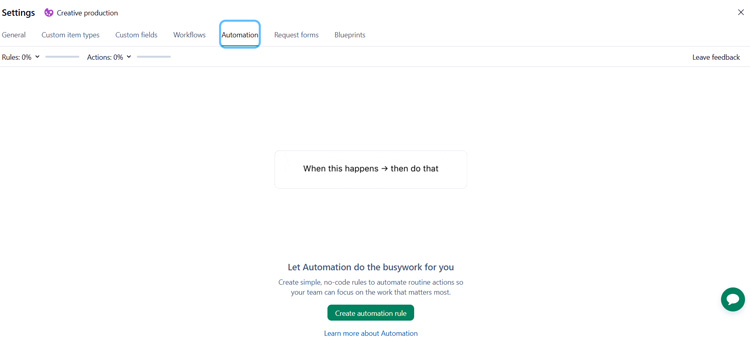
Wrike has multiple templates, plus AI-generated recommendations (though those really only show up after you’ve been using the software for a while). If you’ve read any of my other reviews, you know your girl loves a status change automation.

Once you put the template in action, you need to select the type of item it applies to. Note: this is a really important step, because, with Wrike, you can create multiple types of items ranging from photos and videos to projects and folders. For the sake of simplicity I chose a task.

I wanted to have it automatically tag a specified user (an editor) once a task status changes to Edits and Revisions. It was so easy to select the status. I simply picked the workflow I wanted to use and selected from the dropdown menu to add an assignee, then typed in a custom comment to automatically post whenever it was triggered.

After putting in the grunt work it was time to test the final product. It worked swimmingly. Special mention for the quick in-ap and email notifications.

Best of all, I didn’t need to pay a visit to the help center to create this automation and could hack it pretty easily without troubleshooting or getting stuck with incompatible fields. The dropdown menus, search bar for templates and AI-powered recommendations were pretty sweet too. Definitely one of the more intuitive and user-friendly tools I’ve encountered on the automation front.
## Limitations
At the time of this review, these are the limitations according to user feedback:
- Desktop app lags occasionally.
- Limited features with the free plan.
- Learning curve.
## Cost of Ownership
Frequently asked questions about Wrike pricing include:
**Q: What pricing plans does Wrike offer?**
A: Wrike has five plans: Free, Team, Business, Enterprise and Pinnacle. Pricing for the Team plan starts at $10 per user per month and Business is priced at $25 per user per month. Pricing for the Enterprise and Pinnacle plans are available on request.
**Q: Is there a free version of Wrike?**
A: Yes, Wrike has a free plan with a board and table view, two GB of storage space and active task limitations.
**Q: Are there any discounts available for Wrike?**
A: Wrike doesn’t have information about discounts publicly available. However, if you are a nonprofit or educational organization you may contact the sales team to discuss a discounted fee.
## Training Resources
- **Wrike Community:** Search through community topics, share posts and sign-up for expert-led live sessions.
- **Wrike Discover:** Sign up for self-paced courses and certifications using Wrike’s free online training platform.
- **Help Center:** Learn the basics and search through community responses and articles for answers.
![Banner of Pricing guide for Wrike]()
## Pricing & Cost Details
Includes Price/User and Minimum Commitment Terms for Wrike
See Wrike Pricing Details
## Compare Project Management Software
These are the top products most often compared.
Generating Scorecard... Compare to Wrike
You can choose 4 products to compare
[![ClickUp product logo]() ClickUp](https://www.selecthub.com/p/project-management-software/clickup/)
[![monday.com product logo]() monday.com](https://www.selecthub.com/p/project-management-software/monday/)
[![Zoho Projects product logo]() Zoho Projects](https://www.selecthub.com/p/project-management-software/zoho-projects/)
[![Asana product logo]() Asana](https://www.selecthub.com/p/project-management-software/asana/)
[![Airtable product logo]() Airtable](https://www.selecthub.com/p/project-management-software/airtable/)
[![Smartsheet product logo]() Smartsheet](https://www.selecthub.com/p/work-management-software/smartsheet/)
[![Teamwork product logo]() Teamwork](https://www.selecthub.com/p/project-management-software/teamwork/)
[![Jira product logo]() Jira](https://www.selecthub.com/p/project-management-software/jira/)
[![ProofHub product logo]() ProofHub](https://www.selecthub.com/p/project-management-software/proofhub/)
Generating Scorecard... Compare to Wrike
## Head-to-Head
Comparison

vs
- [5pm](https://www.selecthub.com/project-management-software/wrike-vs-5pm/)
- [AdaptiveWork](https://www.selecthub.com/project-management-software/wrike-vs-adaptivework/)
- [Adobe Workfront](https://www.selecthub.com/project-management-software/wrike-vs-adobe-workfront/)
- [Airtable](https://www.selecthub.com/project-management-software/airtable-vs-wrike/)
- [Asana](https://www.selecthub.com/project-management-software/asana-vs-wrike/)
- [Avaza](https://www.selecthub.com/project-management-software/wrike-vs-avaza/)
- [Backlog](https://www.selecthub.com/project-management-software/wrike-vs-backlog/)
- [Basecamp](https://www.selecthub.com/project-management-software/basecamp-vs-wrike/)
- [Celoxis](https://www.selecthub.com/project-management-software/wrike-vs-celoxis/)
- [Cerebro](https://www.selecthub.com/project-management-software/wrike-vs-cerebro/)
- [Clarity PPM](https://www.selecthub.com/project-management-software/wrike-vs-clarity-ppm/)
- [ClickUp](https://www.selecthub.com/project-management-software/clickup-vs-wrike/)
- [Cora PPM](https://www.selecthub.com/project-management-software/wrike-vs-cora-ppm/)
- [Daptiv](https://www.selecthub.com/project-management-software/wrike-vs-planview-daptiv/)
- [Freedcamp](https://www.selecthub.com/project-management-software/wrike-vs-freedcamp/)
- [GanttProject](https://www.selecthub.com/project-management-software/wrike-vs-ganttproject/)
- [Hive](https://www.selecthub.com/project-management-software/hive-vs-wrike/)
- [Jira](https://www.selecthub.com/project-management-software/jira-vs-wrike/)
- [LiquidPlanner](https://www.selecthub.com/project-management-software/wrike-vs-liquidplanner/)
- [MeisterTask](https://www.selecthub.com/project-management-software/wrike-vs-meistertask/)
- [Micro Focus](https://www.selecthub.com/project-management-software/wrike-vs-micro-focus/)
- [Microsoft Project](https://www.selecthub.com/project-management-software/microsoft-project-vs-wrike/)
- [monday.com](https://www.selecthub.com/project-management-software/wrike-vs-monday/)
- [nTask](https://www.selecthub.com/project-management-software/wrike-vs-ntask/)
- [OpenProject](https://www.selecthub.com/project-management-software/wrike-vs-openproject/)
- [Paymo](https://www.selecthub.com/project-management-software/wrike-vs-paymo/)
- [Planisware](https://www.selecthub.com/project-management-software/wrike-vs-planisware/)
- [Planview](https://www.selecthub.com/project-management-software/wrike-vs-planview/)
- [Planview ProjectAdvantage](https://www.selecthub.com/project-management-software/wrike-vs-planview-projectadvantage/)
- [Podio](https://www.selecthub.com/project-management-software/podio-vs-wrike/)
- [Primavera P6](https://www.selecthub.com/project-management-software/wrike-vs-primavera-p6/)
- [Prism PPM](https://www.selecthub.com/project-management-software/wrike-vs-prism-ppm/)
- [Project Insight](https://www.selecthub.com/project-management-software/wrike-vs-project-insight/)
- [Projectlibre](https://www.selecthub.com/project-management-software/wrike-vs-projectlibre/)
- [ProjectManager](https://www.selecthub.com/project-management-software/wrike-vs-projectmanager/)
- [Projecto](https://www.selecthub.com/project-management-software/wrike-vs-projecto/)
- [ProofHub](https://www.selecthub.com/project-management-software/wrike-vs-proofhub/)
- [Quickbase](https://www.selecthub.com/project-management-software/wrike-vs-quickbase/)
- [Redmine](https://www.selecthub.com/project-management-software/wrike-vs-redmine/)
- [SAP PPM](https://www.selecthub.com/project-management-software/wrike-vs-sap-ppm/)
- [ServiceNow SPM](https://www.selecthub.com/project-management-software/wrike-vs-servicenow-spm/)
- [Smartsheet](https://www.selecthub.com/work-management-software/smartsheet-vs-wrike/)
- [TaskRay](https://www.selecthub.com/project-management-software/wrike-vs-taskray/)
- [Teamwork](https://www.selecthub.com/project-management-software/wrike-vs-teamwork/)
- [Trello](https://www.selecthub.com/project-management-software/trello-vs-wrike/)
- [Wimi](https://www.selecthub.com/project-management-software/wrike-vs-wimi-teamwork/)
- [WorkflowMax](https://www.selecthub.com/project-management-software/wrike-vs-workflowmax/)
- [YouTrack](https://www.selecthub.com/project-management-software/wrike-vs-youtrack/)
- [Zenkit](https://www.selecthub.com/project-management-software/wrike-vs-zenkit/)
- [Zoho Projects](https://www.selecthub.com/project-management-software/wrike-vs-zoho-projects/)
## Awards
SelectHub research analysts have evaluated Wrike and concluded it deserves the award for the Best Overall Project Management Software available today and earns best-in-class honors for Platform Features, Project Planning and Scheduling, Time Tracking and Management and Platform Security.


## Relevant Articles
[Wrike vs Asana](https://www.selecthub.com/project-management/wrike-vs-asana/)
## Pricing for Project Management Software
![Banner of Pricing guide for Project Management Software]()
## Similar Products
Here are the most similar products to Wrike.
[![Twproject product logo]() Twproject](https://www.selecthub.com/p/project-management-software/twproject/)
[![Lumeer product logo]() Lumeer](https://www.selecthub.com/p/project-management-software/lumeer/)
[![Skriv product logo]() Skriv](https://www.selecthub.com/p/project-management-software/skriv/)
[![Rukovoditel product logo]() Rukovoditel](https://www.selecthub.com/p/project-management-software/rukovoditel/)
[![Feng Office product logo]() Feng Office](https://www.selecthub.com/p/project-management-software/feng-office/)
[![Hassl product logo]() Hassl](https://www.selecthub.com/p/project-management-software/hassl/)
[![Upbase product logo]() Upbase](https://www.selecthub.com/p/project-management-software/upbase/)
[![Merlin Project product logo]() Merlin Project](https://www.selecthub.com/p/project-management-software/merlin-project/)
[![Leantime product logo]() Leantime](https://www.selecthub.com/p/project-management-software/leantime/)
[![Gantter product logo]() Gantter](https://www.selecthub.com/p/project-management-software/gantter/)
## About the Contributors
The following expert team members are responsible for creating, reviewing, and fact checking the accuracy of this content.
[![Christina George]()](https://www.selecthub.com/author/christina-george/)
Written by
[Christina George](https://www.selecthub.com/author/christina-george/)
Technical Content Writer
An Associate Editor at SelectHub, Christina George creates and edits articles spanning project management, CPQ, CRM, marketing automation and home health software. As a Bachelor of Arts graduate with a triple major in Economics, Political Science and Sociology, her aim is to bring an integrated and simplified approach to long-form technical content. Formerly a food writer, copywriter, and social media sleuth, she has a soft spot for a quality pun. When not crafting articles and editing buyer's guides, you can find her attempting to score goals on the football field, binge-watching Curb Your Enthusiasm, or re-reading Pride and Prejudice for the nth time.
[See Full Bio](https://www.selecthub.com/author/christina-george/)
[![Dianna Dragonetti]()](https://www.selecthub.com/author/dianna-dragonetti/)
Edited by
[Dianna Dragonetti](https://www.selecthub.com/author/dianna-dragonetti/)
Content Editor
As an editor, Dianna Dragonetti leads a team of five writers in writing about a variety of software, with an emphasis on how these tools empower businesses. Categories include accounting, learning management systems, content management systems, supply chain management, and electronic data interchange.
[See Full Bio](https://www.selecthub.com/author/dianna-dragonetti/)
Your review has been submitted
and should be visible within 24 hours.
Review Title
Pros
Cons
Overall feedback
Your name
Your job title
Industry
Choose your main industry
- Accounting / CPA
- Advertising
- Aerospace & Defense
- Agriculture
- Apparel
- Architecture
- Auto Dealership
- Automotive
- Banking & Financial Services
- Banking & Mortgage
- Chemicals
- Construction & Engineering
- Construction / Contracting
- Consulting
- Consumer Products
- Distribution
- E-commerce
- Education
- Electronics
- Energy & Utilities
- Federal Government
- Field Maintenance
- Food & Beverage
- Healthcare / Social Services
- Hospitality / Gaming / Travel
- Human Resources
- Industrial Machinery
- Information Technology & High Tech
- Insurance
- Legal
- Maintenance / Field Service
- Manufacturing
- Marketing Services
- Media & Communications / Entertainment
- Mill Products
- Mining / Metals
- Mortgage
- Non-Profit
- Not Available
- Oil & Gas
- Other
- Other Services
- Payroll Provider
- Pharmaceuticals
- Professional Employer Organization
- Professional Services
- Property Management
- Public Sector
- Real Estate
- Recruiting Agency
- Religious Institutions
- Retail
- Sales & Marketing
- Semiconductors
- Software / IT
- Sports and Recreation
- Staffing Agency
- State & Local Government
- Telecommunications
- Third-Party Administrator
- Transportation & Logistics
- Wholesale Distribution
Company Size
Choose your company size
- 1 employee
- 2 to 9 employees
- 10 - 19 employees
- 20 - 49 employees
- 50 - 99 employees
- 100 - 499 employee
- 500 - 999 employees
- 1,000 - 2,499 employees
- 2,500 - 4,999 employees
- 5,000 - 9,999 employees
- 10,000 - 24,999 employees
- 25,000 - 49,999 employees
- 50,000 + employees
```json
{
"@context": "https://schema.org",
"@type": "BreadcrumbList",
"itemListElement": [
{
"@type": "ListItem",
"position": 1,
"name": "Home",
"item": "https://www.selecthub.com/"
},
{
"@type": "ListItem",
"position": 2,
"name": "Project Management",
"item": "https://www.selecthub.com/category/project-management/"
},
{
"@type": "ListItem",
"position": 3,
"name": "Project Management Software",
"item": "https://www.selecthub.com/c/project-management-software/"
},
{
"@type": "ListItem",
"position": 4,
"name": "Wrike"
}
]
}
{
"@context": "http://schema.org",
"@type": "SoftwareApplication",
"name": "Wrike",
"description": "Wrike is a cloud-based software that helps users manage distributed projects and promotes team collaboration. It offers a wide-range of templates and customizations that help your team keep priorities aligned and speed up project execution.Our research team scored Wrike a 92 based on 119 feature requirements, tying it for first with ClickUp on our project management leaderboard. Apart from bagging best in class overall, Wrike also leads the pack in platform features and security, project planning, and scheduling and time tracking management.Users liked Wrike’s real-time accessibility via native apps, flexibility to customize capabilities to their specific needs, and added visibility using live dashboards and the visual timeline. However, they mentioned premium features are paywalled and that there is a steep learning curve at the start.Wrike has a free plan, with paid plans starting at $10 per user per month.Our Research Process for WrikeI signed up for a free trial to see what it’s all about. Luckily, I was able to snag access to the Pinnacle plan, their premier offering “for complex work needs.” During my two-week trial period, I created an entire space with a dummy project for our content team. I set up our workflow, complete with automations, custom fields, task transitions and request forms.No software is completely intuitive, so I used Wrike’s help center whenever I got stuck (sidenote: I loved the looped gif demos). Our internal data scores helped me identify areas where Wrike stood out compared to ClickUp, monday.com, Zoho Projects and Asana. Additionally, I relied on user insights from software review sites and reached out to users personally to zero in on the standout (and not-so-standout) features.",
"review": {
"@type": "Review","reviewRating": {
"@type": "Rating",
"ratingValue": 92,
"bestRating": 100
},
"author": {
"@type": "Person",
"name": "Christina George",
"reviewBody": "Wrike is advertised as an all-in-one project management platform that streamlines work processes with centralization, automation and real-time insights — so of course I had to put that to the test.From the get-go, I liked how I could personalize and get things started during the onboarding process. In the first couple of screens, I chose my team type, added tasks and team members, and selected the Kanban board view. It has the usual suspects on the view front, Gantt, calendar, list and resource views were all on the menu.Once I was in, customizing statuses and setting simple triggers like assigning users and limiting status changes — for example, only editors can move cards to the “Complete” queue — was a breeze. However, I did think the task cards were a bit basic for starters. You can zhuzh them up, but it takes a little guidance from the help center to figure out how to create custom fields for priority and editor.After switching to the list view, I was a fan of the helpful dropdowns for the type of field you’d like it to be, people, multiple select, date or formula.Automations are another one of Wrike’s big wins. The template center with recommendations for your project plus AI suggestions made it super simple to create custom automations with dropdown fields. I especially liked the automations for third-party apps like running a campaign with constant contact or adding an entry in Google Calendar. I loved the custom form builder where you can auto-create tasks from request forms.Time tracking directly in the card is perfect for creating task estimates, managing workloads and billing clients. Bonus points for the timelog view with approval status, comments and a Quickbooks integration.On the collaboration front, you can filter notifications and view all comments in the inbox or stream. However, a miss for me is that there is no native direct or group messenger. Instead, it integrates with teams. Unfortunately, the cheapest plan has hardly any automation capabilities, and if you want to move from Team to Business, you’ll have to shell out over double the cost per user.Overall, if you’re looking for a powerful solution with top-notch functionality that can be personalized to your processes and you have the budget for higher pricing tiers, then Wrike is for you."
}
},
"image": "https://cdn.selecthub.com/products/442cde81694ca09a626eeddefd1b74ca-3b25869e4447d64701102b6c08c9496d/resources/normal/logo.png?1693316493",
"aggregateRating": {
"@type": "AggregateRating",
"ratingValue": "85",
"bestRating": "100",
"worstRating": "1",
"ratingCount": "8888"
},
"offers": {
"@type": "Offer",
"priceSpecification": {
"@type": "priceSpecification",
"price": "9.80",
"priceCurrency": "USD"
}
},
"positiveNotes": {
"@type": "ItemList",
"itemListElement": [
{
"@type": "ListItem",
"position": 1,
"name": "Customizable: Users appreciated Wrike’s flexibility to tailor views, workflows and functionalities to fit their business needs."
},
{
"@type": "ListItem",
"position": 2,
"name": "Visibility: Live project dashboards and visual timelines to visualize project and task progress were a plus for reviewers."
},
{
"@type": "ListItem",
"position": 3,
"name": "Remote Accessibility: Reviewers liked the mobile app with on-the-go task management and real-time updates."
}
]
},
"negativeNotes": {
"@type": "ItemList",
"itemListElement": [
{
"@type": "ListItem",
"position": 1,
"name": "Learning Curve: Reviewers noted that there is a steep learning curve to master the backend and some difficulty getting used to the interface."
},
{
"@type": "ListItem",
"position": 2,
"name": "Pricing: Users said premium features were only accessible with paid plans and can be costly for startups and small businesses."
},
{
"@type": "ListItem",
"position": 3,
"name": "What Users Dislike Complexity: “Early on, some team members found the interface overwhelming, especially with all the available features. Our customer support team was hesitant to fully adopt it. They preferred a simpler system and often defaulted to email instead of logging issues in Wrike, which created gaps in tracking. We had to run training sessions and simplify their workflows to improve adoption.”Peter Barnett, VP of Product Strategy at Action1"
}
]
},
"applicationCategory": "Project Management Software"
}
```
